Showing Posts From
Copyright
 CreatorPlaybook Team
- 02 Nov, 2026
Community Guidelines Strike vs Copyright Strike on YouTube: What Is the Difference and What to Do
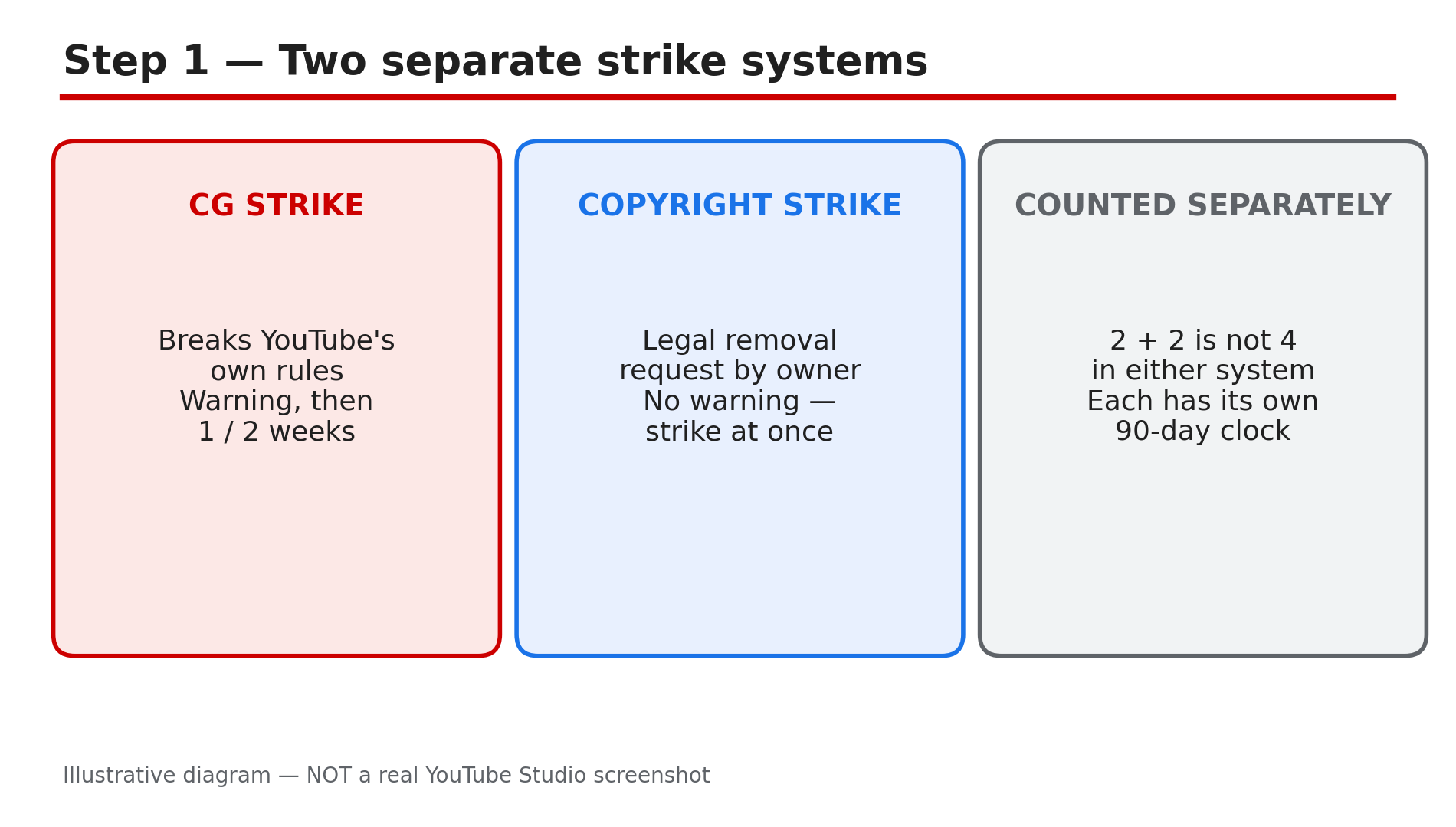
You open YouTube Studio and see a strike, or an email says your video was removed. The first question is not "how do I appeal" — it is "which kind of strike is this?" YouTube runs two separate strike systems, and they start differently, punish differently and are fixed differently. Mix them up and you can waste your one appeal on the wrong process. A Community Guidelines strike comes from breaking YouTube's own behaviour rules. A copyright strike comes from a legal removal request by a copyright owner. Both can remove a video and both can end a channel at three strikes, but the steps to recover are not the same. This guide compares them using YouTube's Help pages, opened live for this post. What You Will LearnThe one difference between the two strike systems Community Guidelines strikes: warning, 1 week, 2 weeks, termination Copyright strikes: removal, Copyright School, retraction, counter notification How to tell which strike you have The right appeal for each kind How to stay clear of a third strikeStep 1 — Understand that the two systems are separate What to do: Learn the one fact that decides everything else: Community Guidelines strikes and copyright strikes are counted separately. How: YouTube's Strikes FAQ says the two systems exist because Community Guidelines violations and copyright violations are different issues — one breaks the platform's behaviour rules, the other breaks the law. Each system has its own 90-day clock and three-strike path to termination. Strike guides citing YouTube Help report that two of each kind do not add up to a termination in either system. Example: Two Community Guidelines strikes and one copyright strike: one strike away in each system — two different clocks, two different risks. Common mistake: Appealing a copyright strike through the Community Guidelines appeal form. There is no such appeal for copyright — the only routes are a retraction or a counter notification.Illustrative diagram comparing the two separate YouTube strike systems. Step 2 — Community Guidelines strikes: warning, then 1 week, then 2 weeks What to do: Know the Community Guidelines ladder, so you can tell how serious your situation is. How: YouTube's Help page "Community Guidelines strike basics" sets out the ladder. The first violation is typically only a warning — complete the optional policy training and it expires 90 days after you finish it. A second violation is a first strike: one week with no uploads, live streams, Premieres, custom thumbnails or posts. A second strike in the same 90 days means two weeks with no posting. A third strike in the same 90 days may permanently remove the channel. Each strike expires 90 days from issue. Example: A creator gets a warning for a misleading thumbnail, completes the training, and the warning expires 90 days later. Break the same rule again: a first strike, one week with no uploads. Common mistake: Deleting the video that caused the strike. YouTube's Help page is clear: deleting your content does not remove a strike, and if you delete the video you will not be able to appeal it again.Illustrative diagram of the Community Guidelines strike ladder from warning to termination. Step 3 — Copyright strikes: removal, Copyright School, retraction or counter notification What to do: Learn the copyright route, which has no warning stage and no Community Guidelines-style appeal. How: YouTube's Help page "Understand copyright strikes" says a copyright strike means your content was removed because of a legal copyright removal request. There is no warning first. Three ways to resolve it: complete Copyright School and wait 90 days, get a retraction from the rights holder, or submit a valid counter notification if the removal was a mistake or the use qualifies as fair use. Three copyright strikes in 90 days mean termination. Example: A vlog uses a commercial song and the label files a removal request. The video is removed and the channel gets a copyright strike. A live stream removed for copyright also earns a strike and blocks live streaming for seven days. Common mistake: Filing a counter notification without a real basis — it is a legal statement. Disputing a Content ID claim without a valid reason can also escalate it into a removal request, and a strike.Illustrative diagram of the three ways to resolve a copyright strike. Step 4 — Work out which strike you have What to do: Check Studio and your email before you do anything, so you use the right process. How: Sign in to YouTube Studio and look at the Dashboard. The Channel violations card shows Community Guidelines strikes, including which policy was violated, and copyright strikes are also visible on the Dashboard and in the Content tab. For a copyright strike, open the email YouTube sent — official notifications come from no-reply@youtube.com. In Studio, go to Content, filter by Copyright, and open See details on the "Removed" video for the claimant's name and where the claimed content appears. Example: A creator sees "Removed" on a video and a copyright email from no-reply@youtube.com. That is a copyright strike — the fix is Copyright School, a retraction or a counter notification. Common mistake: Guessing from the video title or from memory. Two strikes can arrive in the same week from different systems, and only the Dashboard and the email tell you which is which.Illustrative diagram of the four checks that identify which strike you have. Step 5 — Appeal the right way for each kind What to do: Use the correct path, once, with a clear explanation — and only after the cause is fixed. How: For a Community Guidelines strike, appeal within six months. In Studio, open the Channel violations card on your Dashboard and appeal, explaining why the content follows the policy — one appeal per strike, so quote the policy and keep it factual. For a copyright strike there is no appeal form: ask the rights holder for a retraction, or submit a counter notification if the removal was a mistake or the use qualifies as fair use. Complete Copyright School too, so the strike can expire in 90 days. Example: A creator's video is removed for a harassment violation they did not commit. They appeal through the Channel violations card, explain the remark was a scripted line in a skit, and YouTube restores the video. Common mistake: Appealing before fixing the cause, or appealing a video you already deleted. YouTube says deleting the video does not resolve the strike and you cannot appeal again. Fix first, then appeal once with your best case.Illustrative diagram of the correct appeal route for each kind of strike. Step 6 — Stay clear of a third strike in either system What to do: Build habits that keep both strike counts at zero, because a third strike in either system can end the channel. How: Run the pre-publish Checks step in Studio before every upload — it scans for copyright issues and ad suitability. Keep a 90-day calendar, since each strike expires 90 days after it was issued. Never re-upload removed content — it can earn a fresh strike. Audit old videos for risky music and clips, and trim them in the Studio Editor instead of deleting the video. Strike guides report that an active Community Guidelines strike blocks a Partner Program application, while a copyright strike can make the review stricter. Example: A creator with one copyright strike sets a phone reminder for the 90-day expiry, completes Copyright School on day one, and checks every new upload with the Checks step. Common mistake: Treating a strike as a one-video problem. Strikes are channel-level — while one is active, a careless second video can turn a warning into a two-week freeze.Illustrative diagram of the 90-day strike expiry timeline. Checklist — Before You Publish☐ I know which strike system I am dealing with ☐ I checked the Dashboard and the email, not my memory ☐ I have not deleted the video that caused the strike ☐ I know the expiry date — 90 days from issue ☐ I completed Copyright School or policy training ☐ My appeal uses the right form and explains the policy ☐ I did not re-upload the removed content ☐ I ran the Checks step on my next uploadFAQs 1. Do Community Guidelines strikes and copyright strikes add up together? No. YouTube treats them as two separate systems — its Strikes FAQ says so. Two of each kind is two in each system, not four in one. But a third strike in either system within 90 days can terminate the channel, so watch both counts. 2. How long does a strike last? Each strike expires 90 days after it was issued. A Community Guidelines warning expires 90 days after you complete the optional policy training. A copyright strike expires after 90 days only if you complete Copyright School. A live stream removed for copyright also earns a strike and blocks live streaming for seven days, then 14 days. 3. Does deleting the video remove the strike? No, for either kind. YouTube's Help pages say so for both systems. The only exception is a scheduled copyright removal request: if you delete the content within the seven days before the removal takes effect, you avoid the strike. 4. Can I appeal a copyright strike? Not through a Community Guidelines appeal. A copyright strike is resolved by getting a retraction from the rights holder, submitting a valid counter notification, or completing Copyright School and waiting 90 days. 5. Does a strike stop me joining the YouTube Partner Program? As reported by strike guides, an active Community Guidelines strike blocks a Partner Program application, while a copyright strike can make the review stricter. Confirm in Studio and the Earn tab. SourcesYouTube Help — "Community Guidelines strike basics on YouTube" (official page, opened live 2 Nov 2026): https://support.google.com/youtube/answer/2802032?hl=en-GB CreatorPlaybook — "YouTube Copyright Claim — Trim, Replace or Dispute a Song": </blog/youtube-copyright-claim-how-to-trim> CreatorPlaybook — "Community Guidelines Strike Appeal — 3 Strikes, Expiry and What to Write": </blog/youtube-strike-appeal-how-to-appeal>