Showing Posts From
Payment threshold
 CreatorPlaybook Team
- 04 Nov, 2026
YouTube AdSense Payments: $100 Threshold, Methods, Delays and the $20 Test
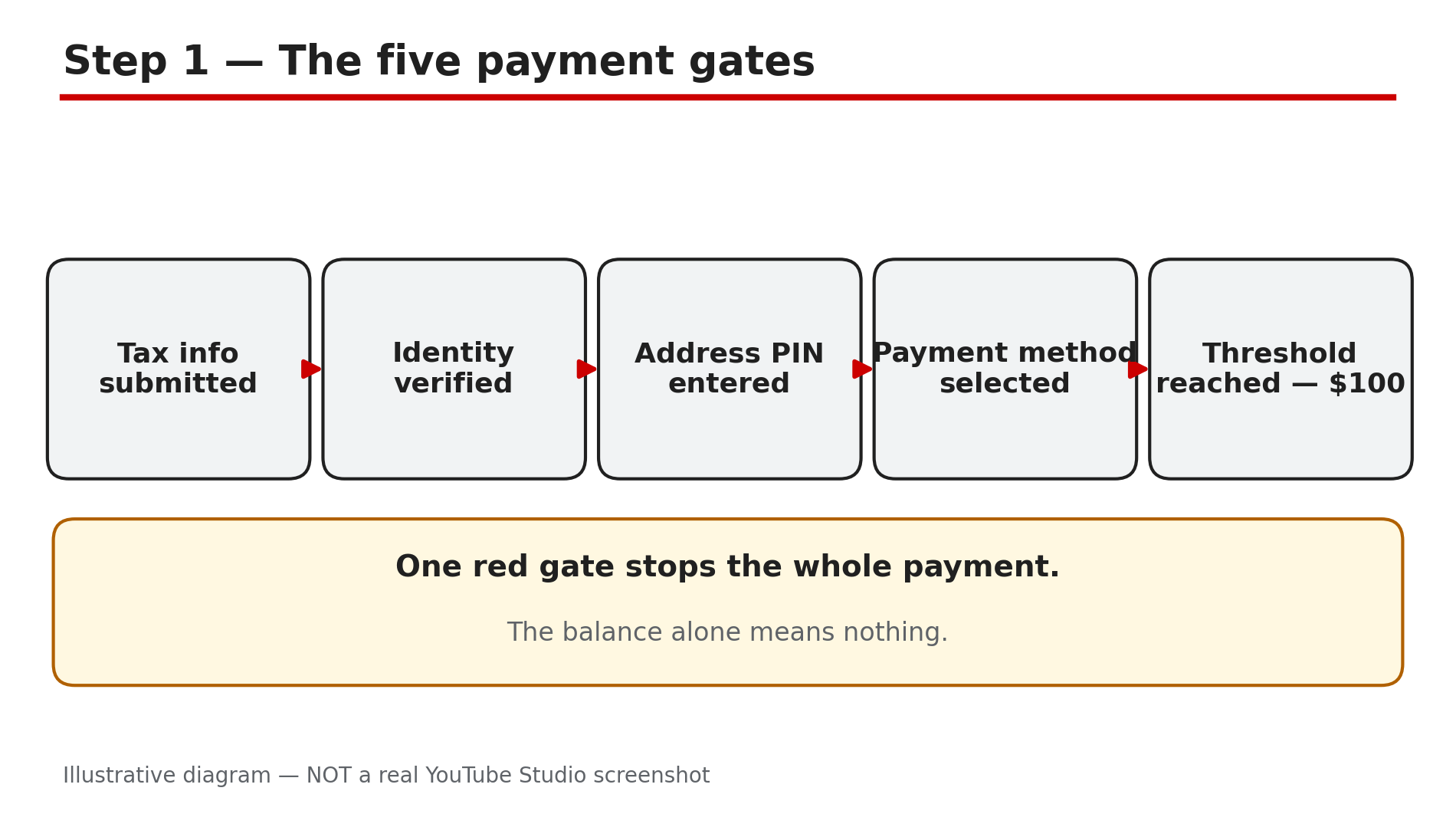
Your earnings are climbing, the AdSense balance is growing, and then nothing happens. No payment, no email, no date. Or a payment arrives two weeks later than you expected, smaller than the Analytics number, in a currency you did not choose. YouTube payments run through AdSense for YouTube, and the system has five gates, not one: tax information, identity verification, address verification, a payment method, and the payment threshold. What You Will LearnThe five payment gates, and which one is usually blocking you The $100 standard threshold — and the $20 test for some US, India and Indonesia creators How the PIN address verification works, and its deadlines How Indian creators actually get paid, and what it costs Why a payment is late, smaller than expected, or missing What to check in AdSense before you ask anyone for helpStep 1 — Know the five gates before the threshold What to do: Before you watch the threshold, confirm the other four gates are done. How: YouTube lists five conditions for payment: tax information submitted, identity verified, address verified, a payment method selected, and the payment threshold reached. The tax-information threshold is $0 — it is required before any payment at all. Identity and address verification are triggered when earnings reach the $10 verification threshold. Address verification means the PIN: Google posts a unique six-digit code to your payments address, it usually takes about three weeks to arrive, and you have four months from the date the PIN is generated to enter it, or ads stop showing. Enter the PIN wrong three times and your account stops showing ads. If the PIN has not arrived in three weeks, you can request a replacement — and if a fourth replacement still has not arrived after three weeks, use the PIN troubleshooter. Our separate guide on the AdSense PIN walks through the replacement flow. Example: A creator's balance passes $100 and still no payment arrives, because address verification is still pending. Common mistake: Watching only the balance: a $120 balance with an unverified address pays nothing. Illustrative diagram of the five conditions that must be met before YouTube pays. Step 2 — The $100 threshold, and the $20 test What to do: Check the threshold your own account actually shows — do not assume the $20 figure applies to you. How: The standard payment threshold is $100, or the local-currency equivalent, and it applies to your AdSense for YouTube balance. All your YouTube Partner Program earnings — long-form ads, Shorts, memberships — are combined into that one balance. On 26 October 2026, YouTube announced in its Help Community forum that it is temporarily testing a lower $20 threshold, or the local-currency equivalent, for a randomly selected group of creators in the US, India and Indonesia, starting with October 2026 payments. Creators in the test are notified in YouTube Studio on mobile and can change their threshold in AdSense for YouTube. You cannot apply to join, there is no announced end date, and no wider rollout has been announced. Read it carefully: $100 is the standard, $20 is a limited test — never "$20 for all Indian creators". If you have had no notification, assume your threshold is still $100. Example: Two Indian creators each earn $60 in October — one was randomly selected for the test and gets paid, the other waits for $100. Common mistake: Quoting a rupee figure for the threshold — Indian accounts use the $100 USD threshold, not a conversion. Illustrative diagram comparing the standard $100 threshold with the $20 test. Step 3 — How Indian creators actually get paid What to do: Set up a wire transfer to an Indian bank account, and expect conversion and bank charges. How: For India, the payment method is a wire transfer, or EFT, to an Indian bank account. After the payment is issued, it typically takes 1 to 5 business days to reach the bank. The payment is converted to INR, and bank exchange margins and inward-remittance fees vary by bank — some charge roughly ₹70 to ₹500 per transaction, as reported. Your AdSense for YouTube account holds one combined balance, so Shorts, long-form and memberships earnings all arrive in the same payment. Payments are issued once a month, after the previous month's earnings are finalised — finalised earnings land in AdSense for YouTube between the 7th and the 12th of the following month, as reported — so October's earnings are paid in November, not in October. Example: A creator earns $140 in October, sees it finalised around 10 November, and gets the bank credit 1 to 5 business days after the payment is issued. Common mistake: Expecting the money in the same month you earned it. Illustrative diagram of the AdSense PIN address verification timeline. Step 4 — Why a payment is late What to do: Match the delay to its cause instead of assuming YouTube forgot you. How: The common causes are: a payment hold, usually from an unverified address or a missing payment method — our guide on AdSense payment holds covers those; wrong bank details, which bounce the payment back; verification still pending; and bank processing, including weekends and holidays. A payment hold is the one most creators miss, because the hold sits on the AdSense Payments page, not in Studio. If your balance crossed the threshold in October, the payment is not "late" in November — that is the normal cycle. It is only late if the finalised earnings are in AdSense, the threshold is met, every gate is verified, and the payment still has not been issued by the end of the payment window. Example: A creator changes bank accounts and forgets to update AdSense, so the payment bounces and a hold appears. Common mistake: Emailing YouTube support about a "missing" payment while the PIN is still unverified. Illustrative diagram of how Indian creators receive YouTube payments. Step 5 — Why a payment is smaller than the Analytics number What to do: Compare the right two numbers: finalised AdSense earnings against the payment, not the Analytics estimate. How: The Revenue tab in Studio Analytics shows an estimate, and it arrives about two days after the views. The finalised figure in AdSense for YouTube can be lower, because invalid traffic is removed, refunds are deducted, and Shorts revenue is pooled and shared after music licensing costs. The payment itself is then converted to INR at the bank's rate, not Google's, with the bank's margin taken out. A payment that looks "short" by 5 to 10 percent is usually the estimate-to-final difference plus conversion, not an error. Check the AdSense Payments page first: it shows the exact issued amount and the date, and that is the number to compare against your bank credit. Example: Analytics shows $220 for the month, AdSense finalises $198 after invalid traffic is removed, and the bank credits the rupee equivalent of $198 minus a ₹250 remittance fee. Common mistake: Treating the Analytics estimate as a promise.Illustrative diagram comparing the Analytics estimate with the finalised AdSense figure. Step 6 — Your pre-payment checklist What to do: Run this check once, the month before your first expected payment, and keep it current. How: In AdSense, open Payments, then Verification check: confirm tax information is submitted, identity is verified, the PIN is entered, and a payment method is selected. Confirm the threshold shown on your own Payments page — $100, or $20 only if you were notified about the test. Confirm the bank details are current, especially after changing banks or account numbers. Then wait for the cycle: earnings finalised between the 7th and the 12th of the following month, payment issued after that, 1 to 5 business days for the bank. If anything is red on the Payments page, fix that first — it is the gate, and no other step matters until it is green. Example: A creator runs the checklist in November, finds the payment method is still "not selected", adds the bank account, and the December payment arrives without a hitch. Common mistake: Changing the threshold or the payment method in the middle of a payment cycle and expecting the change to apply to the payment already in flight. Illustrative diagram of the monthly YouTube payment cycle. Checklist — Before You Expect a YouTube Payment☐ Tax information is submitted in AdSense ☐ Identity verification is complete ☐ The PIN is entered — or I know it usually takes about three weeks to arrive ☐ A payment method is selected and the bank details are current ☐ I know my own threshold: $100, or $20 only if I was notified about the test ☐ I know earnings are finalised between the 7th and the 12th of the following month ☐ I am comparing the finalised AdSense figure with the payment, not the Analytics estimate ☐ I checked the Payments page for holds before asking anyone for helpFAQs 1. What is the minimum YouTube payout in India? The standard threshold is $100 USD, or the local-currency equivalent. 2. How long does the AdSense PIN take to arrive? Usually about three weeks by post. 3. How do Indian YouTubers receive their earnings? By wire transfer to an Indian bank account, typically 1 to 5 business days after the payment is issued, converted to INR with the bank's exchange margin and fees. 4. Why is my payment smaller than my Analytics revenue? Analytics shows an estimate — the finalised figure is lower after invalid traffic and refunds are removed. 5. Can I join the $20 threshold test? No — YouTube selects the group randomly; there is no application. SourcesYouTube Help Community — "Temporary experiment: lower $20 payment threshold" (announced 26 Oct 2026, reported by Tubefilter and others, confirmed in search results 4 Nov 2026): https://www.tubefilter.com/2026/10/28/youtube-partner-program-lower-payout-threshold-test/ Google AdSense Help — "Address verification (PIN) overview" (official page, opened live 4 Nov 2026): https://support.google.com/adsense/answer/157667?hl=en-GB CreatorPlaybook — "AdSense PIN Not Arrived? How to Verify Your Address": </blog/adsense-pin-not-arrived-how-to-verify>