Showing Posts From
Youtube channel security
 CreatorPlaybook Team
- 05 Nov, 2026
YouTube Temporary Feature Pause for Hacked Accounts: What It Means and How Long It Lasts
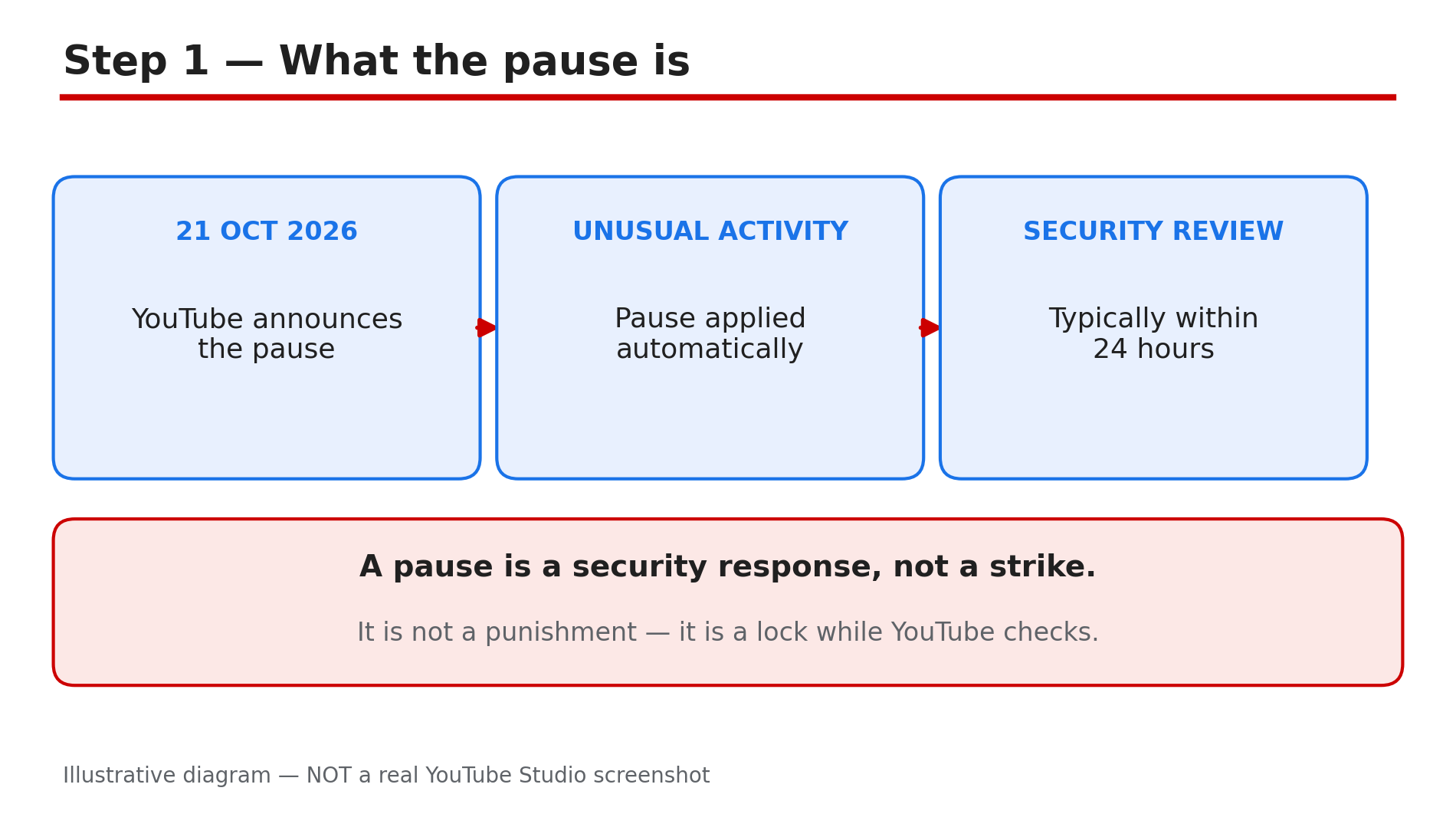
You open YouTube Studio to upload a video and find a banner saying your account has been temporarily restricted for security — uploads, livestreams and thumbnails locked, and you did nothing wrong. This is YouTube's temporary feature pause, announced on 21 October 2026. When YouTube detects unusual or unauthorised activity, it automatically freezes the actions a hijacker would use, while its security teams check whether the channel was really hacked. This guide explains what freezes, what keeps working, how long the review takes, and what to do. What You Will LearnWhat the temporary feature pause is and why YouTube added it The five actions that freeze during a security review What viewers still see, and why monetisation is not affected How long the review typically takes, and the two outcomes What to do while the pause is in place What YouTube has not explained — including one disputed detail How recovery works if a hijack is confirmed, and how to prevent the next oneStep 1 — What the pause is, and why it exists What to do: Understand that a pause is a security response, not a strike or a punishment. How: On 21 October 2026, TeamYouTube announced the temporary feature pause in the YouTube Help Community. When YouTube notices unusual activity on a channel which might be unauthorised, it may automatically pause certain features while it works out what happened. The reason is speed: when a channel is hijacked, hackers look to quickly lock the owner out and upload unwanted videos or live streams. Hijacked channels are often used to push scam videos and fake live streams, which can lead to strikes or termination. The pause stops that damage before it happens. It is not a strike of any kind, and it does not mean your channel is terminated. Example: A creator with 80,000 subscribers logs in to find uploads locked. No strike email arrived — the banner simply says the account is temporarily restricted for security. Common mistake: Treating the banner as a strike and filing a strike appeal — a strike appeal goes nowhere.Illustrative diagram of how the temporary feature pause begins. Step 2 — The five actions that freeze, and what keeps working What to do: Check which buttons are locked, and reassure yourself about what is not. How: While the pause is in place, no one can perform five actions on the channel — and "no one" means the real owner and any channel managers too, not just the suspected intruder. The five are: uploading or updating videos and Shorts; starting a live stream; creating playlists or adding videos to them; uploading custom thumbnails; and switching videos from Private to Unlisted or Public. What does not freeze matters just as much: according to the announcement, viewers can continue watching your existing videos and interacting with your channel, and your monetisation status will not be impacted. Example: A cooking channel in a pause still gets comments and views on old videos, but cannot upload the new recipe video or change last week's thumbnail. Common mistake: Assuming the whole channel is gone because uploads are blocked.Illustrative diagram of the five actions frozen during a temporary feature pause. Step 3 — How long it lasts, and the two outcomes What to do: Read the time estimate in the banner, and understand that "typically" is not a promise. How: YouTube's announcement says its security teams will review the channel's status typically within 24 hours, and the Studio banner gives an estimate of the review time. The word to notice is "typically": YouTube states no maximum. There are two outcomes. If your account security is verified, full access is immediately restored. If unauthorised activity is confirmed, YouTube reaches out with next steps. As reported from the companion Help article, in a confirmed hijack the limits stay until the owner re-secures the Google Account, cleans up the unauthorised changes, and contacts YouTube support. That second stage has no published time frame. Example: A channel paused on Tuesday morning is back to normal by Tuesday evening. A confirmed hijacked channel stays locked for days. Common mistake: Treating "typically within 24 hours" as a guaranteed deadline.Illustrative diagram comparing what keeps working with what freezes during a pause. Step 4 — What to do while the pause is in place What to do: Read the banner, check your email, and wait — then secure the account. How: The Studio banner confirms the pause and, according to the announcement, YouTube provides an explanation of what happened, an estimate of the review time, and steps to secure your account and review any unauthorised changes. Updates go to the channel owner's email, so check that inbox, including spam. As reported from the Help article, you do not need to take immediate action while the review is in progress. That does not mean doing nothing: while you wait, secure the Google Account behind the channel — turn on 2-Step Verification, use a strong unique password, and review recovery details, devices and third-party access. Do not try to work around the pause with another channel or a manager's login — the restriction applies to the channel, not to one login. Example: A creator reads the banner, finds YouTube's email, and turns on 2-Step Verification while the review runs. Common mistake: Trying to upload from a manager's account, or creating a second channel — the pause is channel-wide.Illustrative diagram of the review timeline and its two outcomes. Step 5 — What YouTube has not explained What to do: Know the gaps, so you do not act on rumours about the pause. How: YouTube has not said what counts as "unusual or unauthorised activity" — no trigger is named, and no false-positive rate has been published. A legitimate login from a new phone or a new team member could, as reported, trigger a pause at a bad time, and there is no published way to appeal one. One detail is genuinely unsettled: some secondary reports say the companion Help article adds that YouTube may set some of your recent videos to private during the review, while the announcement itself says nothing about it. Do not treat it as settled — the announcement says viewers can keep watching your existing videos. If a recent video does go private during a review, you cannot switch it back until the pause ends. Example: A creator reads a news article claiming recent videos go private, checks the announcement, and finds no such statement. Common mistake: Repeating the private-videos claim as fact.Illustrative diagram of what to do while a feature pause is in place. Step 6 — If a hijack is confirmed, recover in the right order What to do: Follow YouTube's recovery path step by step, and lock the account down for the future. How: If the review confirms your channel was hijacked, the limits stay until you have re-secured the account and contacted support. The order matters — it matches the guided recovery tool YouTube introduced in July 2025 for hacked channels. First, secure the Google Account: change the password, turn on 2-Step Verification, remove unfamiliar devices and sessions, and check the recovery details have not been changed by the intruder. Second, clean up the channel: delete anything the hijacker added, restore thumbnails and descriptions they changed, and review channel managers and permissions. Our guide on hacked and terminated channels walks through the full recovery and appeal process. Third, contact YouTube support to ask for the restrictions to be lifted. To prevent a repeat, use 2-Step Verification and strong passwords — the two measures YouTube names. Be wary of sponsorship offers that ask you to download software — as reported, fake offers carrying cookie-stealing malware were behind a major hijacking campaign. Example: A gaming channel confirmed hijacked: the owner changes the password, removes the intruder's session, deletes three scam live streams, then contacts support. Common mistake: Contacting support first, before securing the account.Illustrative diagram of the recovery order after a confirmed hijack. Checklist — If Your Channel Gets a Temporary Feature Pause☐ I read the Studio banner and its review-time estimate ☐ I checked the channel owner's email, including spam, for updates ☐ I know the five frozen actions, and that viewers can still watch ☐ I did not file a strike appeal — this is not a strike ☐ I turned on 2-Step Verification and checked recovery details ☐ I reviewed signed-in devices and third-party access ☐ I did not try to work around the pause with another login ☐ If a hijack is confirmed, I will secure the account, clean up, then contact supportFAQs 1. What is YouTube's temporary feature pause? A security measure announced on 21 October 2026. When YouTube detects unusual or unauthorised activity, it pauses five publishing actions while its security teams review whether the channel was hacked. 2. How long does the temporary feature pause last? YouTube says the review typically takes within 24 hours, but states no maximum. If the account is verified safe, access is restored immediately; a confirmed hijack keeps the limits until the owner re-secures it. 3. Can viewers still watch my videos during a pause? Yes — according to the announcement, viewers can keep watching your existing videos, and your monetisation status will not be impacted. 4. Does the pause mean my channel got a strike? No. The pause is not a Community Guidelines strike or a copyright strike, and it does not mean the channel is terminated. It is a temporary security review. 5. Will YouTube set my recent videos to private during the review? That detail is not settled. Some secondary reports say the companion Help article mentions it, but the announcement says nothing about it. Do not treat it as confirmed. SourcesYouTube Help Community (TeamYouTube) — "Introducing temporary feature pause for hacked accounts", 21 Oct 2026 (official announcement, confirmed in search results 5 Nov 2026): https://support.google.com/youtube/blog/473851650/introducing-temporary-feature-pause-for-hacked-accounts?hl=en CreatorPlaybook — "YouTube Channel Hacked or Terminated? How to Recover and Appeal": </blog/youtube-channel-hacked-or-terminated> CreatorPlaybook — "Community Guidelines Strike vs Copyright Strike: The Difference and How to Appeal": </blog/community-guidelines-strike-vs>