Showing Posts From
Youtube features
 CreatorPlaybook Team
- 08 Nov, 2026
YouTube Community Posts Tab Not Showing? How to Fix It
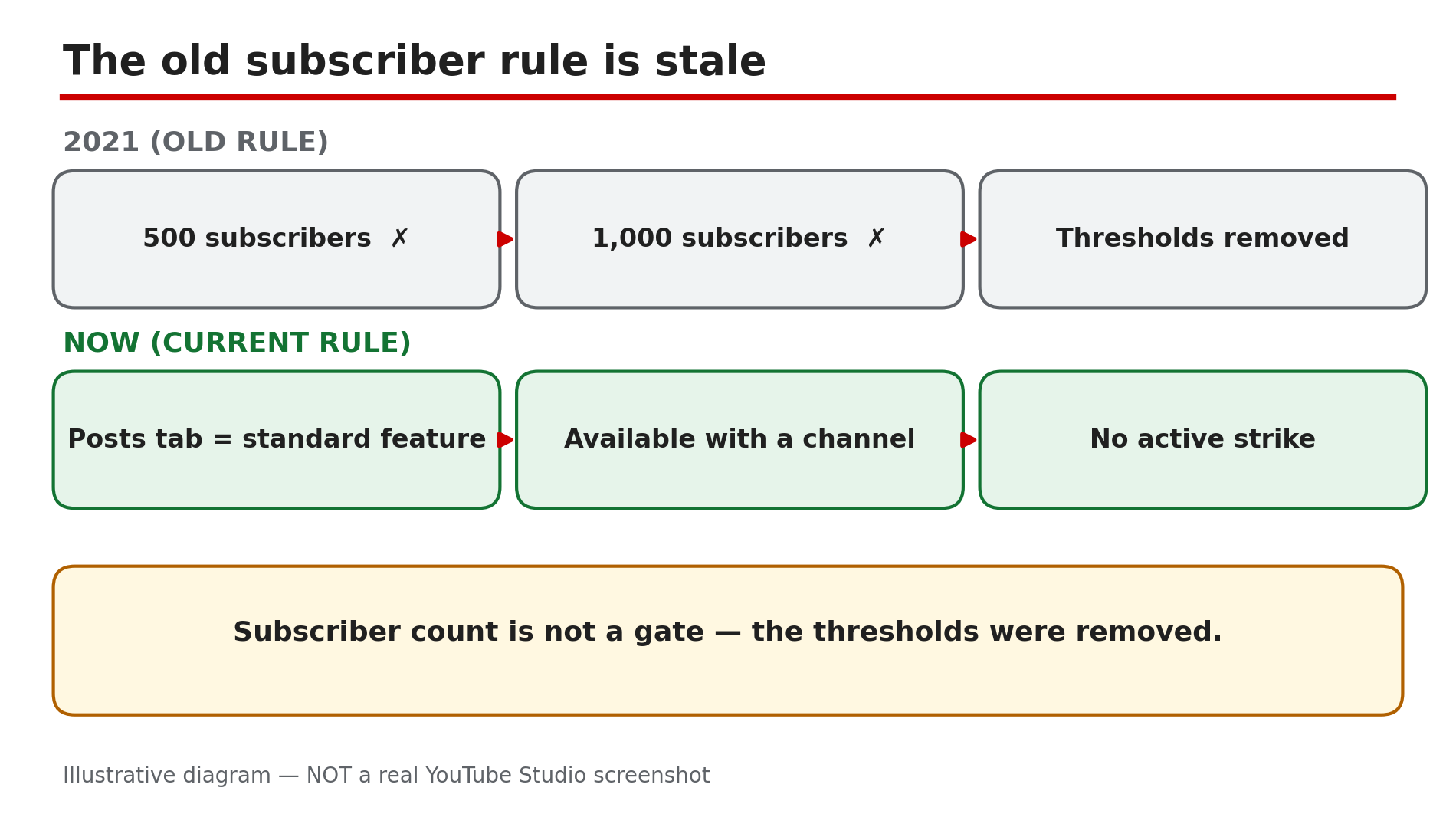
You open your channel page and the Posts tab is not there — no polls, no text updates, no way to reach subscribers. A friend says you need 500 subscribers; an old blog post says 1,000. So you wait, grow, and check again — and the tab is still missing. Those subscriber numbers are stale. As reported in YouTube's current feature-access documentation, the Posts tab is a standard feature for any channel with no active Community Guidelines strike. The 500- and 1,000-subscriber requirements were 2021 thresholds, since removed. If the tab is missing, one of those gates is blocking it. Work through them in order. What You Will LearnWhy the 500/1,000-subscriber rule no longer applies How to check feature eligibility How a strike, Made for Kids, or a supervised account hides the tab Why phone verification changes your daily limit, not the tab How to post first and make the tab appearStep 1 — Forget the subscriber number: check the current rule What to do: Stop waiting for 500 or 1,000 subscribers — check what YouTube's current rules actually say. How: Open Studio on a computer and go to Settings → Channel → Feature eligibility. YouTube's Help page lists the Posts tab as a standard feature, available with a channel that has no active Community Guidelines strikes — no subscriber count appears in that list. If it shows as enabled, your channel already has it. Example: A creator with 87 subscribers spends three months chasing 500. She opens Feature eligibility and sees the Posts tab already listed — her real problem was a Made for Kids setting (Step 3). Common mistake: Trusting old guides over the current Help page. As reported, a YouTube Community forum reply on 18 October 2026 still told a Hindi user they needed "500+ subscribers" — outdated community advice, not the Help page.Illustrative diagram: the 500 and 1,000-subscriber thresholds were removed — the Posts tab is now a standard feature. Step 2 — Check for an active Community Guidelines strike What to do: Check whether an active strike is removing your standard features. How: In Studio, go to Settings → Channel → Feature eligibility and look for a warning that features are restricted. Also check your channel's email for the strike notice — it is easy to miss. As reported, a strike removes standard features while active, and strikes generally expire after 90 days — confirm the dates in Studio. Example: A creator gets a strike, and the next morning the Posts tab is gone. He assumes YouTube removed the feature for small channels — in fact the strike removed it, and the tab returned when the strike expired. Common mistake: Assuming the tab is gone forever. A strike is temporary — but while it is active, no amount of posting or verifying will bring the tab back.Illustrative mock-up: the four clicks in Studio that show whether the Posts tab is enabled for your channel. Step 3 — Check Made for Kids and supervised-account settings What to do: Check whether your channel is set to Made for Kids, or your account is supervised. How: In Studio, go to Settings → Channel → Advanced settings and read the audience setting. As reported, when a channel is set to Made for Kids, the Posts tab is visible only to the owner — viewers cannot see it, and you cannot publish posts. Change the setting only if your content genuinely is not made for kids. Also check whether your account is supervised — a parent or guardian must change those settings. Example: A creator sets his audience to Made for Kids during setup, thinking it is the safe choice. He can see the tab himself — but his viewers never can. Common mistake: Checking only your own view. The tab can be visible to you and invisible to everyone else — always check your channel page in an incognito window, signed out.Illustrative diagram: the four real gates that can hide the Posts tab, with subscriber count left out. Step 4 — Check your location and that you are looking at the right channel What to do: Confirm posts are available where you live, and you are on the right channel. How: As reported, Community posts are not currently available in Germany — if you are based there, the tab will not appear whatever you do; that is a regional restriction, not a fault with your channel. If you run more than one channel, use the switcher to confirm you are on the right one. Then look in the right place — on desktop the tab sits in the tab row on your channel page. Example: A creator in Germany follows every fix online and nothing works — the tab is simply not offered there at present, as reported. Common mistake: Hunting through Studio menus for a "Posts tab" switch. There is no switch — the tab appears on your channel page when your channel is eligible.Illustrative diagram: the Posts tab can be visible to the owner and invisible to viewers — check signed out. Step 5 — Verify your phone number to raise the daily limit, not to unlock the tab What to do: Verify your phone number — it changes your daily post limit, not the tab. How: In Studio, go to Settings → Channel → Feature eligibility , then under Intermediate features click Verify phone number and enter the code YouTube sends by text or call. As reported, the Posts tab carries a "limited daily limit" without verification and a "higher daily limit" once verified. Verification does not create the tab — it only lets you post more often. Hit the limit and you must wait 24 hours. Example: A creator verifies her number and the tab still does not appear, so she concludes verification "did not work". It worked fine — her tab was hidden by a Made for Kids setting. Verification was never the lock. Common mistake: Treating verification as the fix for a missing tab. Work through Steps 2 to 4 first; verify afterwards, so you can post often once the tab is back.Illustrative diagram: phone verification raises the daily post limit — it does not unlock the Posts tab. Step 6 — Create your first post in Studio only, then check your channel page What to do: Create your first Community post in Studio on a computer, then check your public channel page. How: In Studio, click Create → Create post. Publish a text post, an image post, or a poll — polls need at least two options. As reported, there is no Data API endpoint for Community posts, so no third-party tool can schedule them; scheduling is Studio-only, so double-check the timezone field. Then open your channel page in an incognito window, signed out. As reported, the tab may only appear after your first post is published — so publishing one post is itself the final step. Example: A creator checks his channel page every day for a tab that never appears. He publishes one text post in Studio and refreshes — the Posts tab is there, with his post inside it. Common mistake: Waiting for the tab to appear before posting anything. The order is the other way round: post first, then the tab shows up.Illustrative diagram: creating your first post in Studio is the final step that makes the Posts tab appear. Checklist — Fix the missing Community Posts tab☐ Feature eligibility checked — Posts tab standard ☐ Old 500/1,000-subscriber rule ignored ☐ No active Community Guidelines strike ☐ Channel audience not set to Made for Kids ☐ Account not supervised ☐ Not based in Germany ☐ Right channel checked, signed out in incognito ☐ Phone verified for a higher daily limit ☐ First post created in Studio; tab confirmed on channel pageFAQs 1. Do I need 500 or 1,000 subscribers for the Community Posts tab? No — not any more. As reported, the Posts tab is a standard feature for any channel with no active Community Guidelines strikes. The 500- and 1,000-subscriber numbers were 2021 thresholds, since removed. 2. I have 2,000 subscribers and still no Posts tab. Why? Because subscriber count was never the gate. Check the real gates: an active strike (Step 2), Made for Kids (Step 3), a supervised account (Step 3), or Germany (Step 4) — and confirm the right channel, checked signed out. 3. Does verifying my phone number unlock the Posts tab? No. Phone verification raises your daily post limit — it does not create the tab. If the tab is missing, the cause is a gate in Steps 2 to 4. Verify anyway once the tab is back. 4. Can I schedule Community posts with a third-party tool? No, as reported. There is no Data API endpoint for Community posts, so no third-party tool can schedule them — scheduling is Studio-only, on a computer. 5. How is this different from growing engagement with Community posts and polls? That guide is about what to post once the tab works. This post is the diagnosis for when the tab itself is missing — fix the tab first, then use the engagement guide. SourcesYouTube Help — "Learn about feature access for YouTube Creators" (official page, opened live 8 Nov 2026): https://support.google.com/youtube/answer/9890437?hl=en CreatorPlaybook — "Made for Kids on YouTube: Revenue, Limits & What Creators Must Know" (internal link, live-verified published post): </blog/made-for-kids-on-youtube-revenue-limits> CreatorPlaybook — "Community Guidelines Strike vs Channel Termination: What's the Difference?" (internal link, live-verified published post): </blog/community-guidelines-strike-vs>