Showing Posts From
Youtube impersonation
 CreatorPlaybook Team
- 07 Nov, 2026
Someone Copied Your YouTube Channel? How to Report Impersonation and AI Likeness Theft
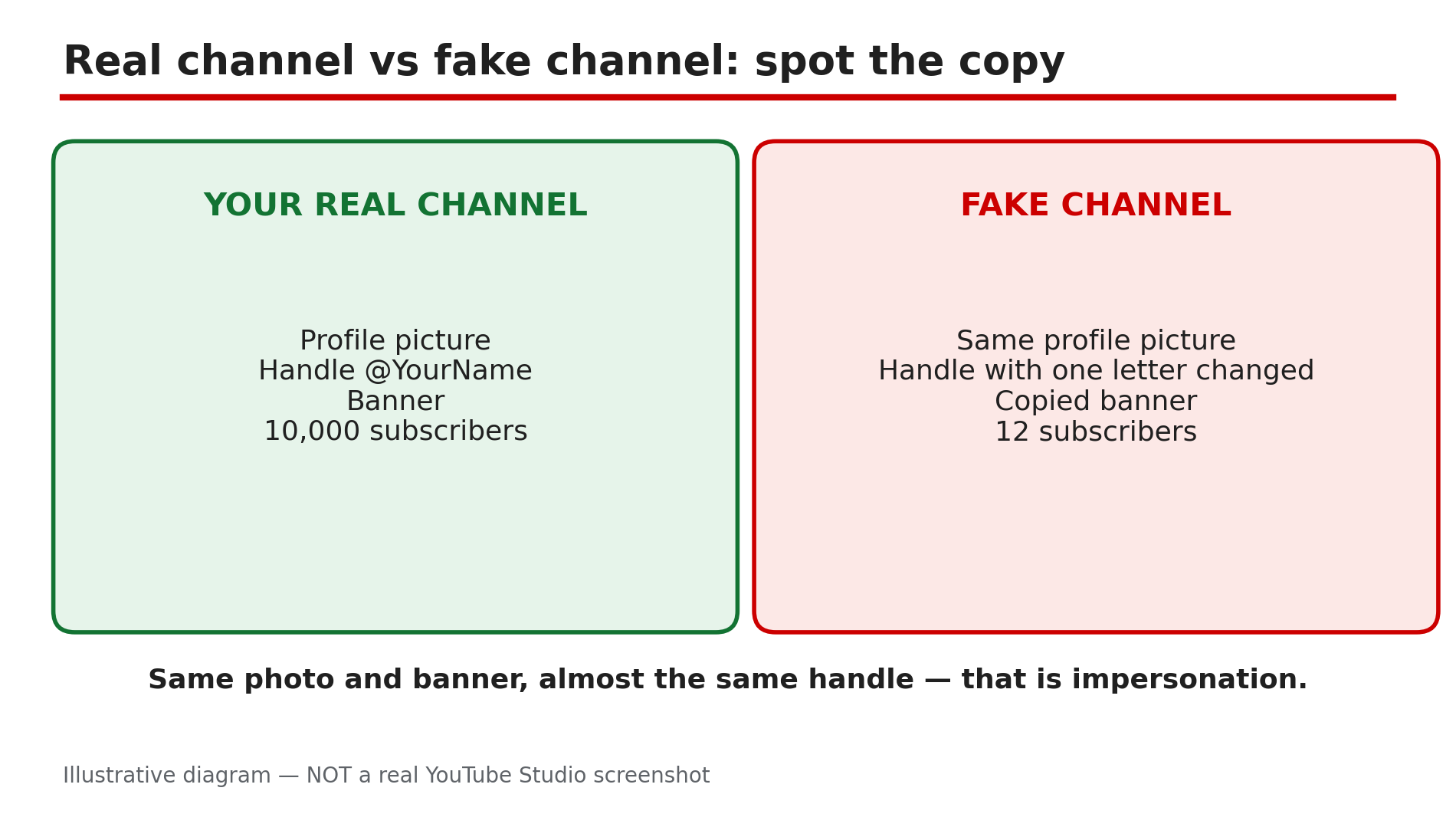
You search your own channel name and find a second channel that looks exactly like yours — same picture, same handle with one letter changed, same banner. Some videos may even use an AI copy of your voice or face. The fake channel is stealing your audience's trust, and sometimes their money. YouTube does have a route for this. Its Impersonation policy covers channels that copy your branding, handle, or profile picture, and AI copies of your voice or likeness. A channel set up to impersonate you can be removed entirely. Likeness Detection, opened to creators 18 and over in May 2026, scans new uploads for AI copies of your face and queues matches in Studio. What You Will LearnWhat counts as impersonation under YouTube's policy — and what does not How to collect evidence for a strong report How to report the fake channel itself — not just a video Copied videos and AI copies of your face or voice How Likeness Detection works — and its limitsStep 1 — Confirm it is impersonation, not a lookalike What to do: Check the suspicious channel against YouTube's Impersonation policy, opened live for this guide. How: YouTube's policy says it "does not allow unauthorized impersonation of a person, entity, or channel that may mislead viewers in a way that could harm the YouTube community." That covers copying branding, content, or usernames, and AI copies of a person's voice or likeness. Listed tricks include typos in a handle, copying profile pictures and banners, and adding "Real", "Official", or "Backup" to your name. The channel need not be 100% identical. Fan channels must say so in their name or handle. Example: A creator named "Tech with Rahul" finds "Tech with RahuI" — "l" swapped for a capital "i" — using his photo and banner. Common mistake: Reporting any channel with a similar name. Covering the same topic without copying your branding is usually not impersonation.Illustrative diagram: how to compare a real channel with a copycat by checking the handle, photo, banner and subscriber count. Step 2 — Collect evidence before you report anything What to do: Save dated proof before the fake channel renames itself or deletes videos. How: Screenshot the fake channel's page and your own for comparison. Copy the fake channel's URL and two or three copied video URLs, and note the dates and both subscriber counts. Note links in the fake description — often scam sites or fake giveaways. Save your original video files. Example: A cooking creator screenshots a copycat using her photo, saves links to four re-uploaded videos, and notes a "free gift" link in the fake description. Common mistake: Reporting before gathering evidence. Fakes often rename themselves or delete videos after a report.Illustrative diagram: the evidence to collect and save before filing an impersonation report. Step 3 — Report the channel, not just one video What to do: Report the impersonating channel itself, not just a video. How: On the fake channel's page, click the three-dot menu ("...more"), choose "Report user", then the impersonation option, and describe what was copied. A channel report covers the channel's identity only, not its videos — copied videos need separate reports (Step 4). Reports are anonymous, and nothing is removed automatically. A reviewer checks it, and if YouTube determines "a channel was established to impersonate another person or entity, the channel may be removed to protect our community." Example: A gaming creator reports a copycat through "Report user" and links her real channel so the reviewer can compare. Common mistake: Reporting one video and expecting the whole fake channel to vanish. A video report only reviews that video.Illustrative mock-up: the menu path to report a channel for impersonation. Step 4 — Deal with copied videos and AI copies of your face or voice separately What to do: Use the right route for each copy: video reports for re-uploads, a privacy complaint for face-or-voice videos. How: For re-uploaded videos without changes or added commentary, report each video — the policy lists "copying someone else's videos and reposting them as your own without changing anything or adding significant original commentary" as a violation. For one video using your face or voice without consent, including an AI copy, file a "request for removal under our privacy guidelines" instead. YouTube weighs parody or satire, and whether the person is a public official or well-known individual. Never pay for removal, and never message the fake channel — scammers use it to phish your login. Example: A creator finds her face in an AI video "endorsing" a trading app she never used, files a privacy removal request, and reports the channel separately. Common mistake: Using the channel report for one video, or a privacy complaint for a whole channel. The wrong route slows the review.Illustrative diagram: which report route to use for a copied channel, copied videos, or a video using your face or voice. Step 5 — Enrol in Likeness Detection so new fakes find you What to do: Turn on Likeness Detection in Studio so new uploads using your face are flagged. How: As reported, Likeness Detection opened to creators aged 18 and over in May 2026 — sources give different exact days, so check Studio for the current enrolment option. On a computer, open Studio > Content detection > Likeness. As reported, enrolment needs a one-time check with a government-issued photo ID and a short selfie video. YouTube then scans new uploads for your face and puts likely matches in a review queue. You review each match and file a removal request. Detection does not guarantee removal — reviewers decide — and it is not retroactive: it only finds matches from enrolment onward. As reported, it detects faces, not voices. Example: A tech reviewer enrols in May 2026. Two weeks later her queue shows an AI video with her face promoting a phone she never reviewed. Common mistake: Assuming enrolment deletes fakes automatically. Detection only finds matches — you must file each removal request yourself.Illustrative mock-up: how Likeness Detection enrolment, scanning, match review and removal requests work. Step 6 — Protect your channel so the next copycat is easy to spot What to do: Make your real channel unmistakable and warn your audience once. How: Keep one consistent handle everywhere and link your real social accounts in About. Apply for a verification badge when you qualify, and keep a distinctive banner and profile picture. Post a short Community post: you have one channel and never ask for money, codes, or passwords. If your channel was hacked first, our recovery guide is linked below. The NO FAKES Act, a US bill that would create a federal right over your voice and likeness, is not law: as reported, it only cleared the Senate Judiciary Committee on 18 June 2026. Use YouTube's own tools today. Example: A finance creator posts a Community update naming her one real handle: any "backup" channel asking for payment is fake. Common mistake: Creating a second "real" channel to fight the fake. Extra channels confuse your audience and give copycats more names to imitate.Illustrative diagram: five ways to make your real channel easy for viewers to recognise. Checklist — Report an impersonating channel☐ Compared fake channel with mine: handle, photo, banner, description ☐ Saved dated screenshots and the fake channel URL ☐ Saved URLs of copied videos ☐ Noted scam links in the fake description ☐ Filed a channel report ("Report user") for impersonation ☐ Reported copied videos separately ☐ Filed a privacy removal request for face-or-voice videos ☐ Enrolled in Likeness Detection (Content detection > Likeness) ☐ Warned my audience: one real channel only ☐ Monthly reminder: search my channel nameFAQs 1. Someone copied my channel name but changed one letter. Is that impersonation? Yes, if the channel also copies your branding — picture, banner, or colour scheme — and the intent to mislead is clear. YouTube's policy says the channel does not have to be 100% identical. Report the channel, not just a video. 2. I reported the fake channel. Will it be removed straight away? No. Reports are anonymous and nothing is removed automatically. A reviewer checks it, and a channel is removed only if YouTube finds it was set up to impersonate you. 3. How is reporting a channel different from reporting a video? A channel report covers the channel's identity — photo, handle, description — not its videos. Copied videos need separate reports, and a video using your face or voice needs a privacy removal request. 4. Does Likeness Detection remove AI fake videos automatically? No. As reported, it scans new uploads for your face and puts matches in a review queue in Studio. You review each match and file a removal request; reviewers decide. It only works from enrolment onward, and it detects faces, not voices. 5. Is the NO FAKES Act a law I can use against AI copies of me? Not yet. As reported, it only cleared the Senate Judiciary Committee on 18 June 2026 and has not become law. Use YouTube's Impersonation policy, the privacy removal request, and Likeness Detection instead. SourcesYouTube Help — "Impersonation policy" (official, opened live 7 Nov 2026): https://support.google.com/youtube/answer/2801947 CreatorPlaybook — "YouTube Channel Hacked or Terminated? How to Recover It Step by Step" (internal link, verified live 7 Nov 2026): </blog/youtube-channel-hacked-or-terminated> CreatorPlaybook — "YouTube Spam Termination Explained: Why Channels Get Removed and How to Appeal" (internal link, verified live 7 Nov 2026): </blog/youtube-spam-termination-explained-why>