Showing Posts From
Youtube shorts music
 CreatorPlaybook Team
- 05 Nov, 2026
YouTube Shorts Music Disappeared or Muted? The 24 September 2026 Change Explained
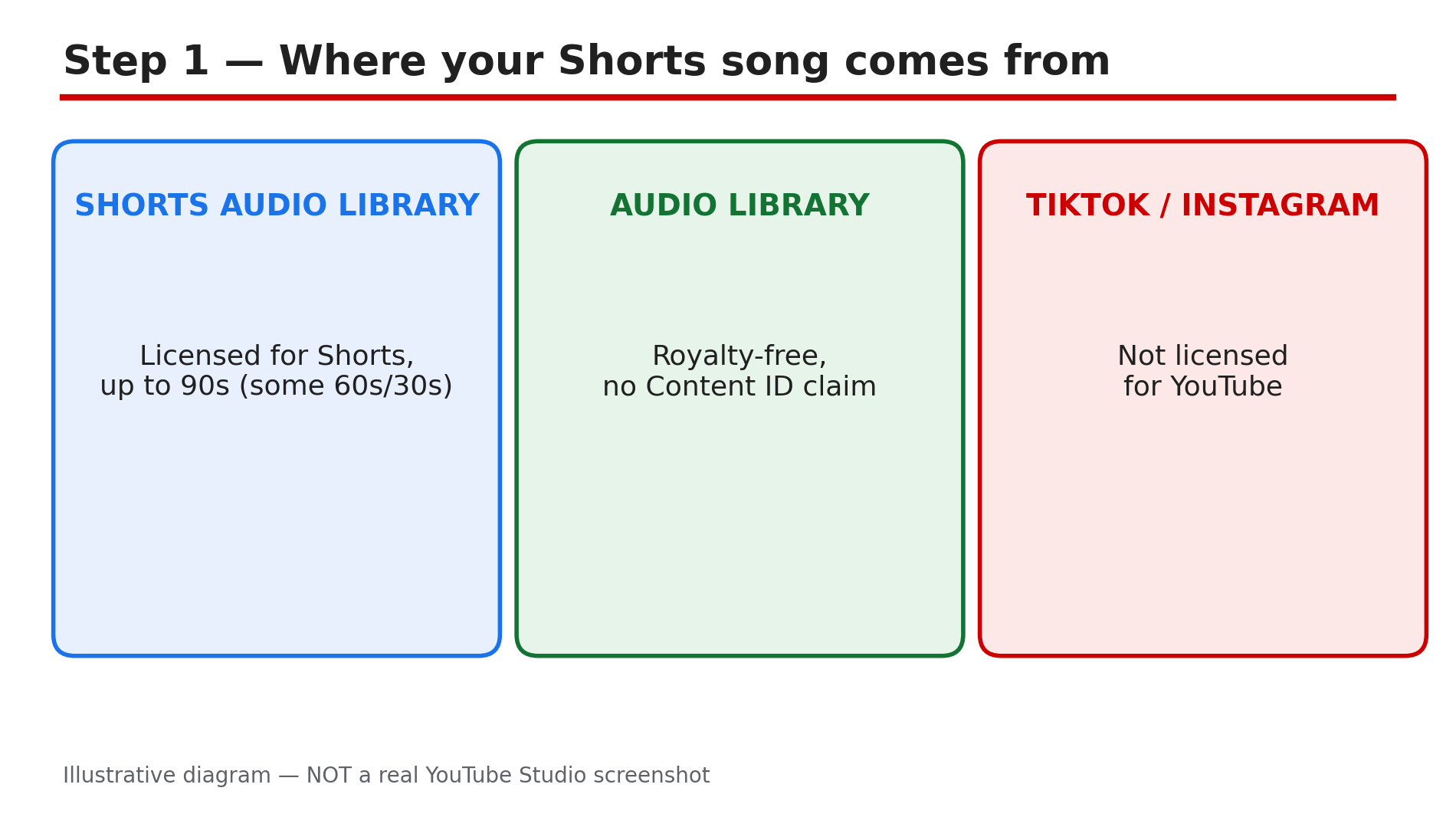
You uploaded a Short, the song sounded perfect — and a day later the music is gone, the Short is muted, or the whole video is blocked. No strike, no warning, just silence. This is the most confusing music problem on YouTube right now — the rule itself is in dispute. In September 2026 YouTube reportedly changed what happens to a Short over one minute long with an active claim — but the Help page you open today may still say the old rule. This guide explains both versions, and how to check and fix your Short. What You Will LearnWhy Shorts music disappears or gets muted The 1-minute Content ID line, and what "blocked worldwide" means What reportedly changed on 24 September 2026, and why the pages disagree How to check whether your own Short has a claim How to fix a claimed Short in the Studio Editor How to pick music next timeStep 1 — Why the music disappears: Shorts songs are licensed for Shorts only What to do: Before you fix anything, find out where the song in your Short actually came from. How: Songs added through YouTube's own Shorts tools are licensed for Shorts only, for a limited length. YouTube's Help page, "Understand three-minute YouTube Shorts", says most songs in the Shorts Audio Library can be used for up to 90 seconds — but some tracks are limited to 60 or 30 seconds. If your Short runs longer than the licence allows, the music can cut out after upload. A sound trending on TikTok or Instagram is not automatically licensed for YouTube. YouTube Create is also reported to remove licensed Shorts music on exports over 15 seconds. Example: A creator adds a trending TikTok sound to a 90-second Short, and the audio is muted within hours — the sound was never licensed for YouTube. Common mistake: Assuming a song is safe because it played fine on TikTok or Instagram — each platform has its own licences.Illustrative diagram of the three sources of music for a Short, and which ones are licensed. Step 2 — The 1-minute line: what "blocked worldwide" means What to do: Check how long your Short is — one minute is the line that changes everything. How: YouTube's Help page on three-minute Shorts draws a hard line at one minute. For Shorts under one minute, the rights holder's chosen policy applies — the claim can block, monetise or track the video. For a Short over one minute with an active Content ID claim of any type, the page says the Short "will be blocked globally on YouTube" — not playable, not recommended, not eligible for monetisation. There is no penalty to your channel, and once the claim is resolved the Short becomes viewable and monetisable again. This is the rule on the Help page opened live for this article on 5 November 2026. Example: A 2-minute Short with a commercial song gets a manual claim — blocked worldwide until the claim is resolved. Common mistake: Thinking a blocked Short means a strike — no channel penalty, and it becomes viewable once the claim is resolved.Illustrative diagram of the one-minute line for Content ID claims on Shorts. Step 3 — The 24 September 2026 change, and why the pages disagree What to do: Do not trust a single screenshot of the rule — check the Help page in your own region. How: Multiple third-party sources report that from 24 September 2026, new Shorts of one to three minutes with an active claim "will no longer be automatically blocked and may remain playable on YouTube". Those reports say the new wording appears on the Help pages for the UK, India and Australia. But the UK English page opened live for this article on 5 November 2026 still said a Short over one minute with an active claim "will be blocked globally on YouTube". So the change may not have reached every version of the page. Treat the 24 September change as reported, not settled fact. Some sources also say a claimed Short over one minute is not eligible for monetisation even if playable — reported, not confirmed. Example: A creator in India reads that new claimed Shorts are no longer auto-blocked — then finds a 2-minute Short blocked anyway. Common mistake: Quoting the 24 September change as a guarantee your claimed Short will stay up.Illustrative diagram of the conflicting Help page versions about claimed Shorts. Step 4 — Diagnose your own Short: claim, mute, or licence limit? What to do: Open the Short in Studio and find out which problem you have — each one has a different fix. How: In Studio, go to Content and look at the Restrictions column. Hover over Claims and click See details to see who claimed what, and where. If the whole Short is blocked and unplayable, you are past the 1-minute line with an active claim — Step 2. If only the music is missing while the video still plays, the song's licence probably ran out. If the audio drops out partway through, only part of the video is claimed. Write down the claimant, segment and duration first — you need them to dispute. Example: See details shows a claim on seconds 62 to 90 of a 2-minute Short — the song was licensed for 60 seconds. Common mistake: Re-uploading the same Short with the same song. The claim system will find it again — a re-upload does not reset the claim.Illustrative diagram of how to diagnose a music problem on a Short in Studio. Step 5 — Fix it in the Studio Editor: replace, mute, trim — or dispute What to do: Fix the claimed segment in the Editor, or dispute the claim if it is wrong — and do it within 30 days. How: Open the Short in Studio, go to Editor — you have three options for the claimed audio. Replace the song: swap the claimed track for an Audio Library song, which will not receive a Content ID claim. Mute the song: silence the claimed segment. Trim out the segment: cut the claimed part entirely, best when the claim covers a short stretch. If the claim was made in error — the song is your own work, or you hold a licence — file a dispute within 30 days. Our copyright-claims guide covers these steps in full. Example: A creator replaces the song on a claimed Short with an Audio Library track, and the Short becomes playable and monetisable again. Common mistake: Disputing a claim you know is valid, or waiting months to act.Illustrative diagram of the four ways to fix a claimed Short in the Studio Editor. Step 6 — Pick music next time so this never happens again What to do: Make the safe choice before you record, not after the claim arrives. How: Add music through YouTube's own Shorts tools, inside the licence: most songs allow up to 90 seconds, some only 60 or 30. If your Short is longer than the song's licence, shorten it, or use a royalty-free Audio Library track. If you must use a commercial song, keep the Short under one minute. Never build a Short around a TikTok or Instagram trending sound. After every export from an outside editor, play the file back and check the audio is there. Our trending-audio guide explains the licensing rules — read it before your next Short. Example: A creator plans a 2-minute Short, picks an Audio Library track, and checks the export before uploading. No claim, no mute, no blocked Short. Common mistake: Choosing the song first and the length second. Decide the length, check the licence, and only then commit to the track.Illustrative diagram of the pre-upload music checklist for a Short. Checklist — Before You Upload a Short With Music☐ The song comes from YouTube's Audio Library, not TikTok or Instagram ☐ I checked the track's limit — 90, 60 or 30 seconds ☐ A commercial song means my Short is under one minute ☐ I played the finished export back and the audio is there ☐ I know the 24 September 2026 change is reported, not settled ☐ If a claim arrives, I will check Restrictions > See details first ☐ I will replace, mute or trim — or dispute within 30 days ☐ I will not re-upload the same Short with the same claimed songFAQs 1. Why did the music disappear from my Short after upload? Usually the song's Shorts licence ran out — most tracks allow up to 90 seconds, some only 60 or 30. 2. Is a Short over one minute with a claim blocked worldwide? On the Help page opened live for this article on 5 November 2026, yes: any Short over one minute with an active claim is blocked globally. Multiple sources report a 24 September 2026 change that would stop the automatic block, but that wording was not on the page. 3. Does a blocked Short give my channel a strike? No — the Help page says there are no penalties to your channel, and the Short becomes viewable once the claim is resolved. 4. How do I fix a Short with claimed music? In the Studio Editor, replace the song, mute it, or trim the segment. If the claim is wrong, dispute it within 30 days. 5. Can I use a TikTok trending sound in a YouTube Short? Not safely — a sound trending on TikTok or Instagram is not automatically licensed for YouTube. SourcesYouTube Help — "Understand three-minute YouTube Shorts" (official page, opened live 5 Nov 2026): https://support.google.com/youtube/answer/15424877?hl=en-GB CreatorPlaybook — "Can You Use Trending Audio on YouTube? How to Use It Legally": </blog/can-you-use-trending-audio-on-youtube> CreatorPlaybook — "YouTube Copyright Claim: How to Trim, Replace or Dispute It": </blog/youtube-copyright-claim-how-to-trim>