Memberships, Super Thanks or Super Chat Not Showing? Why the Perks Are Missing
 CreatorPlaybook Team
- 09 Nov, 2026
You open the Earn tab, look for the Join button, the Thanks button, or the Super Chat option — and it is not there. Or your viewers tell you they cannot find it, even though you switched it on. In most cases one gate is closed: the Partner Program tier, the country list, the Commerce Product Module, or a paused state.
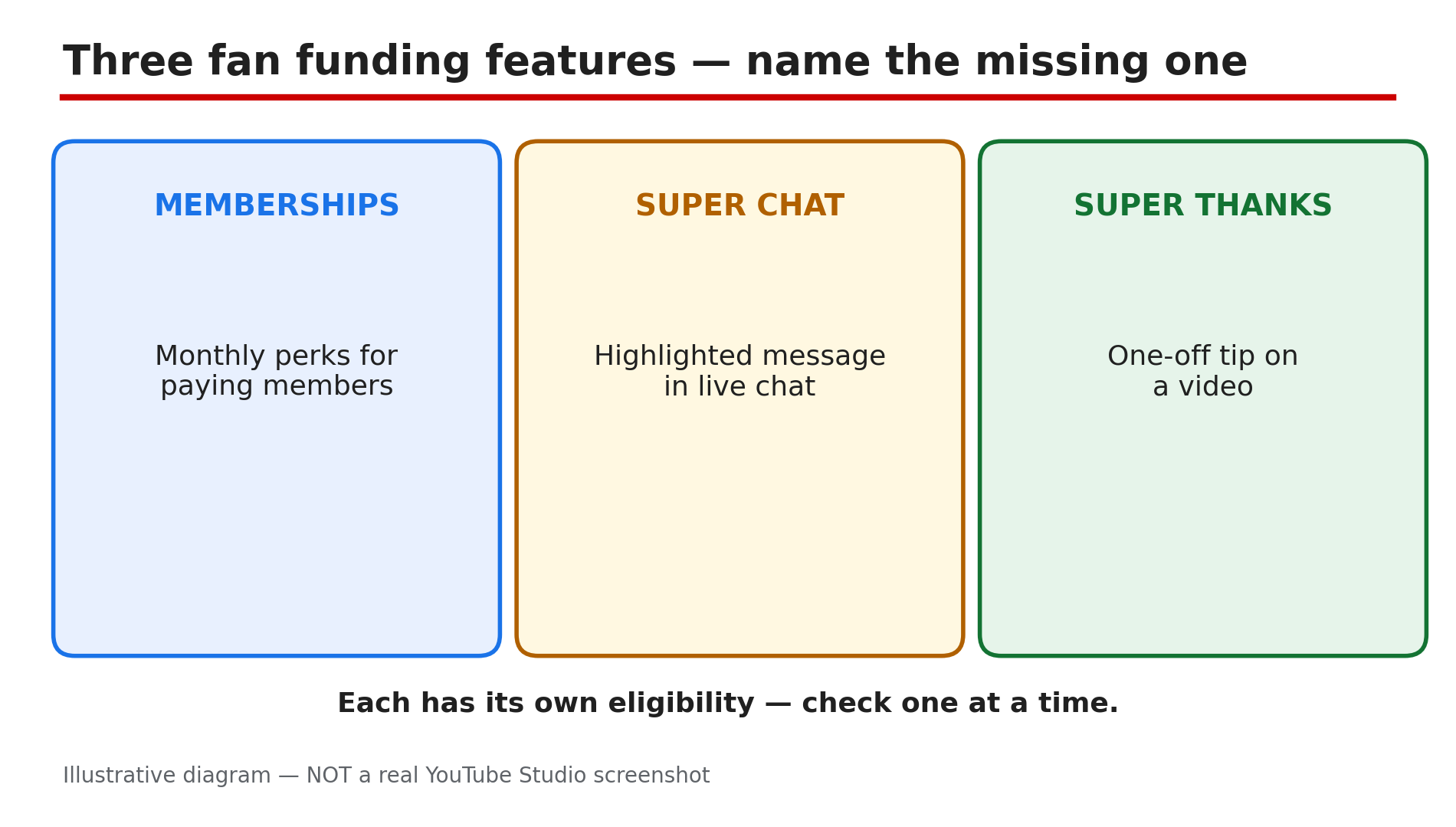
Fan funding is three different features with three different rules. Memberships are a monthly subscription with perks. Super Chat highlights a paid message during a live stream. Super Thanks is a one-time tip on an uploaded video or Short. Each one has its own eligibility — so check them one at a time.
Work through the steps in order: name the missing feature, then check the numbers, the country, the module, and the state of the channel. Do not announce a feature in a video until you have seen it yourself, as a viewer would.
What You Will Learn
- How memberships, Super Chat, and Super Thanks differ
- The Partner Program numbers each feature needs
- Why the country list matters more than the subscriber count
- How to accept the Commerce Product Module
- Why a feature can sit under review for a day or two
- What paused mode does to members, and how to fix it
Step 1 — Name the one feature that is missing
What to do: Pick one feature and check only that one. Each has a separate card in the Earn tab, with separate requirements — a fix for one does not unlock another.
How: Open YouTube Studio on a computer and go to Earn. Find the card for the missing feature and read what it says: eligible, under review, or not available. Write the exact words down. A missing card and a card that says “not eligible” are two different problems.
Example: A creator wants memberships but keeps checking the Super Thanks card. Once she looks at the memberships card, she sees it is still under review.
Common mistake: Treating every missing button as the same problem. A Super Chat problem is not a memberships problem, and fixing the wrong one changes nothing.
Illustrative diagram: the three fan funding features side by side — memberships, Super Chat, Super Thanks.
Step 2 — Check the Partner Program numbers first
What to do: Check whether your channel meets the entry tier of the Partner Program. Fan funding opens at the lower tier, not the ad-revenue tier.
How: YouTube’s Help page lists the minimums for channel memberships: 500 subscribers, 3 public uploads in the last 90 days, and either 3,000 qualified watch hours on long-form videos in the last 365 days or 3 million qualified Shorts views in the last 90 days, plus age 18 or older. Super Chat and Super Thanks sit on the same entry tier. Check each number on your own Earn tab, because eligibility is per channel. YouTube has announced Partner Program changes from 1 February 2027, so confirm the current numbers in Studio.
Example: A cooking channel has 620 subscribers and 3,400 watch hours but only 2 uploads in 90 days. One more public video clears the gap.
Common mistake: Comparing your channel with a friend’s. Eligibility is per channel and per country.
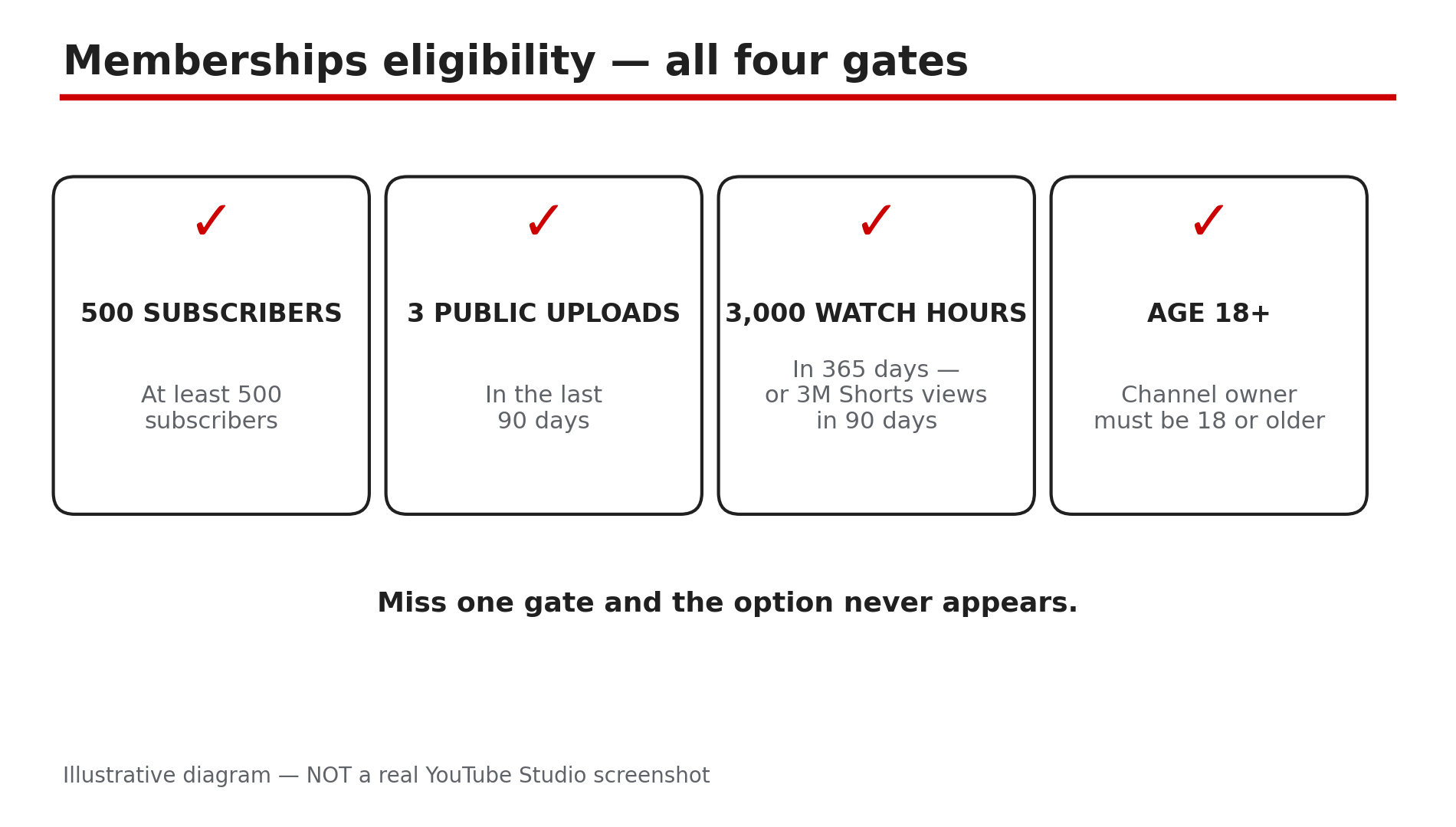
Illustrative diagram: the four memberships eligibility gates.
Step 3 — Check the country list, not just the numbers
What to do: Check whether the feature is open where your channel is based. This is the gate most creators miss — the numbers can be perfect and the feature still hidden.
How: Fan funding is YPP-gated and country-gated separately from the Partner Program. As reported, the Partner Program is open in 138 places, but Super Chat and Super Thanks are open in 99 locations and memberships in 100. India is on all three lists; Pakistan is on none, as checked on 24 October 2026, so no agency can unlock it there. Changing the channel country setting does not help, as reported. Open the Help page in Sources and find your country on the list.
Example: A creator in Pakistan meets every number but sees no Super Chat card. The country list explains it: the feature is not open there.
Common mistake: Paying an agency that promises to unlock Super Chat where YouTube does not offer it. No agency can add a country to YouTube’s list.
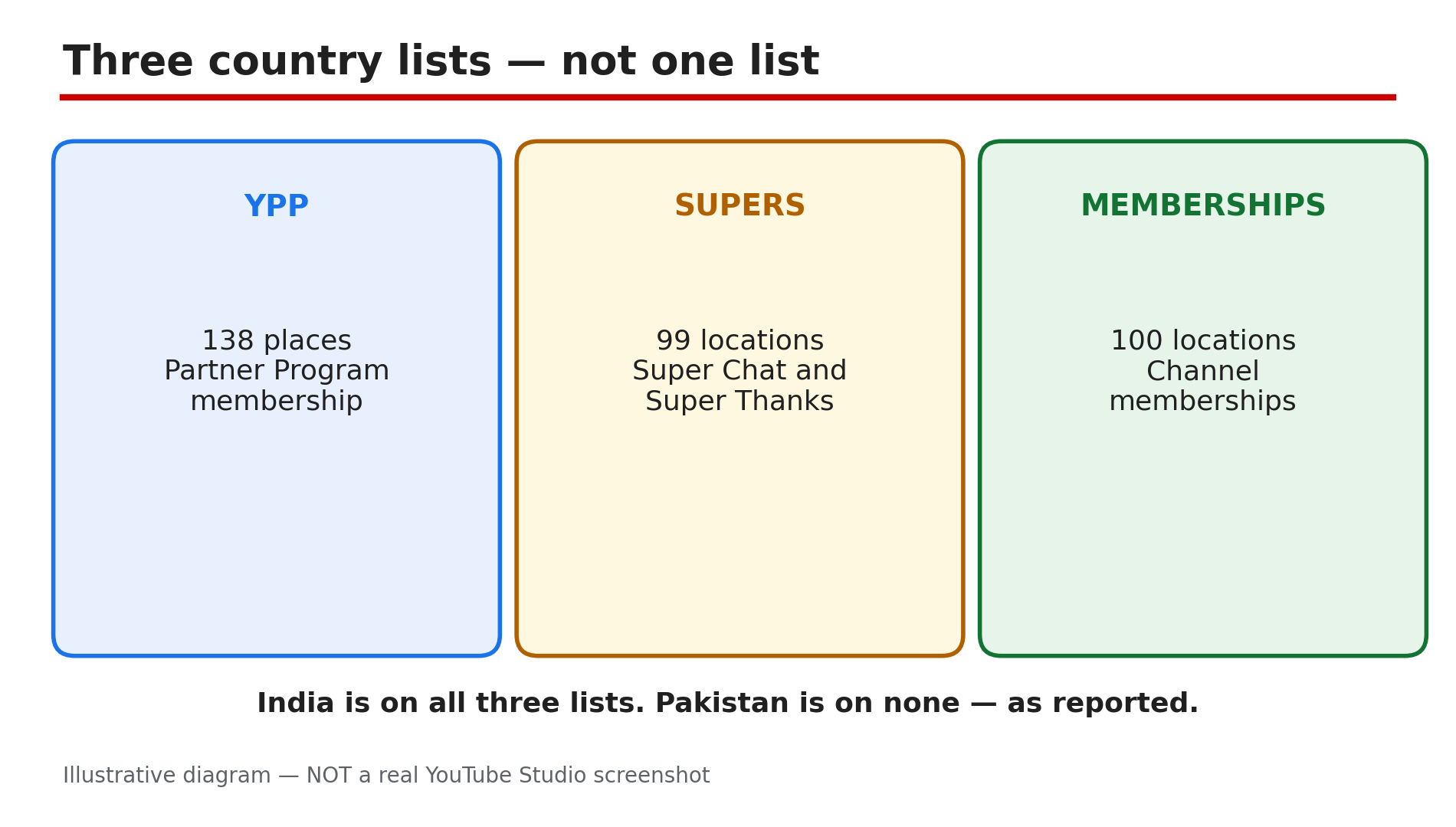
Illustrative diagram: three country lists side by side — YPP in 138 places, Super Chat and Super Thanks in 99, memberships in 100.
Step 4 — Accept the Commerce Product Module
What to do: Accept the Commerce Product Module in the Earn tab. Without it, the fan funding cards stay hidden even when every number is met.
How: Sign in to YouTube Studio on a computer and select Earn in the left menu. Click Get started for the Commerce Product Module and read the terms before accepting. YouTube’s Help page lists accepting the module as a requirement for memberships, Super Chat, and Super Thanks. Once accepted, the Supers and Memberships cards should appear. Creators who signed the older Addendum before 2023 are reported not to need the new module — confirm in Studio.
Example: A gaming creator joined the Partner Program but skipped the module step. Her Earn tab showed no Supers card until she accepted it.
Common mistake: Accepting the Watch Page ads module and assuming fan funding is covered. Each module is separate, and fan funding needs its own.
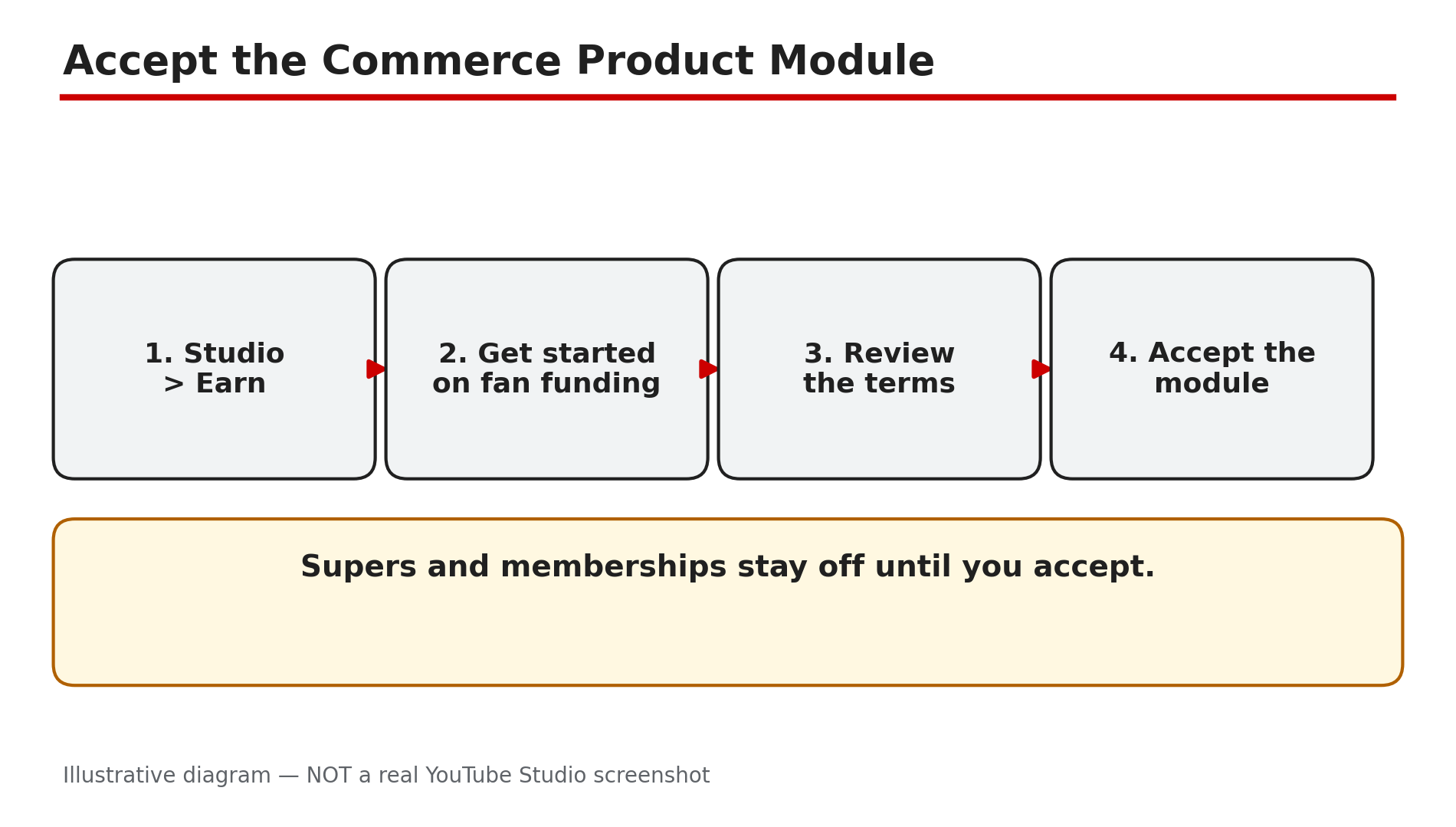
Illustrative diagram: the path to accept the Commerce Product Module in Studio.
Step 5 — Wait for review, then check the per-video switches
What to do: After YPP acceptance, give eligibility review its time — then check the switches on each feature and each video. A feature can be on for the channel and off for one video.
How: After YPP acceptance, eligibility review can take up to 2 days, as reported. New membership levels and perks sit under review for about 1 day before showing, as reported — do not announce them until they appear. Then check the per-video rules: Super Chat needs live chat on for that stream. Super Thanks can be off on a specific video, so check the video itself. Supers do not work on age-restricted, unlisted, private, or Made for Kids videos, as reported.
Example: A creator turns on memberships and announces a new perk the same day. Viewers cannot see it — it is still under review, and it appears the next day.
Common mistake: Announcing a perk or a Super Chat stream before the review finishes, then telling viewers to look for a button that is not there.
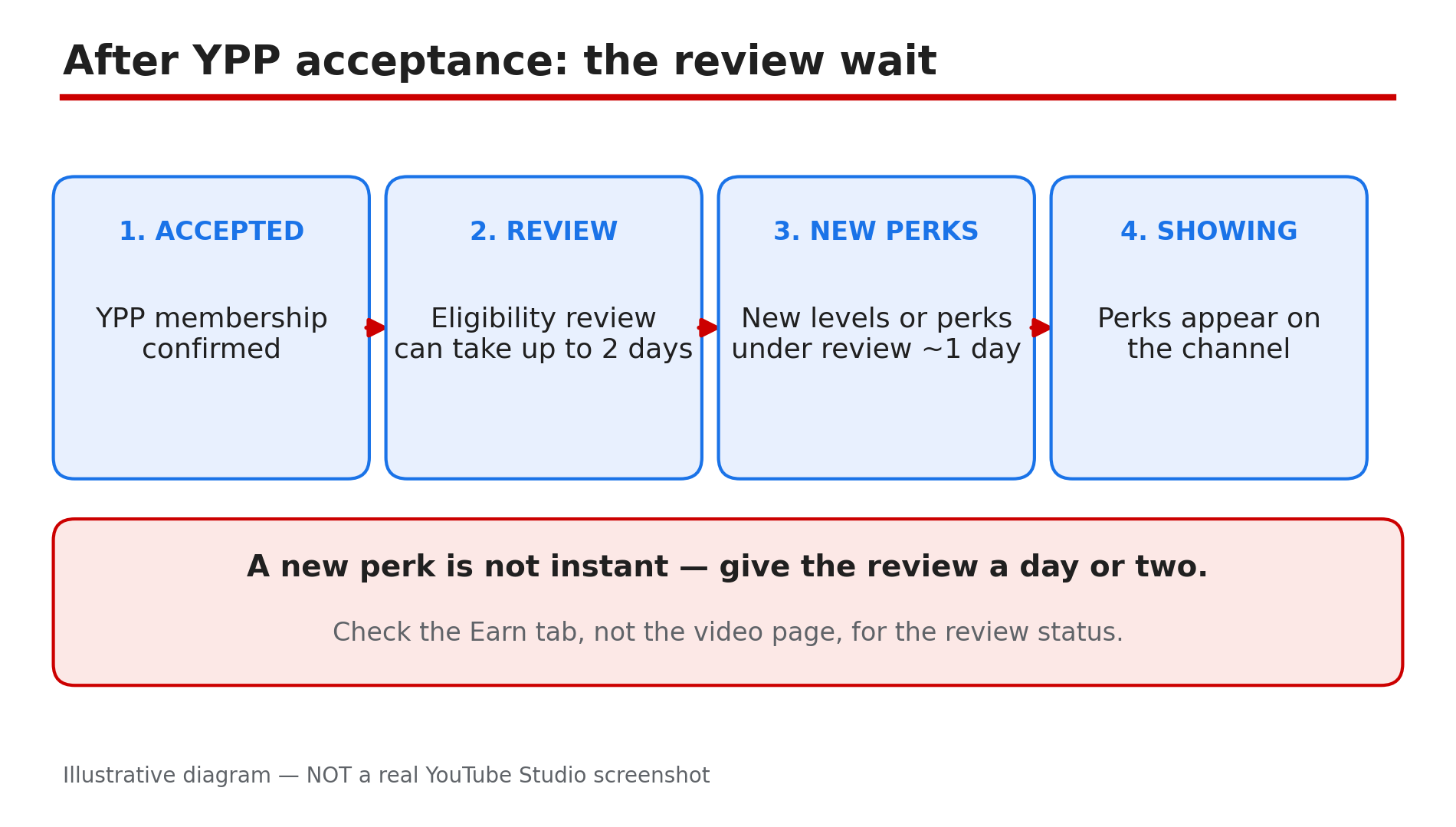
Illustrative diagram: the review wait after YPP acceptance — up to 2 days, about 1 day for new levels and perks.
Step 6 — Fix paused mode, and know the 120-day limit
What to do: If memberships are paused, find the cause and fix it — then turn the feature on again. Do not leave a channel paused for months, because there is a hard limit.
How: Paused mode follows a termination, a monetisation breach, losing monetisation, or a Made for Kids setting, as reported. Fix the cause first — the strike, the breach, or the audience setting — then turn memberships on again. If a channel stays paused for 120 days, members are removed and refunded and must rejoin, as reported, so do not wait. While paused, the Join button is gone and no new members can join.
Example: A channel loses monetisation and its memberships pause. The creator fixes the breach, reapplies, gets monetisation back, and turns memberships on again within a week — no members are lost.
Common mistake: Turning memberships back on without fixing the cause, then watching them pause again — or leaving the channel paused until all members are removed and refunded.
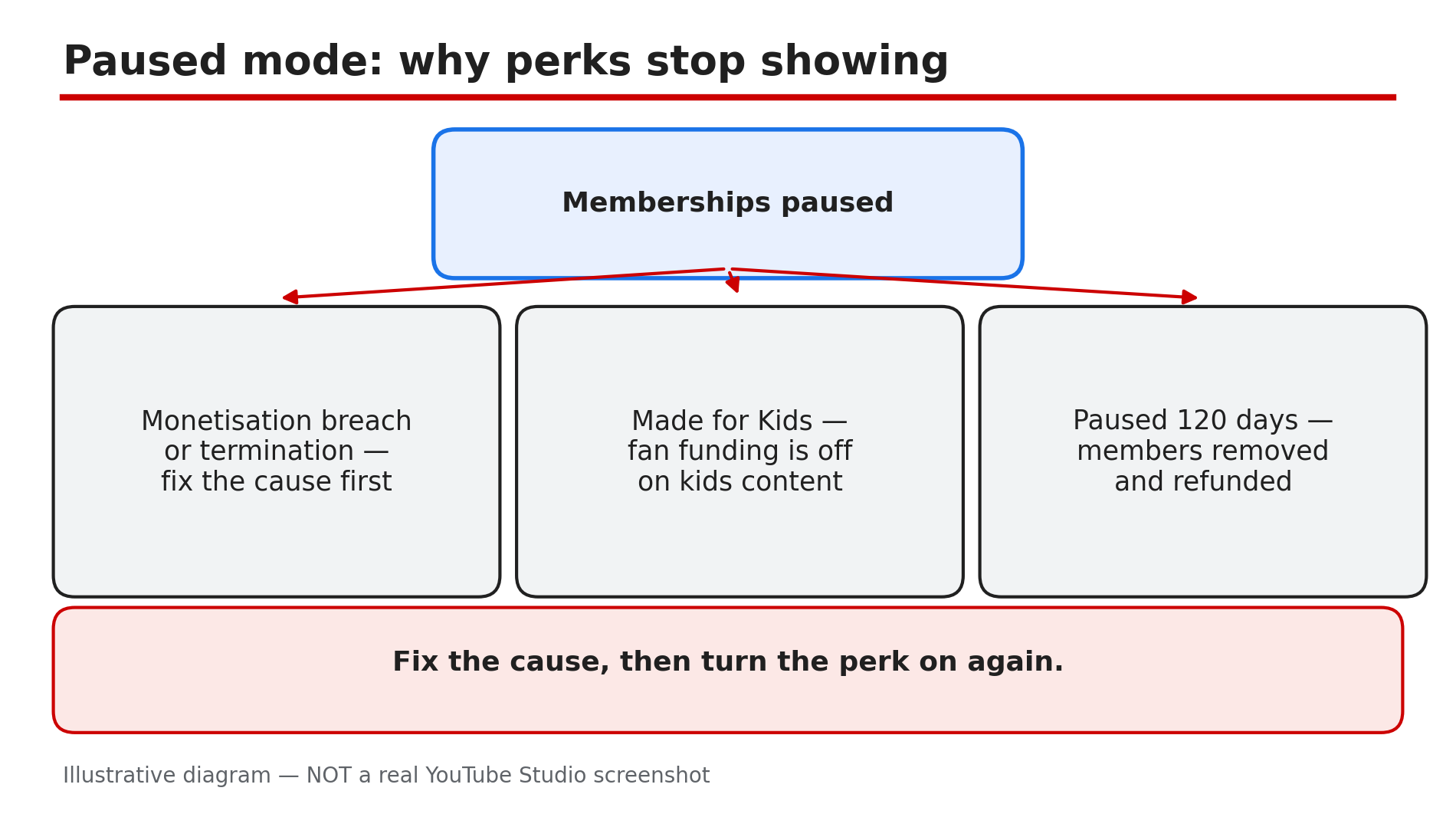
Illustrative diagram: the paused-mode causes — termination, monetisation breach, losing monetisation, Made for Kids — and the 120-day limit.
Checklist — Why a fan funding perk is missing
- ☐ Named the one missing feature
- ☐ Read the exact words on that feature’s Earn tab card
- ☐ Checked 500 subscribers, 3 uploads, watch hours or Shorts views
- ☐ Confirmed age 18 or older on the channel
- ☐ Checked the feature’s country list on the Help page
- ☐ Accepted the Commerce Product Module in the Earn tab
- ☐ Waited up to 2 days for review after YPP acceptance
- ☐ Checked live chat for Super Chat, and the video for Super Thanks
- ☐ Fixed any paused-mode cause, then turned it on again
- ☐ Tested as a viewer before announcing
FAQs
1. Do I need 1,000 subscribers for memberships, Super Chat, or Super Thanks?
No, as reported. Fan funding opens at the 500-subscriber entry tier, while ad revenue needs 1,000 subscribers. Check your own Earn tab.
2. Why can my viewers not see Super Chat during my live stream?
Check three things: Super Chat is on in Earn, then Supers; live chat is on for that stream; and your country is on the list. Super Chat works only on live streams and Premieres.
3. Why is the Thanks button missing on my videos?
Super Thanks needs its own toggle in Earn, then Supers, and it does not appear on age-restricted, unlisted, private, or Made for Kids videos, as reported. Check the toggle and the audience setting.
4. How long do new membership levels and perks take to show?
About 1 day under review, as reported. Do not announce a new level or perk until it appears — viewers cannot join what is not there yet.
5. What happens if my memberships stay paused for 120 days?
As reported, members are removed and refunded and must rejoin. Fix the cause of the pause — a strike, a breach, or the audience setting — and turn memberships on again before the limit.
Sources
- YouTube Help — “How to earn money on YouTube” (official page, opened live 9 Nov 2026): https://support.google.com/youtube/answer/72857?hl=en
- CreatorPlaybook — “Fan Funding on YouTube: How to Set Up Super Chat, Super Thanks and Memberships” (internal link, opened live 9 Nov 2026): </blog/fan-funding-on-youtube-how-to-set-up>
- CreatorPlaybook — “Earn Tab Features Missing? Super Thanks, Memberships and Shopping Not Showing” (internal link, opened live 9 Nov 2026): </blog/earn-tab-features-missing-super-thanks>