Storytelling for YouTube Videos
 CreatorPlaybook Team
- 25 Oct, 2026

Storytelling is what turns information into a video people actually finish. Facts alone can teach, but a story gives viewers a reason to care, a problem to follow, and a payoff to wait for. You do not need to be a natural storyteller, and you do not need a dramatic life story. You need a simple structure, a clear character or problem, and a change that viewers can see by the end.
This guide shows you how to use storytelling in tutorials, vlogs, reviews, and even short educational videos. You will learn a simple three-act structure, how to create tension without misleading viewers, how to use examples and emotion honestly, and how to edit stories so they stay tight and clear.
What You Will Learn
- Why stories improve retention more than lists of facts
- A simple three-act structure for almost any YouTube video
- How to find a story in a tutorial, review, or vlog
- How to create tension, stakes, and curiosity honestly
- How to use visuals, pacing, and editing to support a story
- How to end a story so viewers remember it and return
Step 1: Start With a Problem, Not a Topic
What to do: Every good story starts with a problem the viewer recognises. Instead of starting with ‘Today we will talk about lighting,’ start with the problem lighting solves, or the mistake that made you learn about it.
How to do it in simple steps:
- Write the viewer’s problem in one sentence, such as ‘My videos look dark, even near a window.’
- Show or describe that problem in the first 30 seconds.
- Promise a clear change: by the end, the problem will be solved or understood.
- Keep returning to that problem, so viewers can track progress.
Practical example: A tutorial on budgeting opens with: ‘I spent money all month and had nothing to show for it, until I tried one simple weekly check.’ Viewers who share that feeling will stay to learn the check, because the story is about them, not just about numbers.
Common mistake to avoid: Starting with background, definitions, or your channel history. Viewers need a reason to care first. Background can come later, once they are already invested in the problem.
Illustrative image: A recognisable problem gives viewers a reason to follow a story. This is an illustrative image, not a screenshot of your channel or another creator’s work.
Step 2: Use a Simple Three-Act Structure
What to do: Use three acts: setup, struggle, and resolution. Setup shows the problem and the goal. Struggle shows attempts, mistakes, or obstacles. Resolution shows the solution, the result, and what viewers can learn from it.
How to do it in simple steps:
- Act one: state the goal and the problem in one or two minutes.
- Act two: show the main steps, including one mistake or obstacle.
- Act three: show the result clearly, then summarise the lesson.
- Keep each act focused: if a scene does not move the story forward, cut it.
Practical example: A gardening video: act one, ‘My tomatoes kept dying.’ Act two, ‘I tried more water, then less water, then checked the soil and light.’ Act three, ‘The real problem was drainage. Here is the fix, and here is the result after two weeks.’ The tutorial is still a tutorial, but it now has a journey viewers want to finish.
Common mistake to avoid: Making act two too long or too easy. If every step works perfectly on the first try, there is no tension and no reason to stay. Showing one honest mistake or obstacle makes the solution feel earned and memorable.
 Illustrative image: Setup, struggle, and resolution give any video a clear shape. This is an illustrative image, not a screenshot of your channel or another creator’s work.
Step 3: Make the Viewer the Hero, Not Just Yourself
What to do: In most YouTube videos, the viewer should be able to see themselves in the story. You can be the guide who learned the lesson, but the lesson should help the viewer achieve their own result.
How to do it in simple steps:
- After telling your experience, translate it into advice for the viewer.
- Use ‘you’ language: ‘If you have this problem, try this first.’
- Show a viewer-friendly example, not only your personal result.
- End with an action the viewer can take today.
Practical example: Instead of only saying, ‘I grew my channel to 10,000 subscribers,’ a creator says, ‘I made three mistakes that kept me under 1,000 subscribers. Here is the first mistake, how to spot it, and how to fix it in your next video.’ The story is personal, but the benefit is for the viewer.
Common mistake to avoid: Turning every video into a personal diary with no lesson for viewers. Personal stories are powerful when they teach something. Without a clear lesson, viewers may enjoy the story but have no reason to subscribe or return.
 Illustrative image: A good story helps the viewer achieve their own result. This is an illustrative image, not a screenshot of your channel or another creator’s work.
Step 4: Create Honest Tension With Questions and Stakes
What to do: Tension is not drama for its own sake. It is a question viewers want answered, or a result they want to see. Use open questions, before-and-after comparisons, and clear stakes to keep viewers watching, without misleading them.
How to do it in simple steps:
- Ask a question early that the video will answer, such as ‘Will this cheap light beat a window?’
- Show the test or comparison honestly, including what did not work.
- Delay the final result only until the steps are clear, not unfairly.
- Reveal the result clearly, with evidence viewers can see.
Practical example: A creator tests three phone microphones and says at the start, ‘One of these costs under ten dollars and sounds almost as good as the expensive one. I will reveal which one at the end, after you hear all three.’ Viewers stay because they want to hear the comparison, and the payoff is real.
Common mistake to avoid: Fake tension, such as ‘You won’t believe what happened next!’ when nothing surprising happens. Viewers quickly learn to ignore fake promises, and they will not trust your next video’s opening.
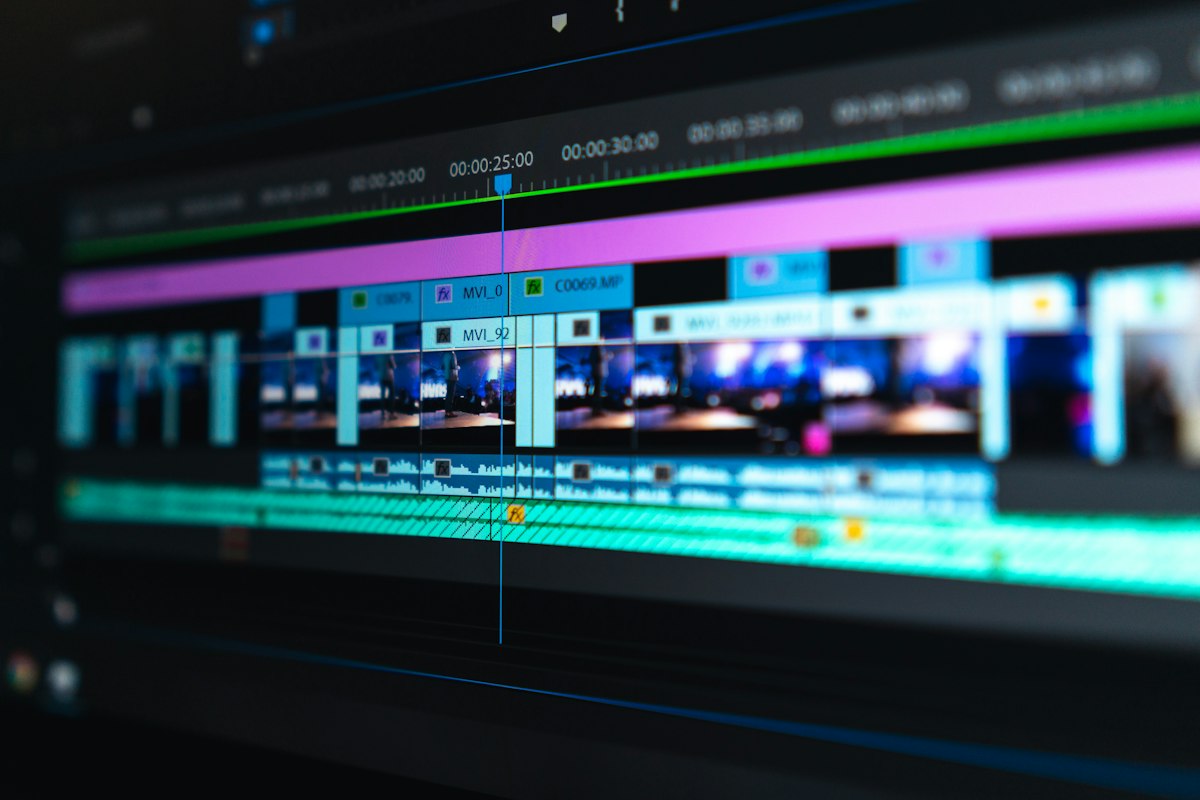 Illustrative image: Honest tension comes from a real question and a visible result. This is an illustrative image, not a screenshot of your channel or another creator’s work.
Step 5: Show, Do Not Just Tell, With Visuals and Pacing
What to do: Stories work better when viewers can see the change. Use B-roll, close-ups, on-screen text, and pacing changes to show progress, not just describe it in words.
How to do it in simple steps:
- Film the problem and the result, so viewers can compare them.
- Use short clips and simple text for key steps, not long talking sections.
- Slow down for important moments, such as a reveal or a key decision.
- Cut any footage that repeats the same point without adding information.
Practical example: A DIY video shows a messy desk, then shows each step of organising it, with a short clip of the finished desk at the end. Viewers do not just hear that organising helps; they see the transformation, which makes the story satisfying and memorable.
Common mistake to avoid: Talking for five minutes about a visual change without showing it. If the story is about a transformation, the transformation must be visible. Otherwise, viewers must imagine it, and many will stop watching.
 Illustrative image: Showing a change makes a story satisfying and memorable. This is an illustrative image, not a screenshot of your channel or another creator’s work.
Step 6: End With a Lesson and a Next Step
What to do: End the story with a clear lesson and one action for the viewer. A good ending answers the opening question, shows the change, and points viewers to what to do or watch next.
How to do it in simple steps:
- Show the final result clearly, in one short scene or sentence.
- State the lesson in one sentence, such as ‘Light direction matters more than light price.’
- Give viewers one action they can try today.
- Suggest one related video that continues the same journey.
Practical example: A fitness story ends with: ‘I could not do one pull-up in January. By June, I could do five, because I trained three times a week with short, consistent sets. If you are starting, try this simple weekly plan, and watch this next video on avoiding common pull-up mistakes.’ The story ends with proof, a lesson, and a next step.
Common mistake to avoid: Ending abruptly after the result, or ending with a long, unrelated outro. Viewers who stayed for the story deserve a satisfying close. A short, clear ending respects their time and helps them remember the lesson.
 Illustrative image: A clear lesson and next step make a story ending satisfying. This is an illustrative image, not a screenshot of your channel or another creator’s work.
Related reading: How to Script a YouTube Video, How to Write a Strong Video Hook in the First 30 Seconds, and Audience Retention: How to Keep Viewers Watching.
Checklist for Storytelling in Videos
- One clear problem, stated in the first 30 seconds
- Three-act structure: setup, struggle, and resolution
- Viewer as the hero, with a lesson they can use
- Honest tension: a real question and a visible result
- Visual proof of change, not only spoken description
- Ending with a lesson, one action, and one related video
Frequently Asked Questions
Do I need a dramatic story to use storytelling? No. A simple problem, attempt, and result is a story. ‘My video was too dark, I tried three fixes, and this one worked’ is enough structure to keep viewers watching and learning.
Can storytelling work in tutorials? Yes, and it often works best there. Tutorials with a problem, a mistake, and a clear result feel more human and memorable than a dry list of steps, while still teaching the same information.
Should I script my stories? Outline them, at least. Write the problem, the main obstacle, and the ending before you record. You can speak naturally from bullet points, but knowing the story shape in advance prevents rambling.
How do I avoid making stories too long? Cut any scene that does not move the problem toward the solution. If a detail is interesting but does not help viewers understand or feel the change, save it for another video or cut it.
Is it dishonest to create tension in a video? Not if the tension is real and the payoff is honest. Asking a real question, showing a real test, and revealing a real result is good storytelling. Inventing a fake problem or hiding a weak result is misleading, and viewers will notice.
Storytelling is not about being dramatic. It is about giving viewers a problem to care about, a journey to follow, and a change to see. Use a simple structure, make the viewer the hero, show the change, and end with a lesson. Do that consistently, and even simple tutorials will feel like videos worth finishing.