Showing Posts From
Youtube monetization
 CreatorPlaybook Team
- 10 Nov, 2026
YouTube Reused Content Rejection? How to Fix It, Appeal, and Reapply
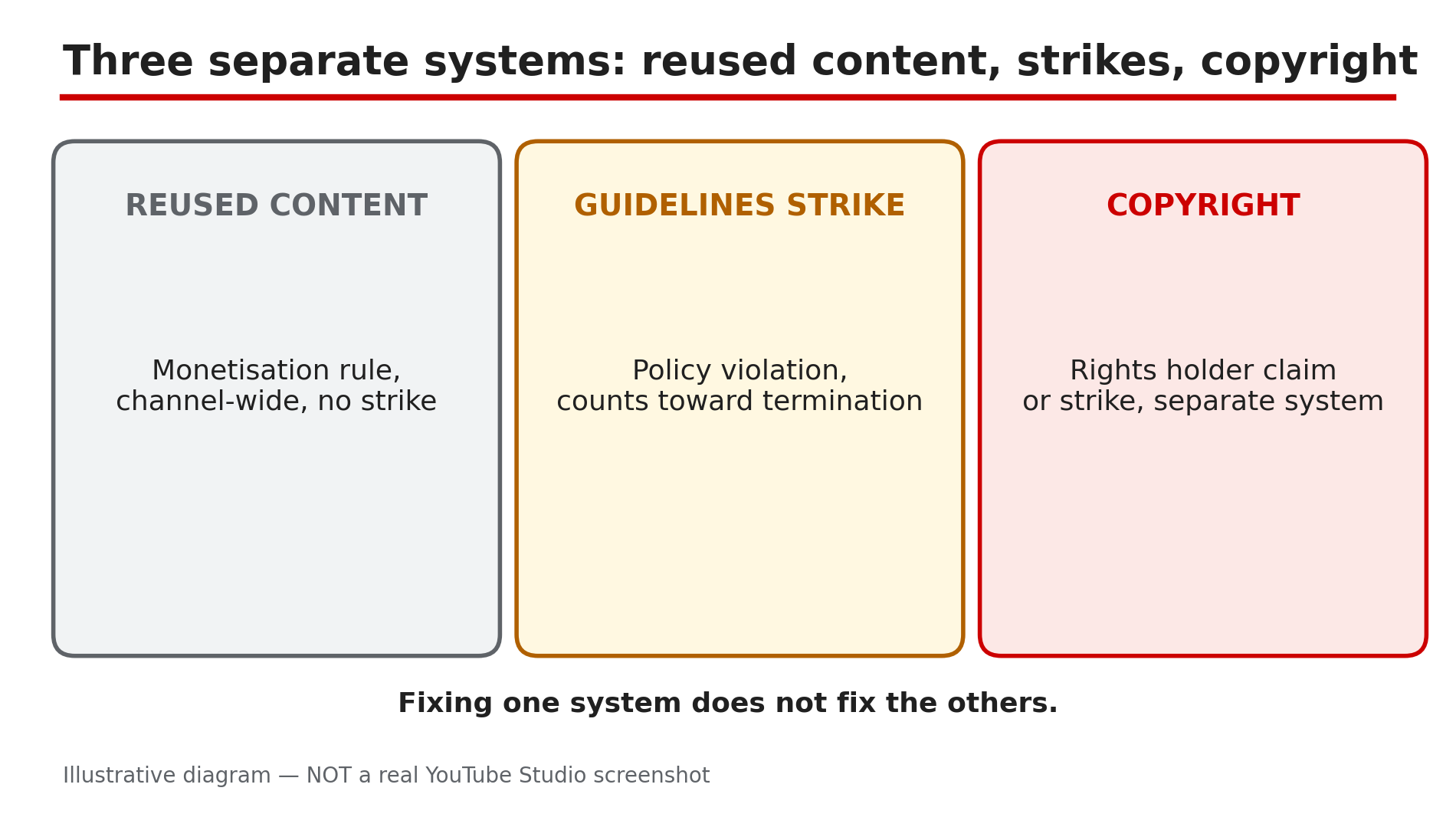
You applied to the YouTube Partner Program, waited weeks, and the answer came back: rejected for reused content. No strike, no copyright claim, no removed video — just a rejection that seems to blame your whole channel at once. That is exactly how this rule works: YouTube's Help page defines reused content as repurposing content already online without adding significant original commentary, substantive modifications, or educational or entertainment value — and it applies to your channel as a whole, not to one video. What You Will LearnWhat reused content is — and why it is not a strike or a copyright claim How reviewers judge your whole channel, not one video What counts as transformation, and what does not How to audit your channel and fix new uploads first How the appeal and reapplication windows work, as reportedStep 1 — Understand the rule: reused, not stolen, and not a strike What to do: Learn the three things reused content is not — each one changes your fix. How: First, it is a monetisation rule, not a Community Guidelines strike — it does not add to your strike count, and it does not remove videos. Second, it is not copyright: the policy applies even with the original creator's permission, and it is separate from copyright enforcement, so a video with no claims can still fail the review. Third, it is judged channel-wide: if reviewers cannot tell you made the content, monetisation may be removed from the entire channel. On 15 July 2025 YouTube renamed a related policy from "repetitious content" to "inauthentic content", but said the reused-content policy itself did not change. Example: A channel re-uploads sports highlights with the creator's written permission and no copyright claims. It is still rejected — permission answers the copyright question, not the reused-content question. Common mistake: Disputing a copyright claim to fix a reused-content rejection — the systems are separate, and a dispute changes nothing.Illustrative diagram: reused content, Community Guidelines strikes, and copyright are three separate systems. Step 2 — Audit your whole channel the way a reviewer does What to do: Review your channel as YouTube says its reviewers do, and be honest about how much of it is actually yours. How: YouTube's Help page says reviewers may focus on your channel's main theme, most viewed videos, newest videos, biggest share of watch time, metadata, and the About section. Open each and ask: could a stranger tell that you made this? A rejection usually means a significant portion of the channel fails, not one video, as reported. Do not delete everything in a panic — first map the problem, because the appeal and the rebuild both need that map. Example: A reaction channel finds 70 percent of its watch time comes from videos where it only nods at clips — those are the problem. Common mistake: Deleting the single video named in the rejection email — the rejection is about the channel, and one deletion rarely changes it.Illustrative mock-up: the six things YouTube reviewers check when they judge a channel for reused content. Step 3 — Fix new uploads first: what counts as transformation What to do: Make your next videos unmistakably yours, using the transformations YouTube's Help page lists as allowed. How: YouTube's Help page gives examples of what is allowed to monetise: clips used for a critical review, a movie scene with rewritten dialogue and a new voiceover, sports replays where you explain the moves, reaction videos with real commentary, and edited footage with your own storyline. The thread through all of them is that a viewer can tell there is a meaningful difference between the original video and yours. So for each new upload, add real commentary in your own voice and a storyline that is yours. Example: A clip channel stops posting raw highlights and starts posting five-minute breakdowns with its own voiceover and a verdict. The footage is the same, but the video is now its own work. Common mistake: Adding a logo watermark and calling the video transformed — a watermark adds no commentary or storyline.Illustrative diagram: what YouTube counts as transformation, and what it does not. Step 4 — Know what does NOT fix it What to do: Stop spending time on fixes YouTube's Help page explicitly lists as violations, however common they are. How: The Help page's list of what is not allowed includes clips from a favourite show edited together with little or no narrative, short videos compiled from other social media sites, collections of songs from different artists even with their permission, content uploaded many times by other creators, promotion of other people's content even with permission, and videos that only read out other people's material, like text from websites. Songs modified only to change the pitch or speed are also listed as violations — and since July 2026, reading out other people's material and pitch- or speed-shifted songs sit in the reused-content section, as reported. Example: A music channel pitch-shifts popular songs and adds a static image. Every upload is still reused content — the only change is one the Help page names as a violation. Common mistake: Believing that giving credit in the description fixes reused content — credit answers etiquette, not the policy.Illustrative diagram: an honest audit of how much of a channel is original work and how much is reused. Step 5 — Appeal within 21 days if you believe the rejection was wrong What to do: If you genuinely believe your channel was misjudged, appeal quickly — the window is short. How: YouTube's Community FAQ on reused content, posted by TeamYouTube, says you can appeal in Studio within 21 days of your suspension, with instructions on the Earn page, and appeals will receive a decision within 14 days — present both figures as reported, not as guarantees. The video appeal is a new unlisted upload under five minutes, as reported, with your channel URL in the first 30 seconds, in which you explain on camera how you create your content. Do not appeal before you have fixed anything if the rejection was fair: an appeal showing the same channel unchanged is likely to fail. Example: A documentary channel is rejected because its archival footage looks reused. It appeals with a video walking through its research and editing — and succeeds, because the original work was real, just not obvious. Common mistake: Appealing on day one with no changes — the reviewer sees the same channel and reaches the same conclusion.Illustrative diagram: the three steps of a reused-content appeal. Step 6 — Reapply after 30 days, or 90 days, with a rebuilt channel What to do: If the rejection was fair, use the waiting period to rebuild — then reapply only when the channel genuinely looks different. How: The reapplication windows are reported as 30 days after a first rejection and 90 days after later rejections — present them as reported, not as official guarantees, and confirm the exact window in your Studio Earn page. Use the wait properly: publish new videos that are clearly yours, following Step 3, and let them become a visible share of your most-viewed videos and watch time. Consider making the worst reused videos private or unlisted while you rebuild — the review looks at your channel as a whole. When the window opens, confirm your watch hours and subscribers still meet the threshold, and reapply. If rejected again, the next wait is longer. Example: A compilation channel spends its 30 days publishing daily breakdowns, unlists its old compilations, and reapplies on day 31 — accepted. Common mistake: Reapplying the day the window opens with the same channel unchanged — the second rejection costs a longer wait for nothing.Illustrative diagram: the reapplication windows after a reused-content rejection and what to do during the wait. Checklist — Fix a YouTube reused content rejection☐ Understood reused content is a monetisation rule, not a strike or copyright claim ☐ Accepted that permission from the original creator does not help ☐ Audited the channel the way reviewers do: theme, top videos, watch time ☐ Published new uploads with real commentary, storyline, and editing ☐ Stopped using pitch/speed shifts, readings, and bare compilations as fixes ☐ Decided between appeal (21 days, as reported) and rebuild-then-reapply ☐ Recorded a video appeal under five minutes if appealing ☐ Confirmed the reapplication window in Studio Earn (30 days first, 90 days later, as reported) ☐ Made the worst reused videos private or unlisted before reapplyingFAQs 1. What exactly is reused content on YouTube? Content repurposed from YouTube or another online source without significant original commentary, substantive modifications, or educational or entertainment value, according to YouTube's Help page. It is judged across your whole channel. 2. Is reused content the same as a copyright strike? No. Reused content is a monetisation policy, while copyright is enforced separately by rights holders. A video can have no copyright claim at all and still fail the review. 3. Can I appeal a reused content rejection? Yes, as reported: YouTube's Community FAQ says you can appeal in Studio within 21 days, with instructions on the Earn page, and appeals receive a decision within 14 days. The video appeal is a new unlisted upload under five minutes, as reported. 4. How long must I wait to reapply after a rejection? As reported, 30 days after a first rejection and 90 days after later rejections. Confirm the exact window in your Studio Earn page, and use the time to rebuild — see our guide on AI mass-produced content for the related rules. 5. Will deleting all my old videos fix the rejection? Not on its own. Reapplication is judged on what remains and what you added since — publish original work first, and make reused videos private or unlisted while you rebuild. SourcesYouTube Help — "YouTube channel monetization policies" (official page, opened live 10 Nov 2026): https://support.google.com/youtube/answer/1311392 CreatorPlaybook — "AI Mass-Produced YouTube Videos: Why They Fail Monetisation" (internal link, live-verified published post): </blog/ai-mass-produced-youtube-videos-2026> CreatorPlaybook — "YouTube Spam Termination Explained: Why Channels Get Removed" (internal link, live-verified published post): </blog/youtube-spam-termination-explained-why>