Showing Posts From
Youtube subscriptions
 CreatorPlaybook Team
- 08 Nov, 2026
YouTube Video or Shorts Not Showing in Your Subscriptions Feed? How to Fix It
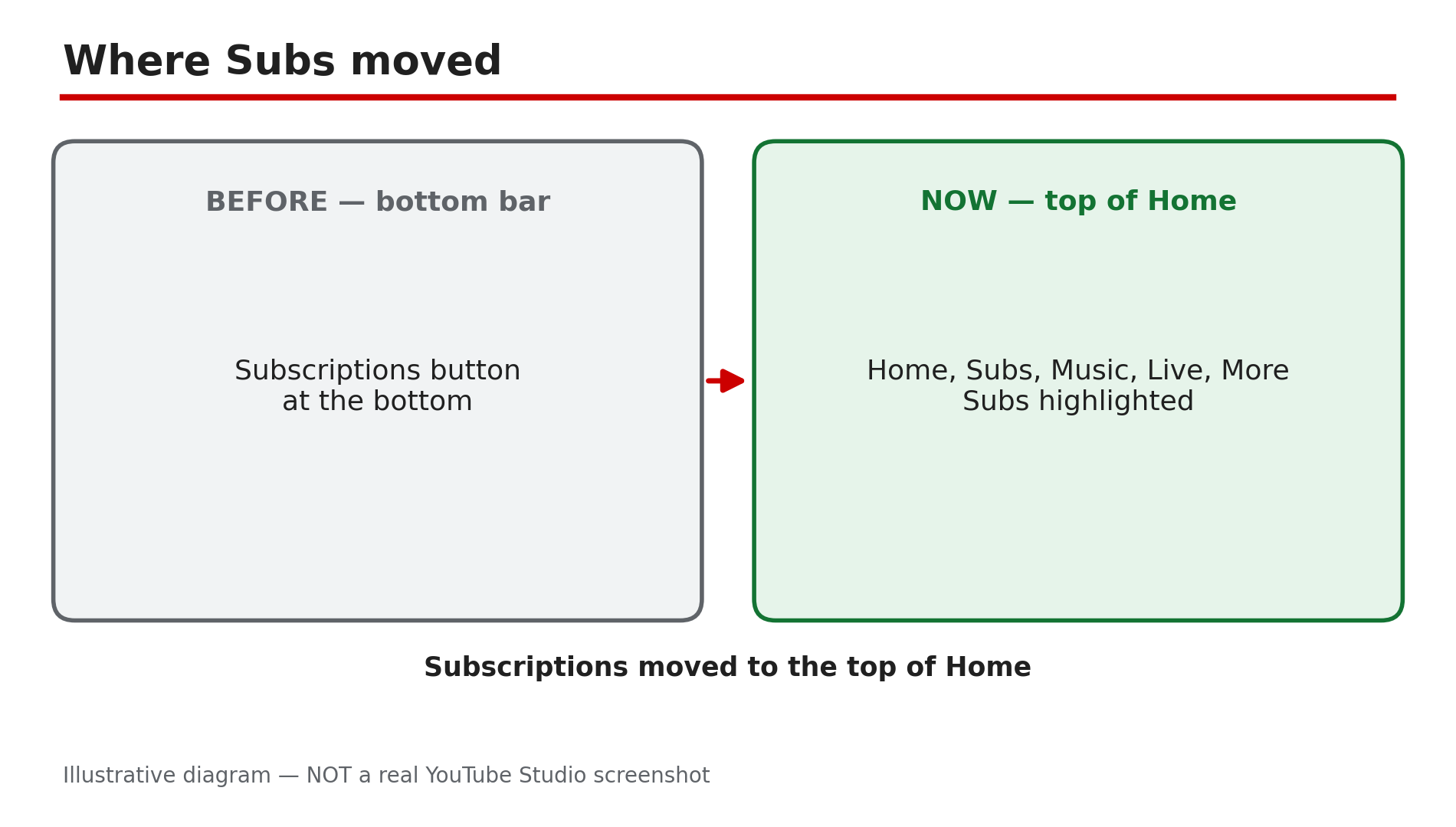
You know a channel uploaded a new video, but your Subscriptions feed hides it. Or the feed shows a video from three days ago at the top while today's upload is nowhere. Shorts seem to vanish, appearing hours later, if at all. This problem usually has more than one cause: your feed may be sorted by what YouTube thinks you want to watch rather than by upload time, the Subscriptions button has moved, and Shorts can take time to appear. Add a wrong account, and a video can be invisible even though nothing is broken. Work through the steps in order. What You Will LearnWhere the Subscriptions feed moved in the new app layout Why the feed is not in upload order, and how the Latest filter fixes it How to confirm the right account and subscription Why Shorts can be delayed How the feed differs from notificationsStep 1 — Find where Subs moved in the new app layout What to do: In the mobile app, open Home and tap "Subs" in the top bar — the button no longer sits at the bottom. How: As reported in October 2026, YouTube moved Subscriptions from the bottom bar to the top of the Home tab. Tap Home at the bottom left, then Subs in the row at the top — second after Home. If the top row is hidden, scroll back to the top or pull down. On a computer, click Subscriptions in the left-hand guide. Example: A viewer updates the app and panics because the Subscriptions tab has vanished. She taps Home, then Subs, and all her channels are still there — only the button moved. Common mistake: Reinstalling the app, or assuming you were unsubscribed, when the feed simply moved.Illustrative mock-up: Subscriptions moved from the bottom bar to the top of the Home tab as Subs. Step 2 — Confirm the right account and that you are still subscribed What to do: Check you are signed in to the account holding the subscriptions, and that the channel is still subscribed. How: Tap your profile picture and read the account name — many people have a personal and a brand account, and subscriptions live on one of them only. Then open the Subs feed and tap All. If the channel is missing, open its page: if the button says Subscribe, you were unsubscribed at some point — tap it again. YouTube's Help page confirms new videos from a subscribed channel show up in your Subscriptions feed. Example: A viewer cannot find any video from a small creator he follows — in the channel list the creator is gone, unsubscribed by accident. One tap brings the videos back. Common mistake: Checking the feed on a second account, or assuming the channel stopped uploading, without checking the list.Illustrative diagram: the same feed in ranked order and in Latest order, showing how a new video can be buried. Step 3 — Switch to the Latest filter and train the feed What to do: Use the Latest filter so the newest uploads appear first, and engage with the channels you want. How: Your Subscriptions feed is not chronological by default. YouTube ranks it by predicted interest — watch history and engagement — so a newer upload from a channel you rarely watch can surface days late, while an older video sits at the top. Use the Latest filter to sort by upload time instead, and engage with the channel — watch its videos to the end, like and comment. As reported, older filters may be missing in the new layout. Example: A creator uploads every morning at 8, but a viewer only sees the videos two days later. Switching to Latest shows today's video at the top — never missing, only ranked low. Common mistake: Treating the default feed order as upload order, and concluding a video was never delivered when it is ranked low.Illustrative mock-up: checking the signed-in account and the full subscription list before any other fix. Step 4 — Give Shorts time, and check the Shorts requirements What to do: If a Short is missing, wait before assuming a fault, and check the upload qualifies as a Short. How: As reported in YouTube's Help Community in October 2026, Shorts can take time to appear in search and in the feed after upload — check again after an hour or two. Also check the basics: a Short must be vertical and under 3 minutes — a horizontal video, or one longer than 3 minutes, is a regular video and will not appear in the Shorts shelf. Confirm in Studio that it is processed and Public. Example: A viewer checks the Subs feed five minutes after a creator posts a Short and finds nothing. An hour later it is at the top — a processing delay. Common mistake: Re-uploading the Short, which duplicates it and splits the views, instead of waiting.Illustrative diagram: the delay between a Short being uploaded and appearing in the Subscriptions feed. Step 5 — Remember the feed is not notifications, and check the bell What to do: Do not confuse a quiet feed with missing notifications — two different systems. Set the bell to All for an alert on every upload. How: YouTube's Help page explains the difference: the feed shows recent uploads, while notifications are alerts about new videos, which by default only cover highlights. For an alert on every upload, tap the bell on the channel page and choose All. No notifications come from channels set as made for kids. If the bell is the problem, read our separate guide on subscribers not getting notifications, linked below. Example: A viewer expects an alert for every upload and thinks the feed is broken. The feed is fine — the bell was set to Personalised, so only highlights arrived, and the video was in the feed all along. Common mistake: Toggling the bell, or unsubscribing and re-subscribing, when only the notification setting was wrong — and re-subscribing resets your notification settings, as YouTube's Help page confirms.Illustrative diagram: how the Subscriptions feed and notifications differ, and why the bell setting matters. Step 6 — Update the app, and check for a reported bug before blaming your account What to do: Update the app, restart it, and check whether other viewers report the same problem. How: Install any pending YouTube update, then close the app and reopen it — an outdated app can show the old layout or a stale feed. Custom feeds are also rolling out — as reported, up to 3 free or 8 with Premium — but YouTube's Help page confirms they are English-only in the US. One more check, as reported by third-party outlets and not officially confirmed: some iOS users reported a feed-scroll bug in app versions 20.50.6 to 20.50.9 on iOS 26.2 and 26.3 beta. If that matches your app, update it or wait for a fix. If a video is still missing, open the channel's Videos tab — if it is there, your account is fine and the feed has not surfaced it yet. Example: A viewer on iOS finds the feed freezing halfway down. After updating, it scrolls normally — the subscriptions were never the problem. Common mistake: Deleting the app, or unsubscribing from dozens of channels, when a simple update would have fixed the feed.Illustrative diagram: the six steps in order for a video or Short missing from the Subscriptions feed. Checklist — Fix videos or Shorts missing from your Subscriptions feed☐ Found Subs at the top of Home ☐ Right account signed in ☐ Channel still subscribed ☐ Latest filter used ☐ Engaged with the channel ☐ Shorts given time; vertical, under 3 min ☐ Upload Public in Studio ☐ Bell set to All ☐ App updated and restarted ☐ Channel Videos tab checkedFAQs 1. Why is my feed not in order of upload time? Because YouTube ranks the feed by predicted interest — watch history and engagement — not upload time. A newer video from a channel you rarely watch can sit below older videos. Use Latest to see uploads in time order. 2. Where did the Subscriptions tab go in the YouTube app? As reported in October 2026, it moved: Subscriptions is now called Subs at the top of the Home tab, not the bottom bar. Tap Home, then Subs — nothing was deleted. 3. Why does a Short take so long to appear in my feed? As reported in YouTube's Help Community, Shorts can take time to appear in search and in the feed while processing finishes. Wait an hour or two, and confirm in Studio it is vertical, under 3 minutes, and Public. 4. Is a missing video in my feed the same as not getting notifications? No. The feed shows recent uploads; notifications are separate alerts, and by default you only get highlights. If the bell is your problem, see our notifications guide, linked below. 5. A channel's videos never appear in my feed, even after waiting. What now? Check you are subscribed, on the right account, and using Latest. Then open the channel's Videos tab — if the video is there, your account is fine. If the channel is missing from your list, subscribe again. SourcesYouTube Help — "Subscribe to YouTube channels" (official page, opened live 8 Nov 2026): https://support.google.com/youtube/answer/4489286?hl=en CreatorPlaybook — "Video Not in Suggested or Recommended? How to Fix It" (internal link, live-verified): </blog/video-not-in-suggested-or-recommended> CreatorPlaybook — "Subscribers Not Getting Notifications? How to Fix It" (internal link, live-verified): </blog/subscribers-not-getting-notifications>