How to Use AI for YouTube Videos Without Breaking Monetization Policy
 CreatorPlaybook Team
- 25 Oct, 2026

Artificial intelligence can help YouTube creators research, script, edit, and organise their work faster than ever before. It can also create a serious problem: videos that look automated, repetitive, or copied may struggle to be monetized, even if they were made with good intentions. YouTube’s monetization policies focus on originality and value, not on whether a tool was used. That distinction is good news, because it means you can use AI safely, if you use it as an assistant, not as a replacement for your own work.
This guide explains how to use AI for YouTube videos without breaking monetization policy. It covers what counts as original value, which AI uses are low risk, which are high risk, and how to build a workflow that keeps you, your voice, and your judgement at the centre of every video. Policies can change, so always check YouTube’s current monetization and content policies in YouTube Studio before publishing, and treat this guide as general information, not legal advice.
Related guides: YouTube Copyright and Music: Safe Guide, Monetization Beyond AdSense: Affiliate, Sponsorship, Membership, and How to Make Educational Videos That Rank.
Official source: Disclosing use of GenAI content
What You Will Learn
- What monetization policy means by original and valuable content
- Which AI uses help, and which create risk
- How to use AI for research and scripting safely
- How to use AI voices, images, and editing without losing originality
- How to disclose AI use clearly
- How to check a video before publishing
Step 1: Understand the Rule: Original Value, Not Just Original Files
What to do: Understand that monetization is about whether your video adds value a viewer cannot get elsewhere. A video that is only AI-generated narration over stock footage, with no personal insight, demonstration, or commentary, may be seen as reused or low-value content, even if the files are technically new. A video where you research, test, demonstrate, or explain something in your own way, using AI to help with drafts or editing, is a different kind of video, because your judgement is visible throughout.
How to do it in simple steps:
- Ask, “What does a viewer learn or experience here that only I could provide?”
- List your original contributions: experience, testing, examples, opinions, or footage.
- If the list is empty, add one before publishing, such as a demonstration or a real example.
- Keep notes on what you created yourself, for future reference.
Practical example: A creator uses AI to draft a script about lighting, then films their own room, shows their own lamp setup, and explains what worked and what failed. The AI helped with structure, but the value comes from the creator’s demonstration and experience, which is clear in the final video.
Common mistake to avoid: Publishing dozens of AI-narrated videos on topics you have not researched, tested, or filmed, and expecting them all to be monetized. Volume without original value is the pattern monetization policies are designed to catch.
Illustrative image: AI should assist your work, not replace your original contribution. This is an illustrative image, not a screenshot of your channel or another creator’s work.
Step 2: Use AI Safely for Research, Ideas, and Outlines
What to do: Use AI to brainstorm topics, organise research, and draft outlines, then verify every fact yourself. AI can suggest angles you had not considered, summarise public information, and turn a messy idea into a clear structure. It can also invent facts, dates, and quotations, so never copy AI output into a video without checking it against reliable sources, especially for health, finance, legal, or technical claims.
How to do it in simple steps:
- Ask AI for topic ideas and outline options, not for a finished script.
- Check each factual claim against an official or reliable source.
- Rewrite the outline in your own words and order, based on your audience.
- Add your own examples, which AI cannot provide from your experience.
Practical example: A creator asks AI for ten questions beginners ask about microphones, checks the answers against manufacturer specifications and their own tests, then builds a script around the three questions their viewers actually ask most. The AI saved research time, but the final video is checked and personal.
Common mistake to avoid: Reading an unchecked AI script on camera, including invented statistics or outdated rules. Viewers and platforms both notice errors, and factual mistakes damage trust far more than a slower script saves time.
 Illustrative image: Use AI for ideas and outlines, then verify every fact yourself. This is an illustrative image, not a screenshot of your channel or another creator’s work.
Step 3: Keep Your Voice and Face at the Centre Where Possible
What to do: Where your format allows, use your own voice and presence, even if AI helps with editing, captions, or summaries. Your voice, face, and style are strong signals of originality, and they build the trust that keeps viewers returning. AI voices can be useful for accessibility, translation, or a first draft, but a channel made entirely of synthetic voices over generic visuals is much harder to distinguish from automated content.
How to do it in simple steps:
- Record your own narration or on-camera segments for the main teaching points.
- Use AI voices only for clearly labelled extras, such as translations or short summaries.
- Add on-camera introductions, demonstrations, or reactions where possible.
- Keep a consistent personal style, so viewers recognise your channel.
Practical example: A faceless tutorial creator still records their own voice, shows their own screen and hands, and explains decisions in real time. The channel has no face on camera, but it clearly has a human creator behind it, which is very different from a fully synthetic channel.
Common mistake to avoid: Replacing your voice with a synthetic voice for every video, simply to save recording time, and then wondering why viewers do not trust or return to the channel. Speed is not worth losing the human connection that makes a channel sustainable.
 Illustrative image: Your own voice and presence are strong signals of original work. This is an illustrative image, not a screenshot of your channel or another creator’s work.
Step 4: Use AI Images, Music, and Editing With Care and Rights in Mind
What to do: Use AI tools for editing help, such as captions, cuts, thumbnails, and colour, and for generating supporting visuals, but check the rights and terms of each tool. Some AI tools allow commercial use, others do not, and some may generate images that resemble copyrighted work. Prefer your own footage and licensed assets for the main content, and use AI-generated visuals as supporting material, not as the whole video.
How to do it in simple steps:
- Read the commercial-use terms of any AI tool before publishing with it.
- Keep receipts, licences, and tool names in your video records.
- Use your own footage for demonstrations, and AI visuals only where they add clarity.
- Avoid AI content that imitates a real person’s voice, face, or work without permission.
Practical example: A creator uses AI to generate a simple diagram for a tutorial, while the main video shows their own screen and process. The diagram helps viewers understand, but the video would still work without it, because the original teaching is the creator’s own.
Common mistake to avoid: Building a whole video from AI images and a synthetic voice, with no original footage, demonstration, or commentary, and assuming that because each file is new, the video is automatically original. Monetization looks at the video as a whole, not at file novelty alone.
 Illustrative image: Check AI tool terms, and keep your own footage at the centre. This is an illustrative image, not a screenshot of your channel or another creator’s work.
Step 5: Disclose AI Use Clearly, Especially for Realistic Content
What to do: Follow YouTube’s disclosure rules for altered or synthetic content, especially when a video contains realistic-looking scenes, voices, or events that did not actually happen. Use YouTube’s disclosure options during upload where required, and tell viewers in plain language when AI played a major role. Disclosure does not punish honest creators; it protects viewers from being misled, and it protects you if a video is later reviewed.
How to do it in simple steps:
- During upload, answer YouTube’s altered-content questions honestly.
- Label realistic AI scenes in the video or description, in plain words.
- Do not present AI-generated events, quotations, or people as real.
- When in doubt, disclose more, not less.
Practical example: A creator makes a video with an AI-generated illustration of a future studio setup. They label it on screen as an illustration, and explain that it is a concept, not a real room. Viewers understand, and the video is not misleading.
Common mistake to avoid: Using a realistic AI voice or face to imitate a real person, or presenting an AI scene as documentary footage, without disclosure. Misleading synthetic content is a policy risk, even if the video is entertaining.
 Illustrative image: Disclose realistic AI content plainly, and never present it as real. This is an illustrative image, not a screenshot of your channel or another creator’s work.
Step 6: Run a Pre-Publish Originality Check on Every AI-Assisted Video
What to do: Before publishing, run a short originality check: does the video contain your own footage, voice, testing, or commentary? Could another creator publish the same video by typing the same prompt? If yes, add something only you can add. Also check for factual errors, misleading claims, copyrighted material, and disclosure, and upload as unlisted first if you want YouTube’s checks to run before the video goes public.
How to do it in simple steps:
- List your original contributions in the video, in one sentence.
- Remove or replace any segment that is only generic AI output.
- Check facts, licences, music, and disclosure one more time.
- Upload as unlisted first, review YouTube’s checks, then publish.
Practical example: A creator reviews an AI-assisted script and realises the middle section is generic advice anyone could generate. They replace it with a short screen recording of their own workflow, with mistakes and fixes included. The video becomes specific, useful, and clearly original.
Common mistake to avoid: Publishing AI-assisted videos at high volume without reviewing any of them, then being surprised when monetization is limited. A short check on each video is far cheaper than appealing a policy decision afterwards.
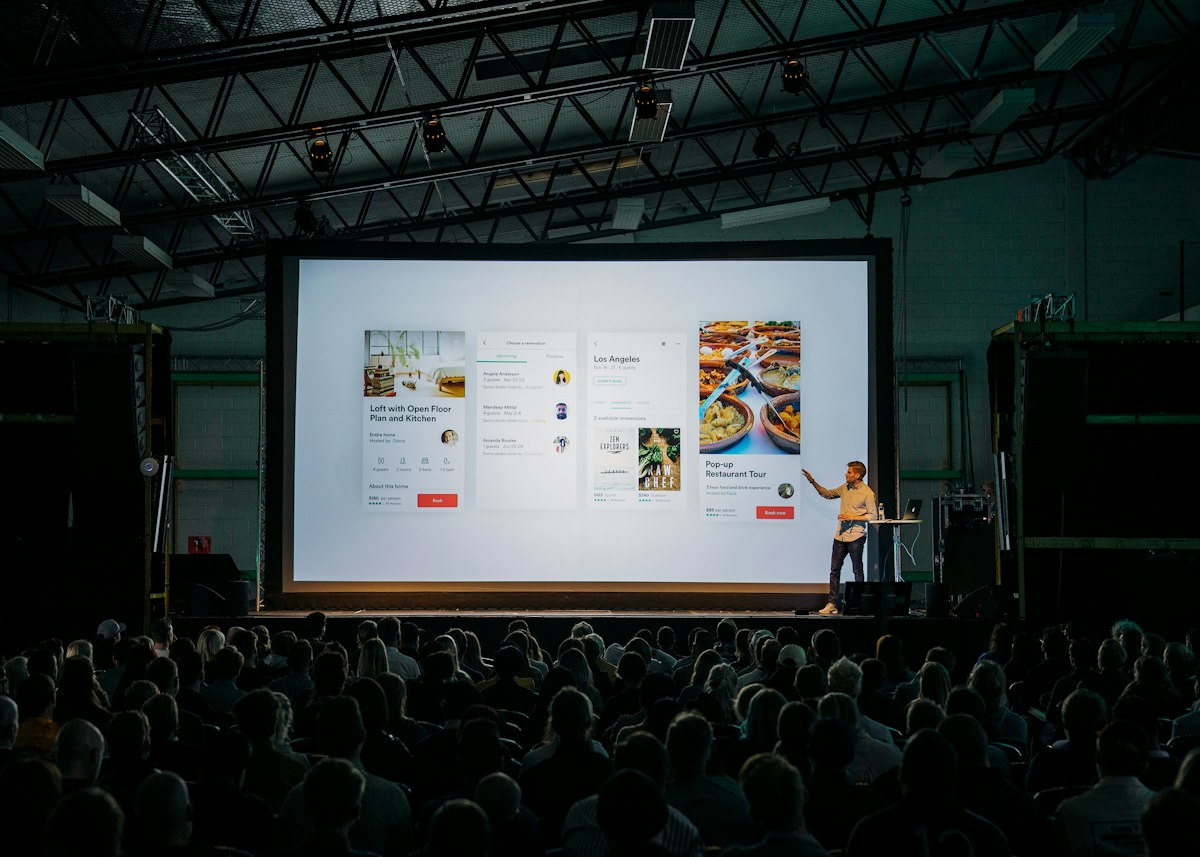 Illustrative image: Check originality, facts, and disclosure before every publish. This is an illustrative image, not a screenshot of your channel or another creator’s work.
Checklist for Safe AI Use on YouTube
- Original contribution clear in every video
- Facts verified against reliable sources
- Your voice, footage, or demonstration included where possible
- AI tool terms and licences checked and recorded
- Realistic synthetic content disclosed plainly
- No impersonation or misleading AI scenes
- Pre-publish originality check completed
Frequently Asked Questions
Does using AI automatically prevent monetization? No. YouTube does not ban AI assistance in general. Monetization problems arise when a video lacks original value, reuses content, or misleads viewers, not simply because a tool was used.
Can I use AI to write my scripts? Yes, if you verify facts, rewrite in your own voice, and add your own examples, demonstrations, or opinions. A script you never checked or personalised is much riskier than one you shaped yourself.
Can I use an AI voice for my whole channel? It is risky, especially combined with generic visuals and no personal footage. Use your own voice for main content where possible, and reserve synthetic voices for clearly labelled extras.
Do I need to disclose every AI edit? Not every small edit, such as captions or colour correction, but you must follow YouTube’s disclosure rules for altered or synthetic content, especially realistic scenes that could mislead viewers. When in doubt, disclose.
What should I do if monetization is limited? Read the notice carefully, identify which policy was cited, improve the video with original footage or commentary where possible, and check YouTube’s official help pages for appeal or reapplication steps. Do not simply re-upload the same video unchanged.
Use AI to work faster, not to replace your judgement. When your experience, voice, and testing are visible in every video, AI becomes a safe and powerful assistant, not a monetization risk.