Small-Channel Keyword Strategy: Keywords You Can Actually Rank For at Your Size
 CreatorPlaybook Team
- 01 Nov, 2026
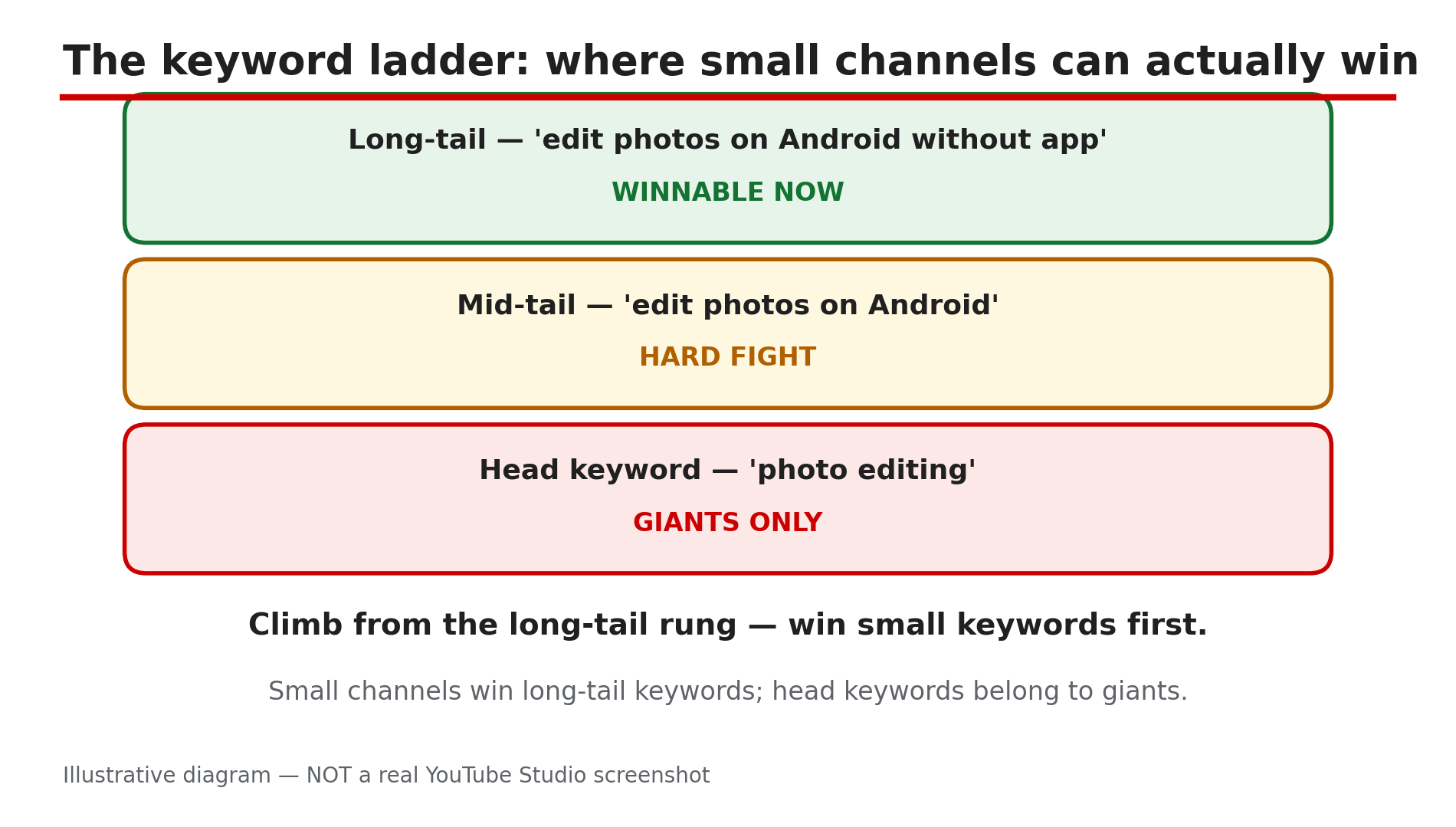
Every small creator has typed a big keyword into YouTube search and felt the same sinking feeling: the first page is full of huge channels, and your video is nowhere to be seen. The mistake is not your video. The mistake is the keyword.
YouTube search does not rank the most-viewed videos first: results are ordered by relevance — how well the title, description and video content match the query — and by engagement, meaning which videos drive the most watch time for that search. So the ranking is winnable — if you pick a fight you can actually win.
A small channel’s strategy is simple: find the most specific phrase a real viewer would type, where competition is thin enough to win. No paid tool is needed, and no search-volume figures are quoted here — YouTube does not publish official search-volume data, so exact numbers online are third-party estimates, not facts.
What You Will Learn
- Why broad “head” keywords belong to big channels
- How to find long-tail keywords real viewers type, free
- A simple test for whether a keyword is winnable at your size
- How to match title, description and spoken words to one keyword
- How to build topic clusters so small wins add up to authority, and when to move up
Step 1: Pick One Narrow Topic You Can Own
What to do: Choose one narrow topic your channel can cover better than anyone on the first page — one slice of your niche, not the whole thing.
How: Cut your niche into slices: “cooking” becomes “budget meals for students”, then “5-ingredient student dinners”. Each cut removes competitors. Pick the slice where you have real experience: relevance gets you in, engagement keeps you there.
Example: A 40-subscriber photo-editing channel should not target “photo editing tutorial”. Target “edit photos on Android without an app” instead — a slice big channels rarely cover.
Common mistake: Picking a topic because it is popular, not because you can win it. Popularity without winnability just puts your video at position 47.
Illustrative diagram — NOT a real YouTube Studio screenshot.
Step 2: Find Long-Tail Phrases With Free Tools
What to do: Turn your narrow topic into long-tail keywords — phrases of three to six words that spell out what the viewer wants.
How: Use YouTube’s own search bar: type your topic slowly and write down every autocomplete suggestion — real queries from real viewers. Add a question word — how, why, best, without, for beginners — and collect the new suggestions, then do the same on Google. Aim for 15 to 20 candidates and delete the vague ones. Phrases of four or more words are where small channels should focus first — lower competition, clearer intent.
Example: Typing “edit photos on android” gives “edit photos on android without app” and “edit photos on android for beginners” — each a video idea with a built-in audience.
Common mistake: Trusting one paid tool’s volume estimate and ignoring autocomplete. A tool only estimates; the search bar shows what people actually type.
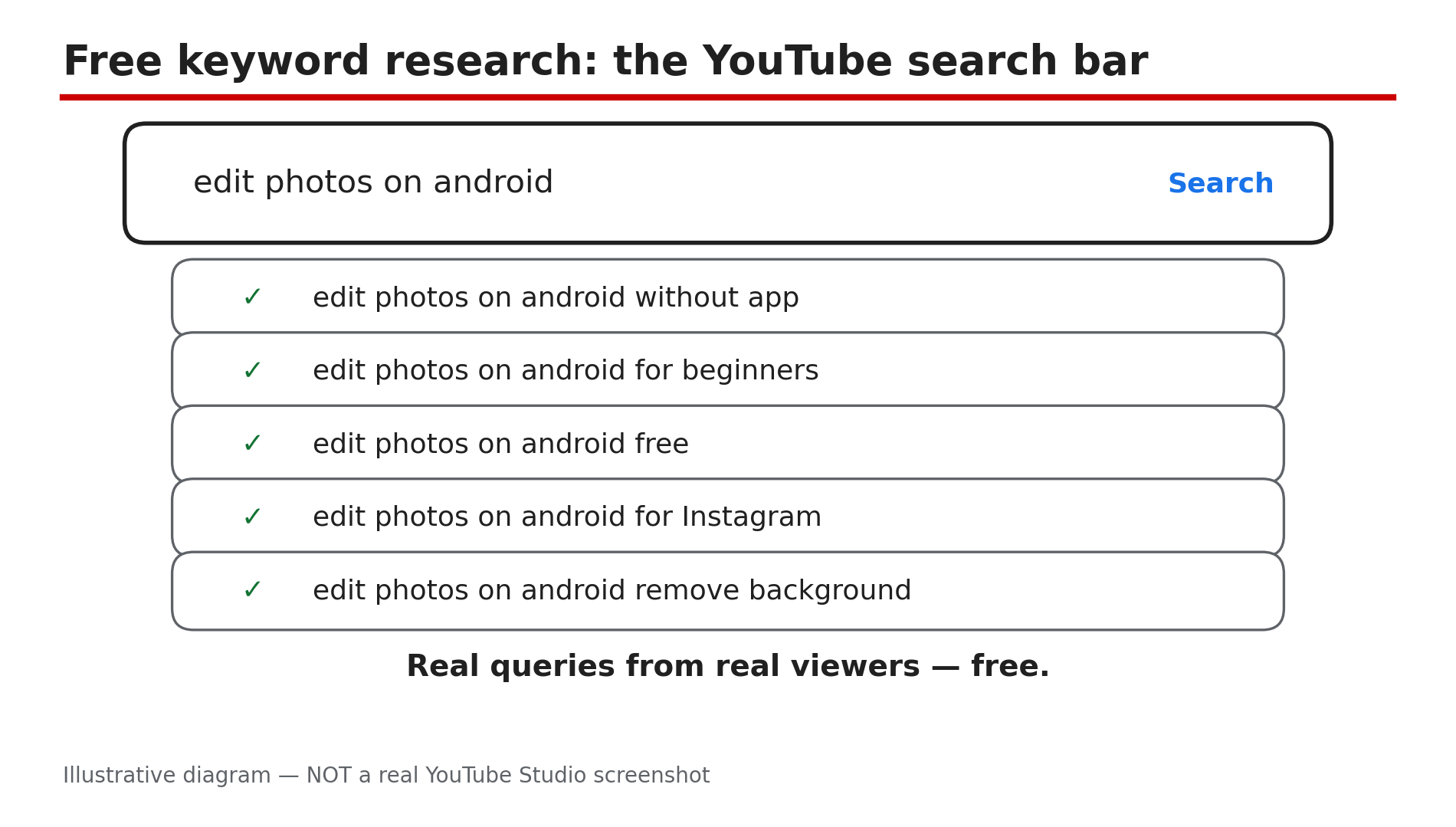
Illustrative diagram — NOT a real YouTube Studio screenshot. Real queries from real viewers — free.
Step 3: Judge Whether You Can Actually Win It
What to do: Before you record anything, test each candidate against the real search results and keep only the ones where a small channel has a genuine opening.
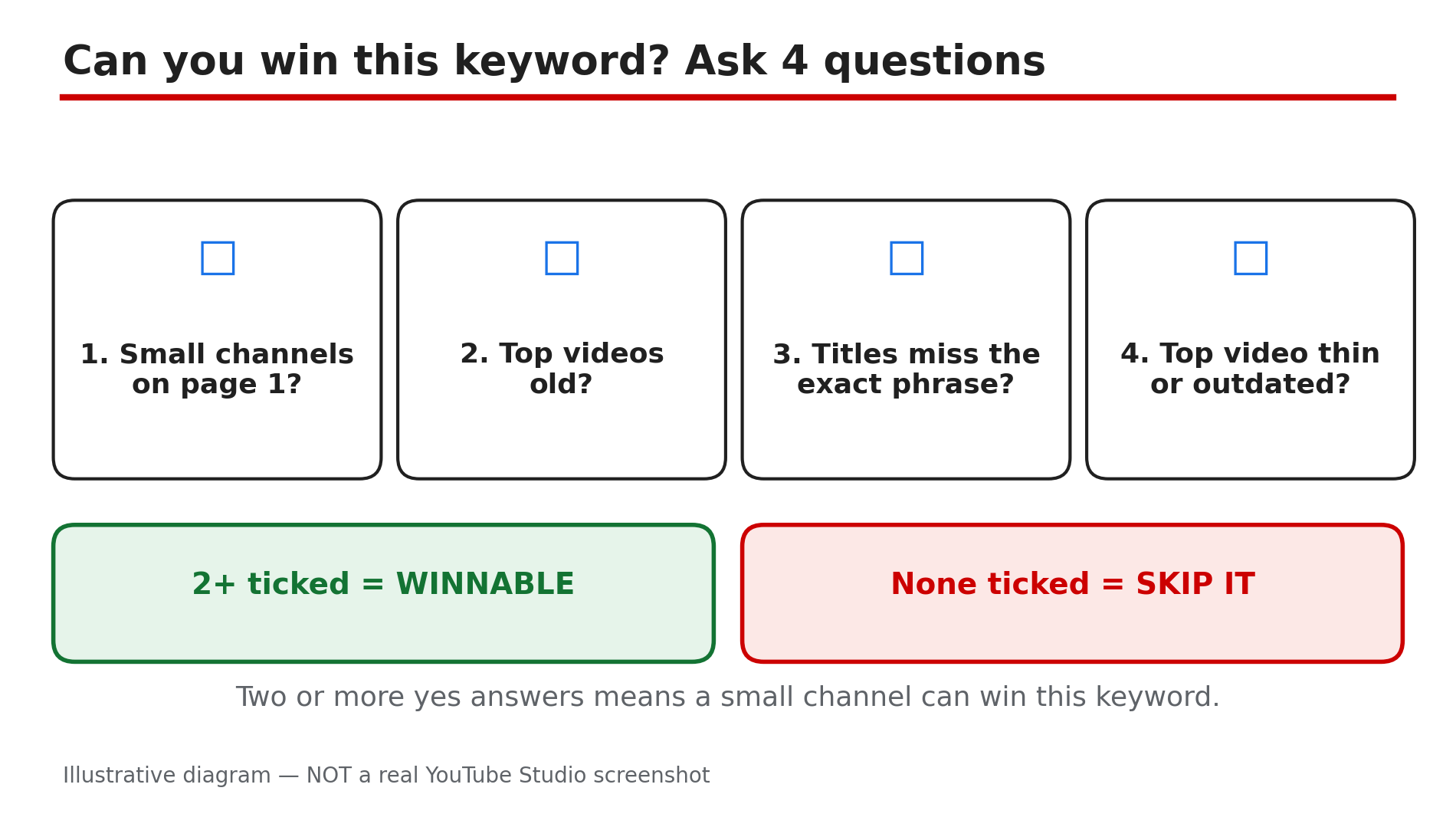
How: Search the exact phrase and study the top five results. Ask four questions: are the top videos from channels your size or much bigger? Are they recent or years old? Do their titles answer the exact phrase? Does any video fully solve the problem? It is winnable when at least two are true: small channels appear on page one, the top videos are old, or they do not answer the question properly. If every result is a huge channel with a recent, excellent video, cross it off and try a longer version.
Example: “Edit photos on Android without app” shows two channels under 10,000 subscribers on page one — a green light. “Photo editing” shows only million-subscriber channels — a red light.
Common mistake: Judging a keyword by how many results it has. Judge the channels on page one, not the result count.
Illustrative diagram — NOT a real YouTube Studio screenshot.
Step 4: Match Title, Description and Spoken Words to One Keyword
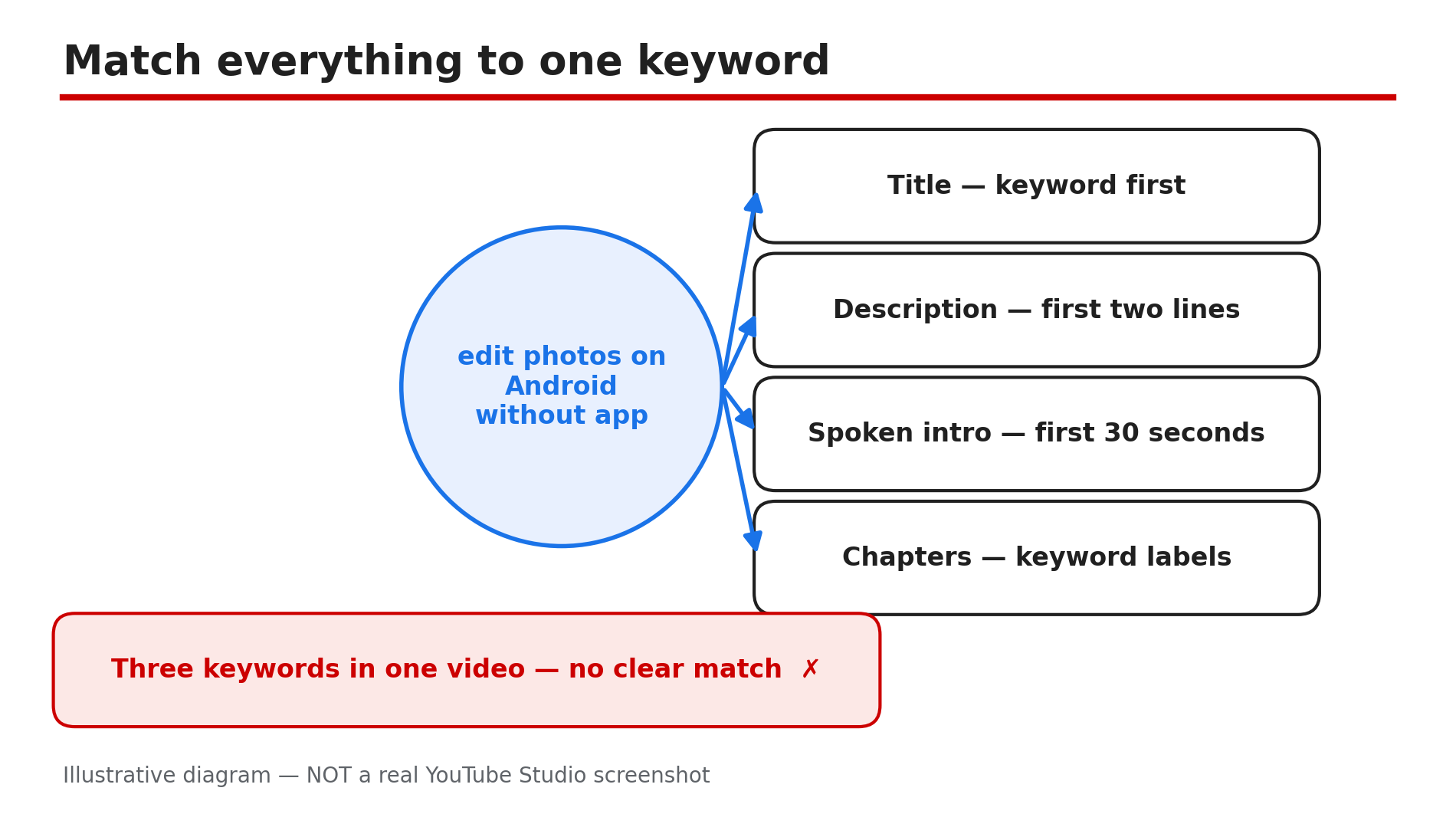
What to do: Build the whole video package — title, description, spoken intro and chapters — around one keyword, written the way a viewer would type it.
How: Put the keyword near the front of the title, so it survives being cut off on a phone screen. Open the description with a sentence that repeats it and states what the video delivers — the first two lines are all that shows before “…more”. Say the keyword out loud in the first 30 seconds, because YouTube reads transcripts and spoken words too. Label chapters with the keyword or close variants. Use it naturally two or three times in the description, never in a block. Tags play only a minimal role in discovery, per YouTube’s own documentation — spend your time on the title, not on fifty tags.
Example: Title: “Edit Photos on Android Without an App — Free, 2 Minutes”. Description opens: “Edit photos on Android without an app, using only the built-in editor — free, no downloads.”
Common mistake: Targeting three keywords in one video. A title that tries to cover three searches gives YouTube no clear match for any of them.
Illustrative diagram — NOT a real YouTube Studio screenshot.
Step 5: Build Clusters, Not One-Off Videos
What to do: Turn one winnable keyword into a cluster of five to ten related videos, so each small win strengthens the next.
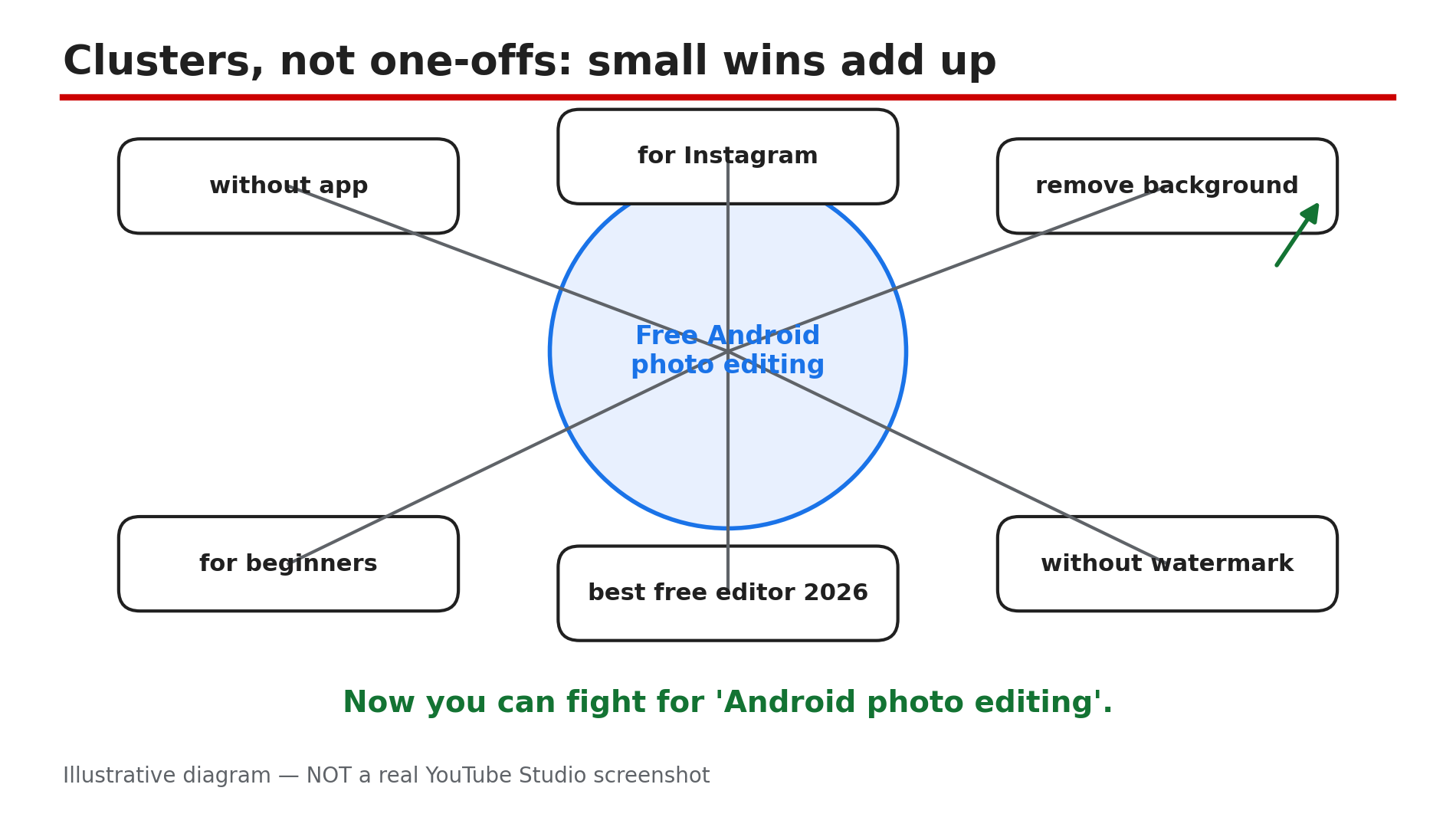
How: List every question a viewer might ask next. If your first video is “edit photos on Android without an app”, the cluster is “edit photos on Android for Instagram” and “remove background on Android without app”. Publish them steadily, link each video to the others in descriptions and end screens, and reuse the same core phrases. As reported, stacking long-tail wins around one theme builds topical authority: after thirty videos on one topic’s variations, ranking for the broader head term becomes realistic. One video is a lottery ticket; a cluster is a strategy.
Example: Eight videos around “free Android photo editing” can start ranking for “Android photo editing” itself — the cluster tells YouTube it owns that slice.
Common mistake: Jumping to a new topic every week because the last video got few views. Search traffic compounds slowly; a cluster abandoned after two videos never gets the chance.
Illustrative diagram — NOT a real YouTube Studio screenshot.
Step 6: Track, Refresh and Move Up Gradually
What to do: Check what is working in YouTube Studio, double down on the winners, and only then reach for bigger keywords.
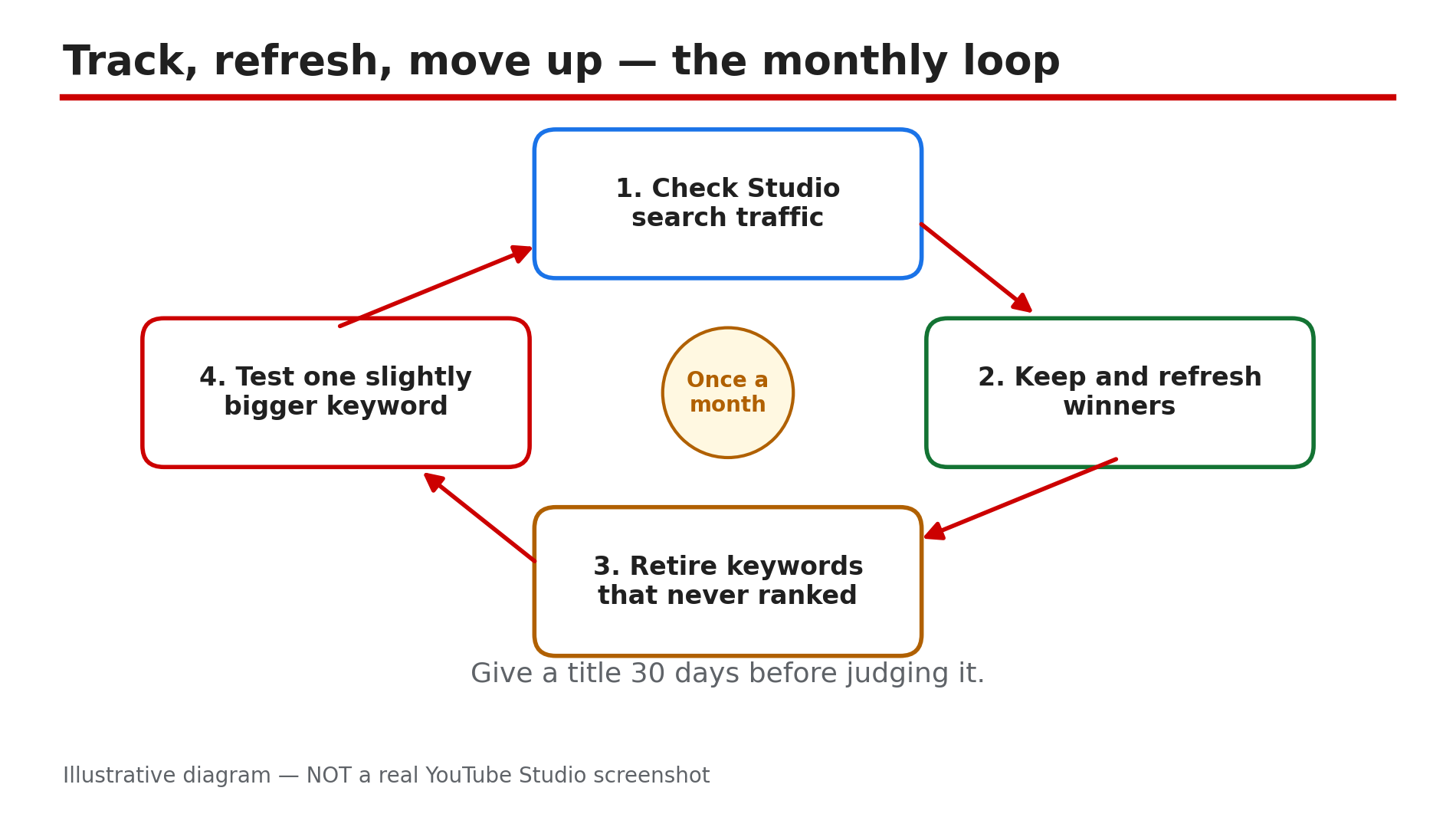
How: Once a month, open Studio > Analytics > Content and check which videos bring search traffic, and which search terms led viewers there. Keep the videos that rank and get clicks, and refresh outdated videos. Retire keywords that never ranked after 60 to 90 days. When a cluster ranks well, test one slightly broader keyword and judge it by the same four questions from Step 3. If big channels still own it, stay small for another cluster first.
Example: After three months, your “without app” video ranks first and brings 200 views a month from search — the signal to try the broader term.
Common mistake: Changing titles every week based on one day of data. Rankings move slowly — give a title at least a month. If your channel is not growing at all despite good keywords, the problem may be elsewhere: YouTube Channel Not Growing? Diagnose the 4 Real Reasons.
Illustrative diagram — NOT a real YouTube Studio screenshot.
Checklist: Before You Publish Your Next Video
- ☐ One primary keyword — a phrase of 3–6 words, not a broad head term
- ☐ Keyword found in autocomplete, not guessed
- ☐ Top five results checked — a small channel can win
- ☐ Keyword at the front of the title and in the first two description lines
- ☐ Keyword spoken naturally in the first 30 seconds of the video
- ☐ Chapters labelled with the keyword or close variants
- ☐ Video belongs to a cluster of related videos on the same topic
- ☐ Search traffic checked in Studio after 30 days
Frequently Asked Questions
1. How many keywords should I target in one video?
One primary keyword, plus a few natural variations. One video, one query.
2. Do tags still matter for ranking?
Barely. YouTube’s own documentation says tags play a minimal role in discovery and exist mainly to catch misspellings.
3. How long does it take a small channel to rank for a keyword?
As reported, a winnable long-tail keyword can rank within days to a few weeks; a competitive term can take months, or never happen at your size.
4. Should I copy the keywords of a big channel in my niche?
Copy their topics, not their keywords. A big channel can rank for “photo editing” on authority; you cannot, yet. Target the long-tail versions of their topics.
5. My video ranks but gets few clicks — is the keyword wrong?
Not necessarily. Ranking gets you the impression; the thumbnail and title earn the click. If click-through rate is low, test a clearer thumbnail and title before abandoning the keyword. A sudden CTR drop has other causes too: YouTube CTR Suddenly Dropped After the 24 August 2026 Change — What Really Happened.
Sources
- Search ranking works on relevance and engagement — as reported by SEO guides citing YouTube’s own help pages.
- Long-tail guidance (4+ word phrases, lower competition, clearer intent) — as reported by Backlinko-cited research and 2026 YouTube SEO guides; YouTube publishes no official search-volume data.
- Internal: YouTube Channel Not Growing? Diagnose the 4 Real Reasons
- Internal: YouTube CTR Suddenly Dropped After the 24 August 2026 Change — What Really Happened