YouTube Premium Revenue Explained: How You Earn From Premium Viewers
 CreatorPlaybook Team
- 31 Oct, 2026
When a YouTube Premium member watches your video, you still earn money — even though no ad is shown. Many new creators assume ad-free viewing means free viewing — it does not. YouTube shares part of every Premium subscription with the creators those members watch, based on member watch time. For a Partner Program channel, this is a second income stream next to ad revenue. This guide explains how it works, where to see it in Studio, and how to grow it.
What you will learn
- How Premium revenue is calculated from member watch time
- Whether your channel is eligible to earn Premium revenue
- Where to find your Premium earnings in Studio and Analytics
- How Premium revenue differs from ad revenue and how to grow it
Step 1: Understand how Premium revenue works
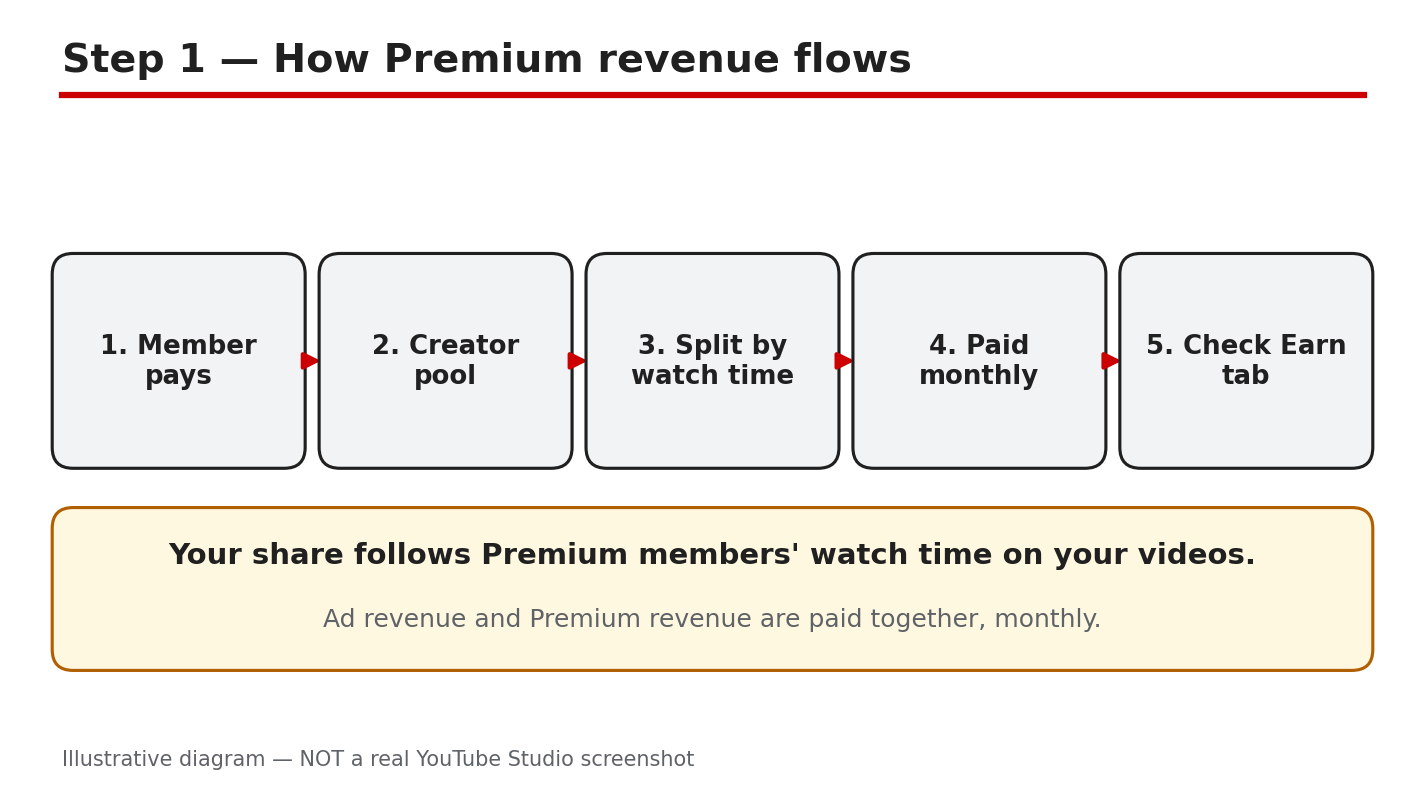
What to do: Learn the basic mechanism first: Premium pays you for watch time, not for ads.
How to do it: YouTube puts a share of subscription fees into a creator pool, split by how much Premium members watched each creator’s content. Your share depends on your slice of total Premium watch time, not on views or subscribers. YouTube Help confirms fees are distributed by member watch time, with the majority going to partners. As reported, from 2027 the pools are 30% of net Premium and 60% of net Premium Lite revenue, paying 55% for long-form and 45% for Shorts.
Example: Two channels each get 10,000 views. Channel A gets 8,000 minutes of Premium watch time; Channel B gets 2,000. A earns the bigger share.
Common mistake: Treating Premium revenue like a fixed payment per Premium view. There is no fixed per-view rate.
Illustrative diagram (mock-up) of how Premium revenue reaches creators — not a real Studio screenshot.
Step 2: Check that your channel is eligible
What to do: Confirm your channel can receive Premium revenue — not every monetized-looking channel can.
How to do it: Premium revenue is a Partner Program benefit. YouTube Help states that for long-form videos you must accept the Watch Page Module and turn on Watch Page ads. For Shorts you must accept the Shorts Feed Module. In Studio, check the Earn tab for your accepted modules and whether Watch Page ads are on. If a module is not accepted, those Premium views earn you nothing. As reported, from 1 February 2027 new creators need 8,000 watch hours or 20 million Shorts views, plus 1,000 subscribers.
Example: A creator accepted the Watch Page module but never turned on Watch Page ads, so her Premium earnings stayed at zero.
Common mistake: Assuming that joining the Partner Program turns on every earning feature. Each module must be accepted separately.
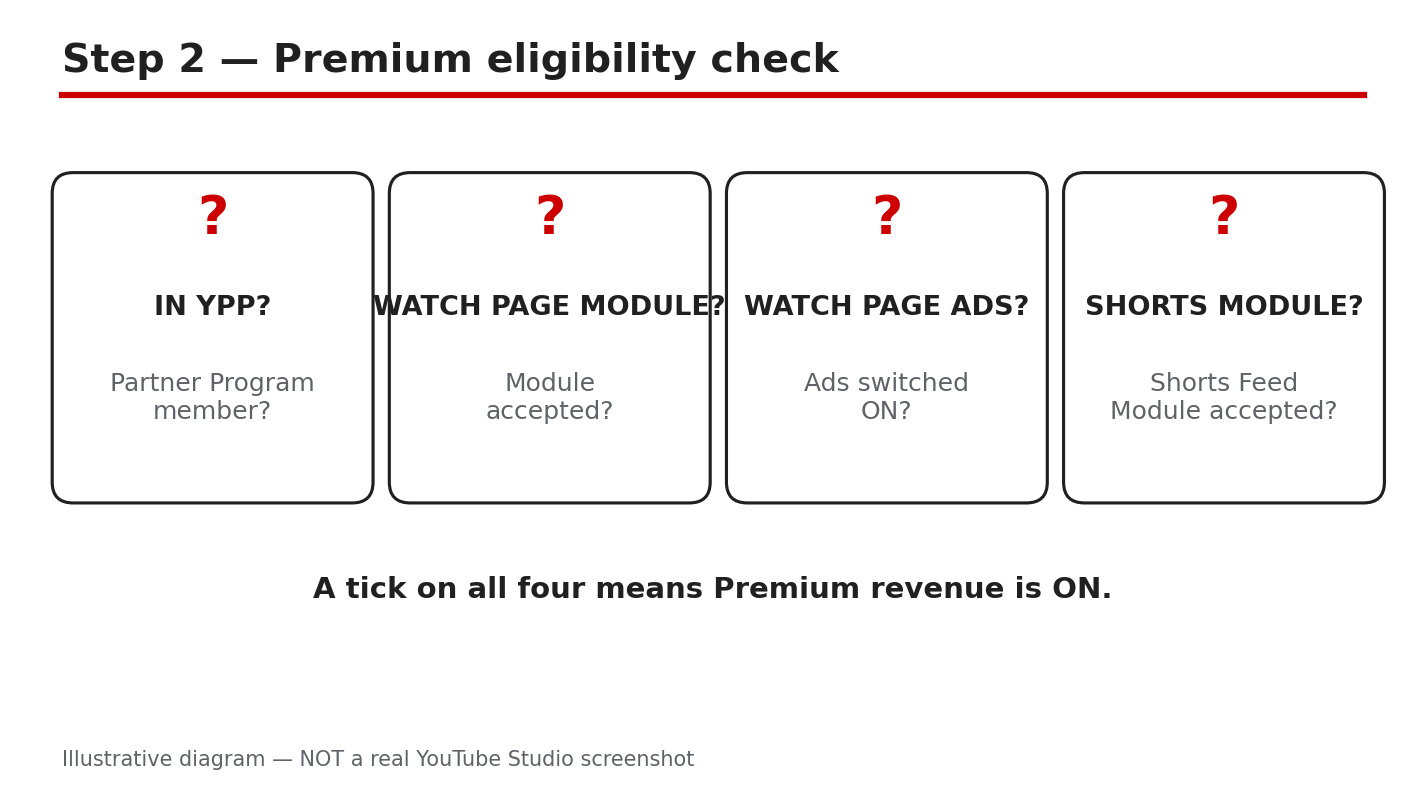
Illustrative diagram (mock-up) of the eligibility checks for Premium revenue — not a real Studio screenshot.
Step 3: Find your Premium earnings in Studio
What to do: Locate the exact numbers so you can see what Premium is worth to your channel.
How to do it: In Studio, open the Earn tab for an overview of estimated revenue by source. Then open Analytics, go to Revenue, and check the breakdown by revenue type. YouTube Help reports that Watch Page and Shorts Feed ad revenue both include Premium, so Premium sits inside those rows, not as a separate headline number. As reported, revenue takes about two days to show, and Premium payments arrive at the start of each month, with ad revenue.
Example: One 15-minute guide brings a creator more Premium revenue than her five most-viewed Shorts combined.
Common mistake: Checking the Earn tab the day after a big video and concluding Premium pays nothing. Revenue data lags — check after a few days.
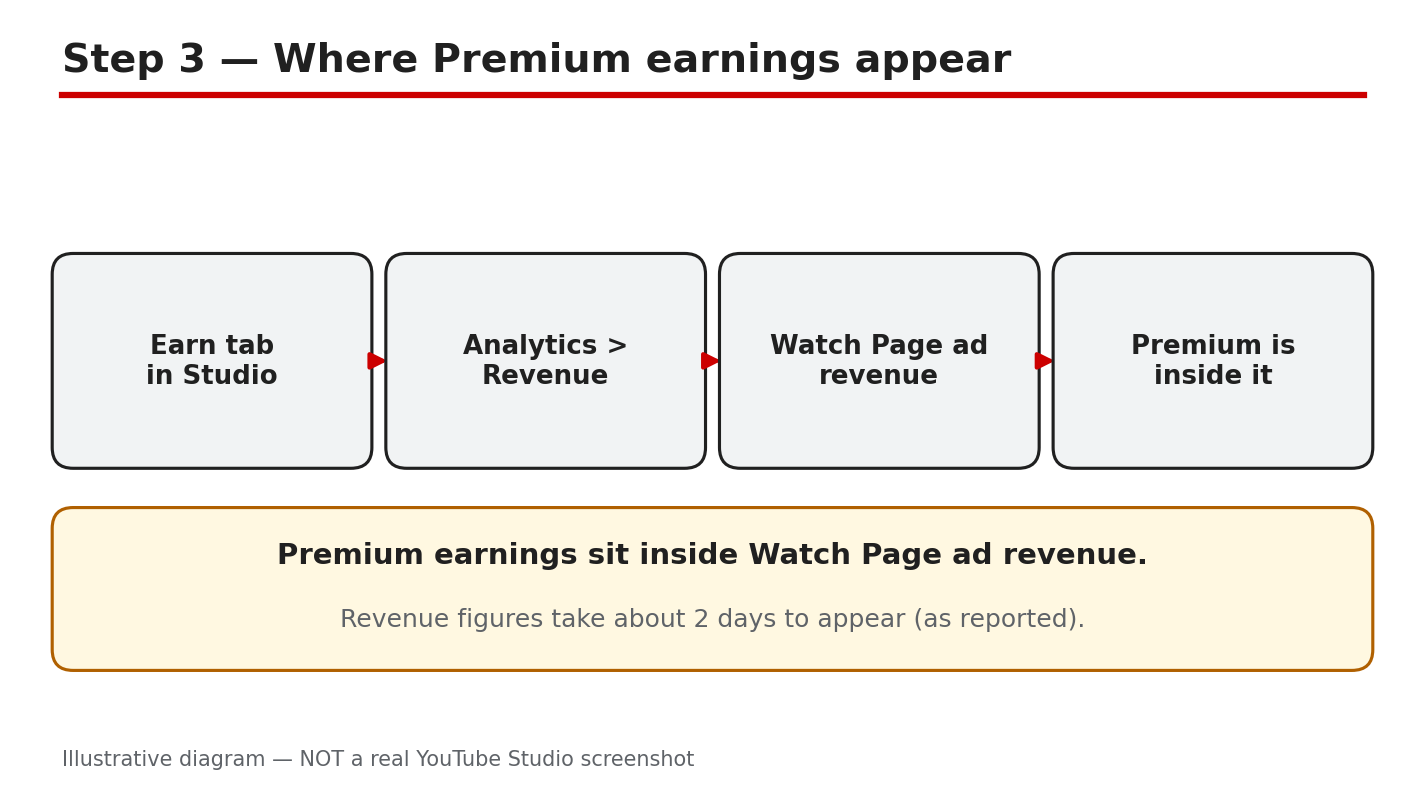
Illustrative diagram (mock-up) showing where to find Premium earnings in Studio — not a real Studio screenshot.
Step 4: Compare Premium earnings with ad earnings
What to do: Understand why Premium money behaves differently from ad money.
How to do it: Ad revenue depends on advertisers and CPMs, which change by topic, country, and season. Premium revenue depends only on how much members watch you, so it is steadier and unaffected by ad blockers or seasonal demand. As reported, YouTube says partners on average earn more from a Premium subscriber than from the same user watching ads. Check your Revenue breakdown over three months: if Premium grows while ads stay flat, your audience is shifting toward members.
Example: A finance channel earns a high CPM but has few Premium viewers, so Premium is a small slice. A music-learning channel has many Premium members, so it is a large slice.
Common mistake: Comparing your Premium earnings with another creator’s. The split depends on your audience, not your effort alone.
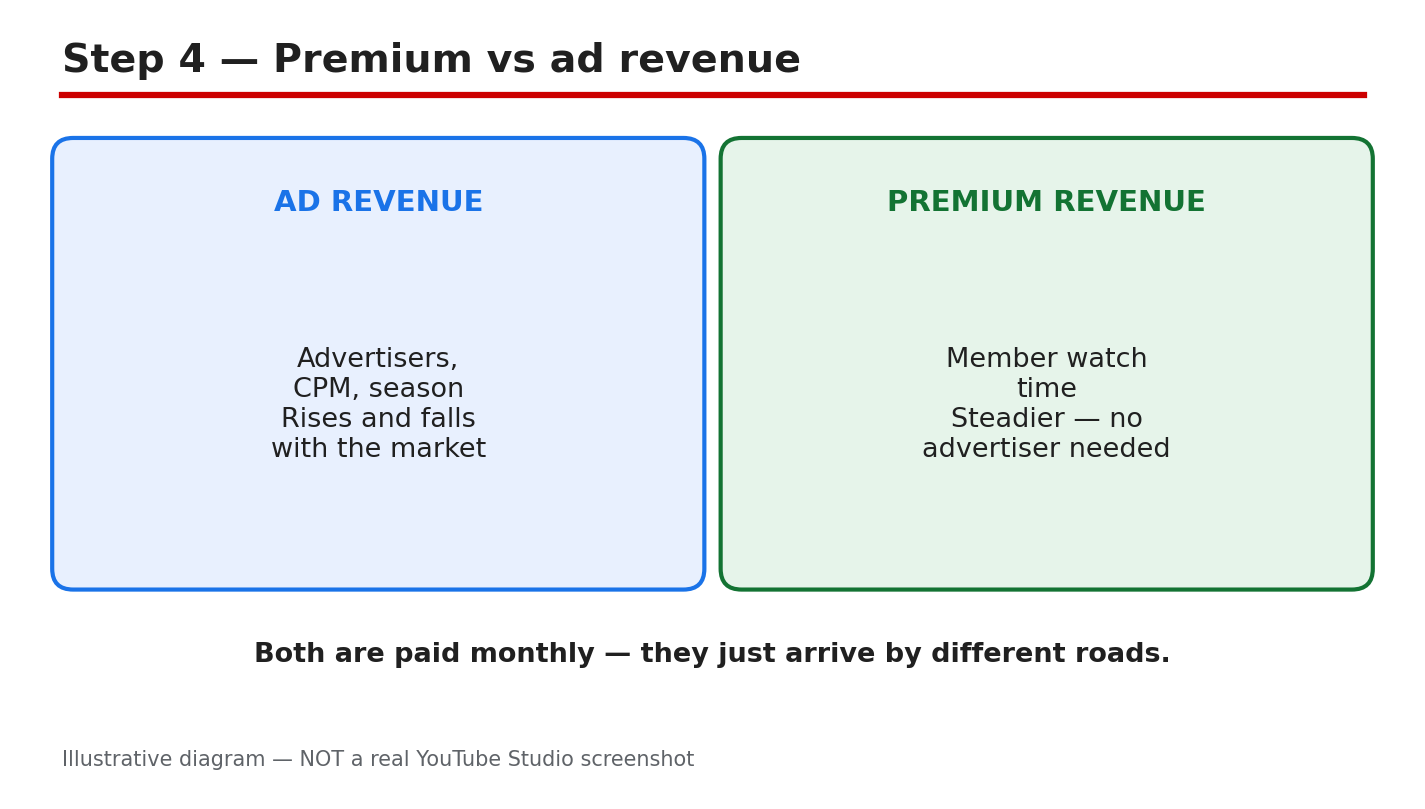
Illustrative diagram (mock-up) comparing Premium revenue with ad revenue — not a real Studio screenshot.
Step 5: Grow your Premium watch time
What to do: Increase the one thing Premium pays for — minutes watched by Premium members.
How to do it: Focus on retention first. In Analytics, find your highest average view duration videos from members, and make more like them. Build series and playlists so one view becomes a session of three or four. Keep intros short and answer early — a member who leaves in 30 seconds adds almost nothing. YouTube Help confirms downloaded watch time and background play both count. So long videos that work as audio can keep earning while a member does something else.
Example: A creator turns one 10-minute tutorial into a three-part series. Members who watched one video now watch all three, and her Premium watch time nearly doubles.
Common mistake: Making videos longer just to chase watch time. Padding drives viewers away — YouTube Help says the key factor is enjoyable videos.
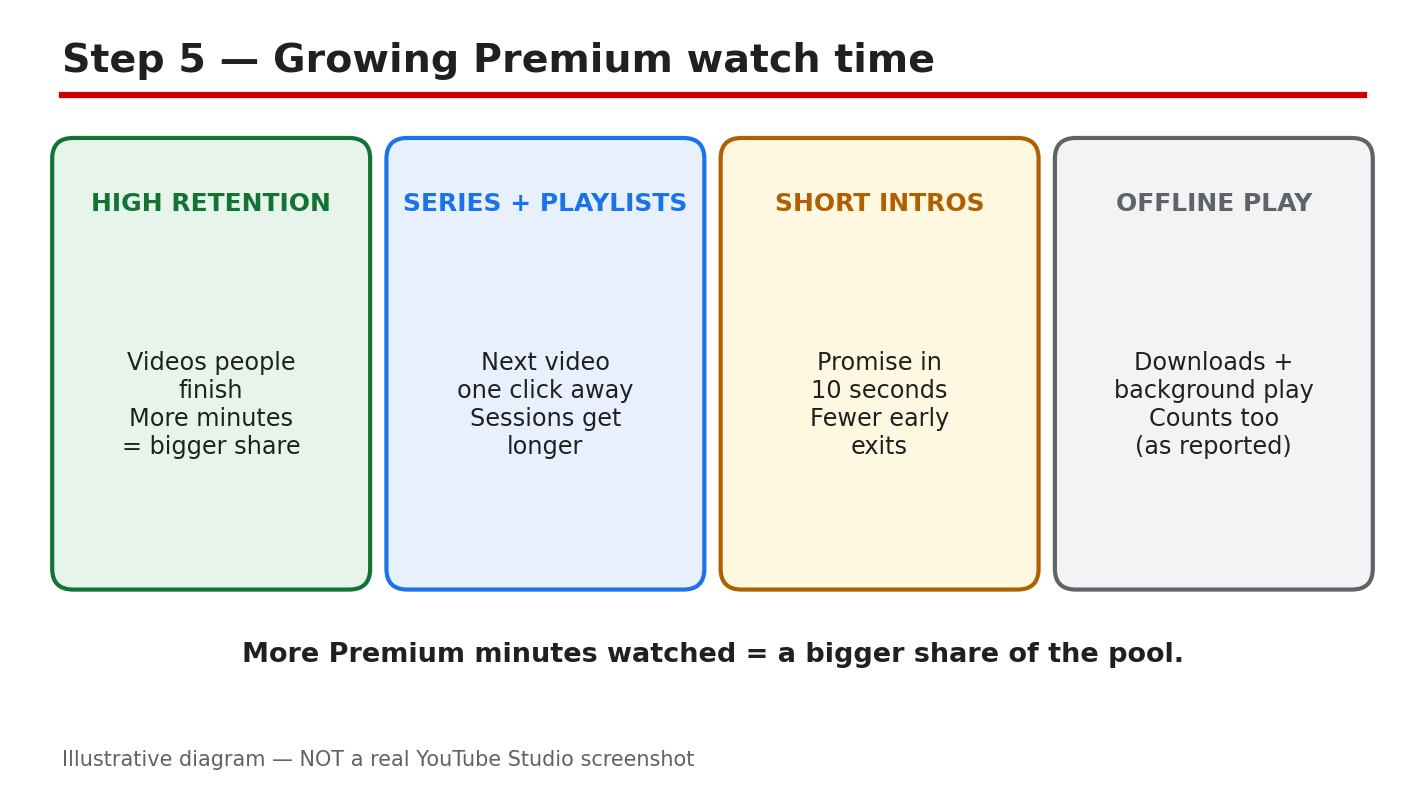
Illustrative diagram (mock-up) of the ways to grow Premium watch time — not a real Studio screenshot.
Step 6: Protect and plan your Premium income
What to do: Treat Premium revenue as a real income line: review it monthly and never chase shortcuts.
How to do it: Each month, check the Earn tab and Revenue report and note your Premium earnings, watch time, and top videos. Watch for Partner Program updates — as reported, the 2027 update changes entry thresholds and Shorts pool rules, so accept the updated modules in Studio to keep earning. Never buy views or watch time: fake watch time is invalid traffic, it can get monetization paused, and it cannot increase your share of the pool.
Example: A creator notices one old tutorial earns more Premium revenue than her new uploads. She makes an updated version and links it in the old video’s description.
Common mistake: Ignoring Premium revenue because it looks small at first. For many channels it grows into a meaningful, stable part of monthly income.
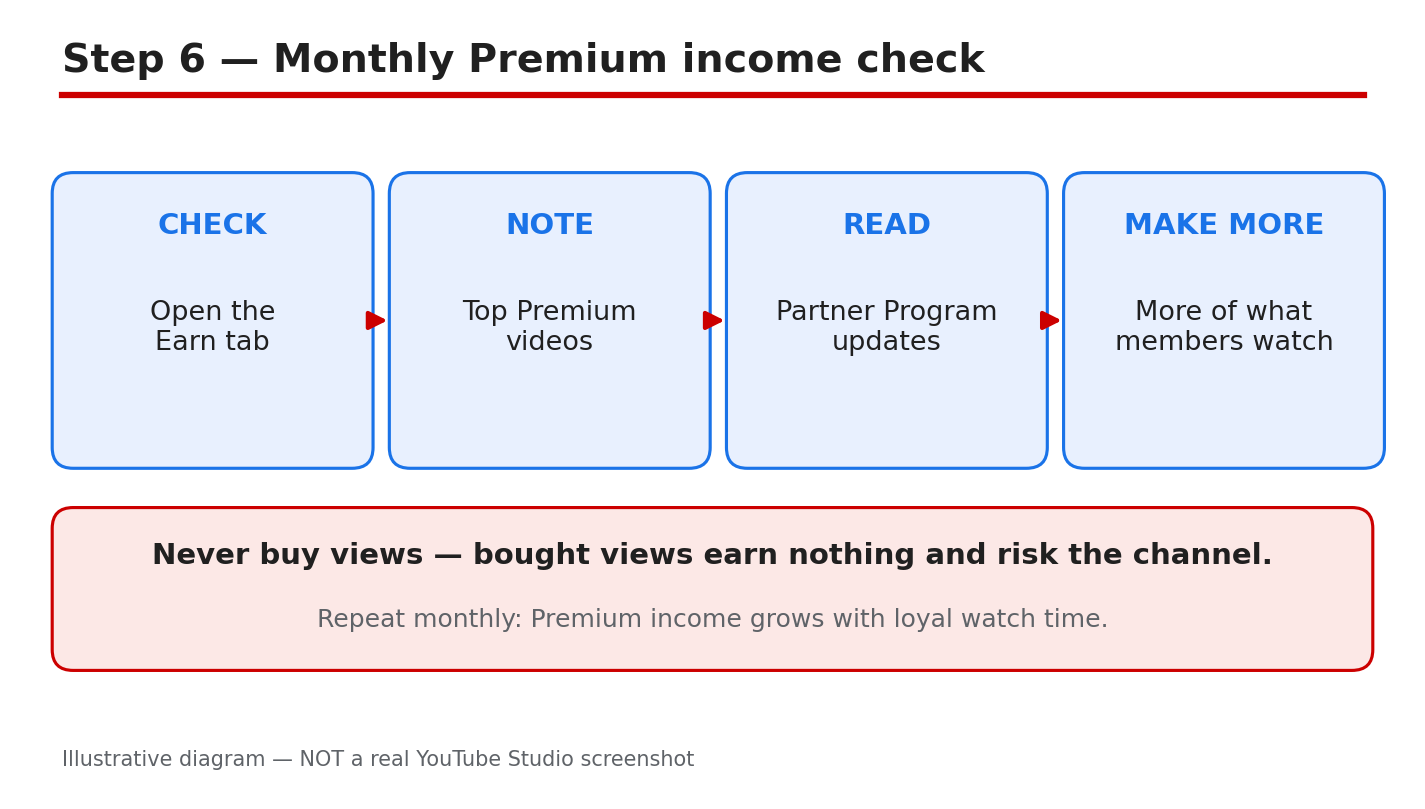
Illustrative diagram (mock-up) of the monthly Premium income routine — not a real Studio screenshot.
Checklist
- ☐ Premium pays for watch time, not per view
- ☐ Partner Program membership and modules confirmed
- ☐ Watch Page ads on for long-form videos
- ☐ Premium earnings found in Earn tab
- ☐ Premium vs ad earnings compared
- ☐ Videos planned to keep members watching
Frequently asked questions
Do creators earn money when a Premium member watches their video?
Yes. Premium members see no ads, but YouTube shares part of the subscription fee with creators based on member watch time. It is a second revenue stream alongside ads.
How much do creators earn per Premium view?
There is no fixed per-view rate. Earnings depend on your share of Premium member watch time, so a long video watched to the end earns far more than a short one viewers abandon.
Do downloaded videos and background play count?
Yes, as reported in YouTube Help. Downloaded watch time is recorded when the member next signs in online, and background play counts too.
Do I need the YouTube Partner Program to earn Premium revenue?
Yes. You also need the Watch Page Module with Watch Page ads on, or the Shorts Feed Module for Shorts. Confirm the requirements in Studio.
Will Premium revenue replace my ad revenue?
No. Premium is an extra stream for subscribers, paid in the same monthly payment as ad revenue.
Sources
- YouTube Help, Your content & YouTube Premium: https://support.google.com/youtube/answer/6306276 (verified live 31 Oct 2026)
- CreatorPlaybook, Monetization Paused vs Disabled vs Rejected: </blog/youtube-monetization-paused-vs-disabled> (verified live 31 Oct 2026)
- CreatorPlaybook, How to Earn Money on YouTube: </blog/how-to-earn-money-on-youtube> (verified live 31 Oct 2026)