YouTube Shorts Views Dropped? How to Check If the October 1, 2026 Original Content Update Affected Your Channel
 CreatorPlaybook Team
- 28 Oct, 2026
Your Shorts views have fallen. Did something happen to your channel, or only to one kind of video? A channel-wide fall and a fall in only re-uploaded Shorts are not the same problem. This diagnosis tutorial separates the two with numbers from YouTube Studio, rules out other causes, and tests a change without guessing or deleting videos.
On 1 October 2026, YouTube Creator Liaison Rene Ritchie announced in a Creator Insider video that Shorts recommendations would further prioritise original content and reduce the reach of channels that primarily aggregate or re-upload other creators’ videos without significant changes. That is a recommendation change, not a ban and not a new monetisation rule. Monetisation still follows the separate reused-content policy. For what changed, read the background explainer first, then work through the checks in order.
YouTube gave no start date, no threshold for how much original work is enough, no Studio indicator for reduced reach, and no re-evaluation timeline. This guide states those gaps plainly and invents no date, percentage, or recovery period.
What You Will Learn
- What the 1 October 2026 announcement changed, and what counts as original.
- How to classify your last 30 Shorts and compare median Shorts feed views by group.
- How to rule out claims, strikes, restrictions, posting changes, and seasonality.
- How to keep reach, monetisation, and copyright separate.
- How to fix the mix, test six original Shorts, and re-evaluate.
Step 1: Classify Your Last 30 Shorts Into Groups
What to do: Before you open Analytics, classify your last 30 Shorts. You need the mix first: the announcement was about channels that primarily aggregate or re-upload without significant changes, not one borrowed clip in an otherwise original channel.
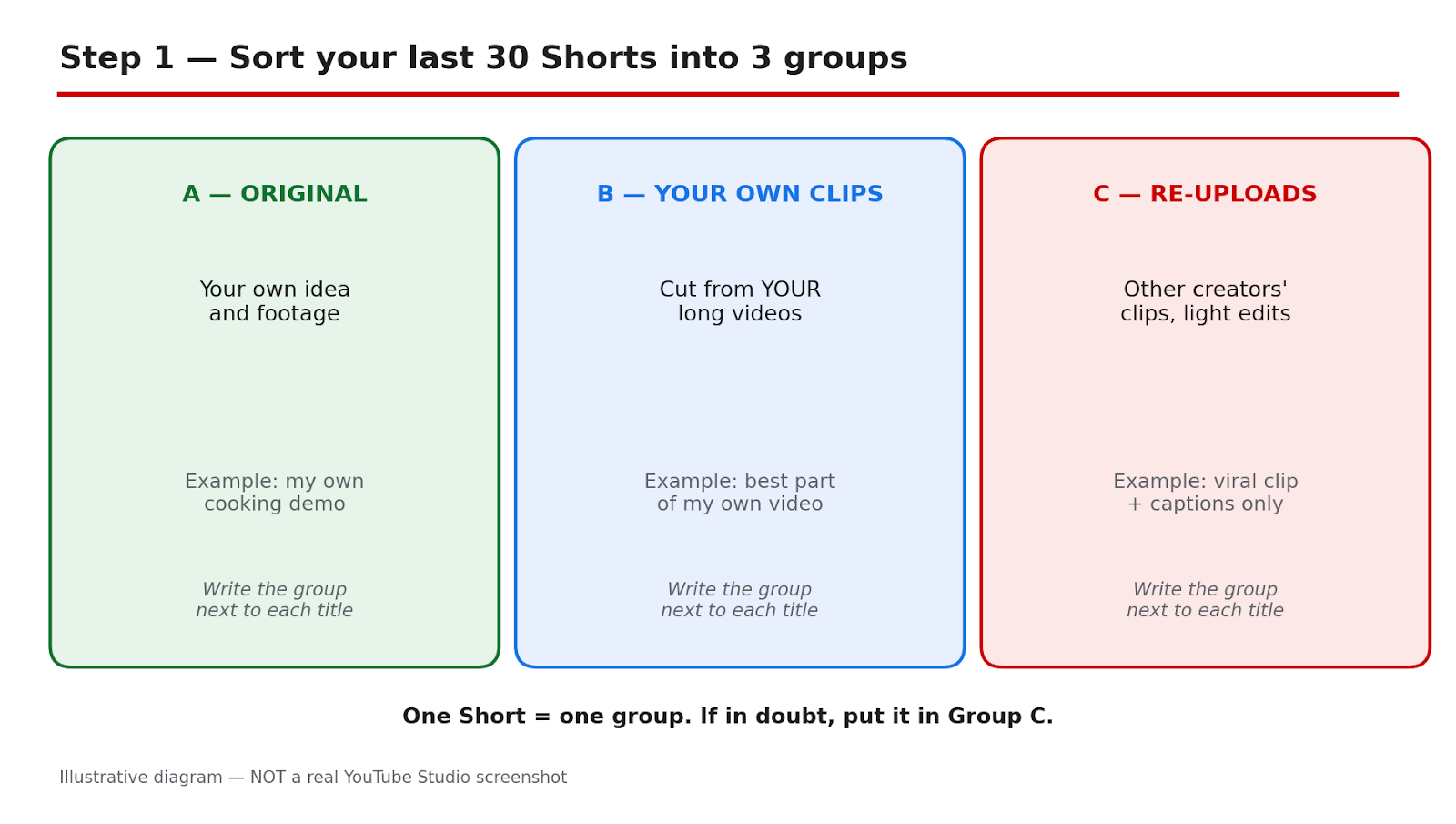
How to do it in YouTube Studio: Open YouTube Studio and go to Content, then filter to Shorts. Work from the most recent 30. In a spreadsheet, record title, date, group, and Shorts feed views: A, fully original; B, clips from your own long videos; C, re-uploads or other creators’ clips with light changes; D, template or AI-narrated borrowed clips.
Example: A cooking channel finds 8 in A, 6 in B, 11 in C, and 5 in D. Sixteen of 30 Shorts were borrowed clips or templates.
Common mistake: Do not classify by intention. A Short you spent an hour captioning is still group C if the picture and idea came from another creator.
Illustrative diagram made to explain Step 1. This is a mock-up, NOT a real screenshot of YouTube Studio or any creator’s channel.
Step 2: Compare Equal Windows With the Median, Not the Average
What to do: Compare two equal windows around 1 October, using median Shorts feed views per Short and engaged views, not the average or the public count. One viral Short can lift an average and hide a fall in the typical Short.
How to do it in YouTube Studio: In YouTube Studio, go to Analytics, then Content. Filter to Shorts and open Advanced mode. Use the 28 days before 1 October and the 28 days from 1 October, keeping them exactly equal. Record the median, the number of Shorts, and the dates.
Example: An average falls from 9,400 to 6,100, but one Short with 92,000 views pulls up the first window. The median falls from 3,800 to 3,100.
Common mistake: Do not compare a 28-day window with a 7-day window, or use the public count, which mixes traffic sources. Isolate Shorts feed views.
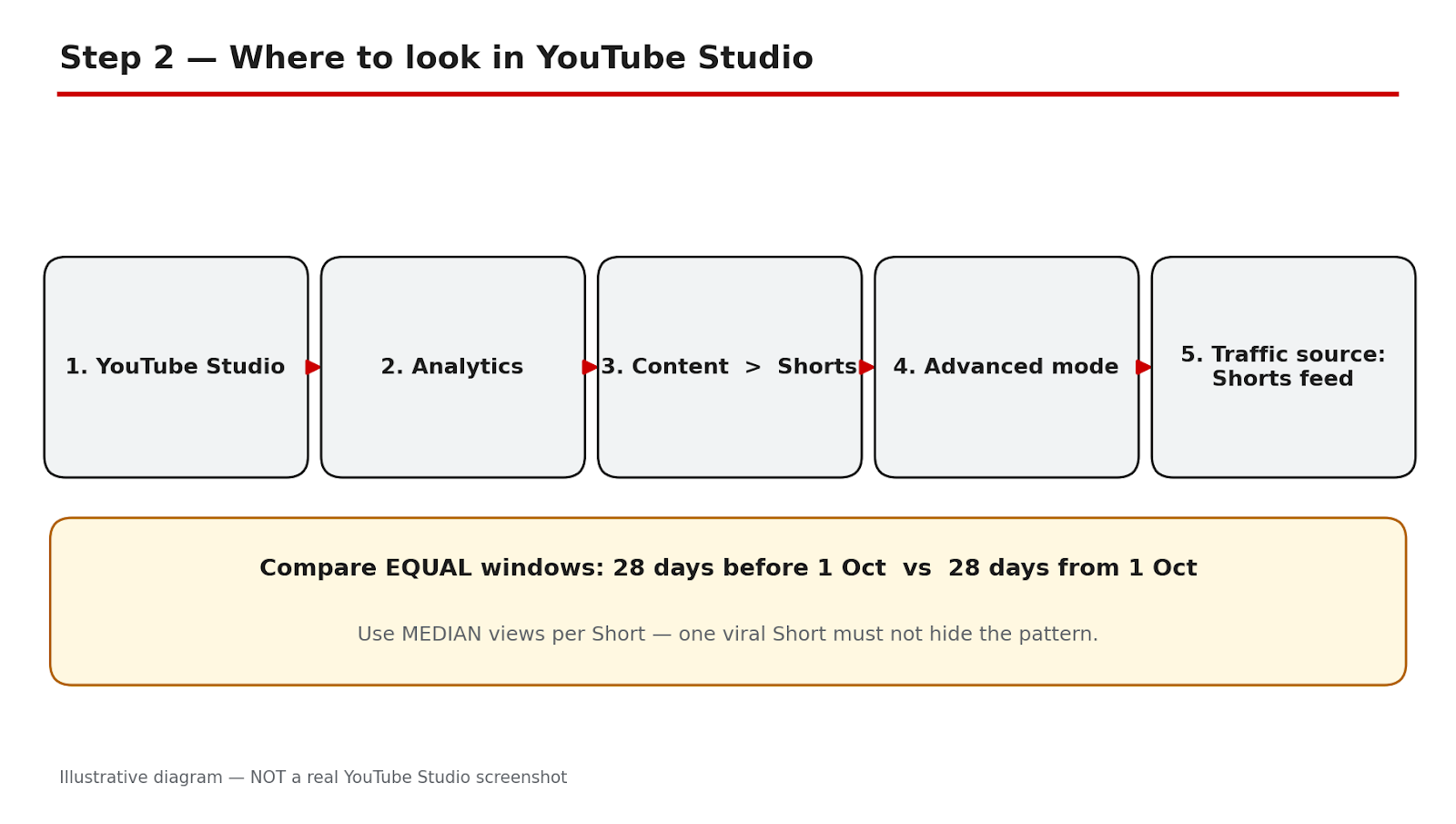
Illustrative diagram made to explain Step 2. This is a mock-up, NOT a real screenshot of YouTube Studio or any creator’s channel.
Step 3: Compare Each Group Separately
What to do: Repeat the comparison for each group separately. A channel-wide drop alone proves nothing. The pattern pointing toward this update is: group C (and D) falls, while A and B hold steady. If all groups fall similarly, the cause is more likely channel-wide.
How to do it in YouTube Studio: In YouTube Studio, go to Analytics, then Content, filter to Shorts, and use Advanced mode, as in Step 2. Calculate the median for each group in each window. Keep the groups fixed from Step 1.
Example: Group A moves from 4,200 to 4,050 and B from 3,900 to 3,850. Group C moves from 3,600 to 1,900 and D from 2,800 to 1,400. That split fits the announcement, but does not prove the cause alone.
Common mistake: Do not move a Short to another group after seeing its views. If you reclassify, recalculate both windows.
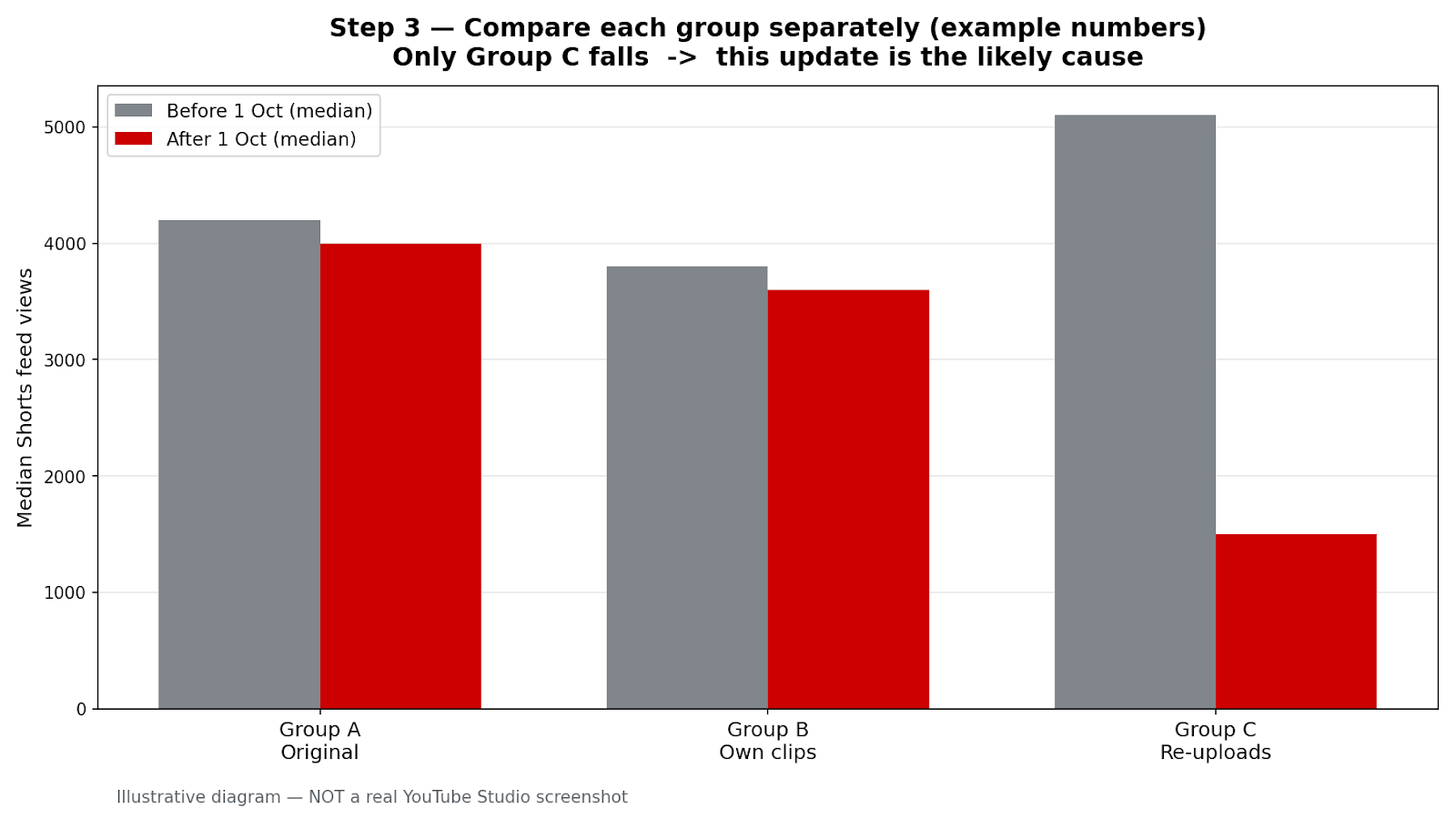
Illustrative diagram made to explain Step 3. This is a mock-up, NOT a real screenshot of YouTube Studio or any creator’s channel.
Step 4: Rule Out Other Causes Before Blaming the Update
What to do: Rule out other causes before blaming the update. A claim, a strike, an age restriction, a posting change, a title or thumbnail change, or a cooling topic can cause the same fall.
How to do it in YouTube Studio: In YouTube Studio, go to Content, then Restrictions, and check the affected videos one by one for a claim or strike. Check age restriction, visibility, and title or thumbnail changes. Then compare posting frequency and spacing, and check seasonality for the topic.
Example: A travel channel finds three borrowed clips received claims and posting stopped for 11 days. It fixes the claims, restores posting, and repeats the comparison.
Common mistake: Do not check only the channel total in Restrictions, or only one video. Claims act on individual videos.
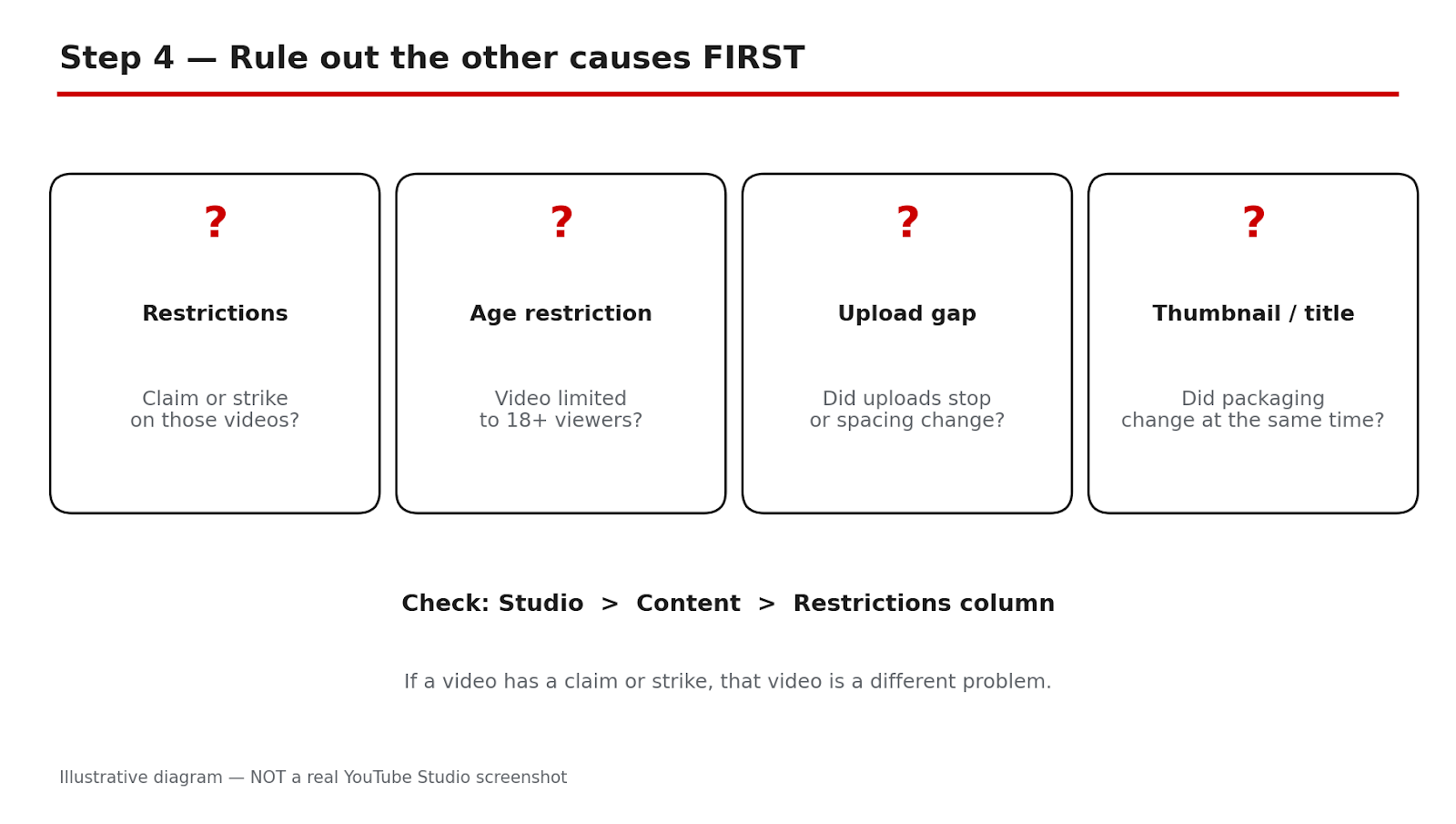
Illustrative diagram made to explain Step 4. This is a mock-up, NOT a real screenshot of YouTube Studio or any creator’s channel.
Step 5: Keep Reach, Monetisation, and Copyright Separate
What to do: Keep reach, monetisation, and copyright separate. Fewer feed views with no notice is reach. A monetisation status change is the reused-content policy. A named claim or strike is copyright.
How to do it in YouTube Studio: In YouTube Studio, go to Analytics, then Content, and confirm the fall is in Shorts feed views, with no notice. Check monetisation status separately and read the reason for any change. Then check Content, then Restrictions, for a named claim or strike.
Example: A channel has fewer views on borrowed Shorts, one compilation marked as reused content, and one claim. It keeps three separate notes and actions.
Common mistake: Do not call it a ban, demonetisation, or shadowban from views alone, with no notice. Those are different actions.
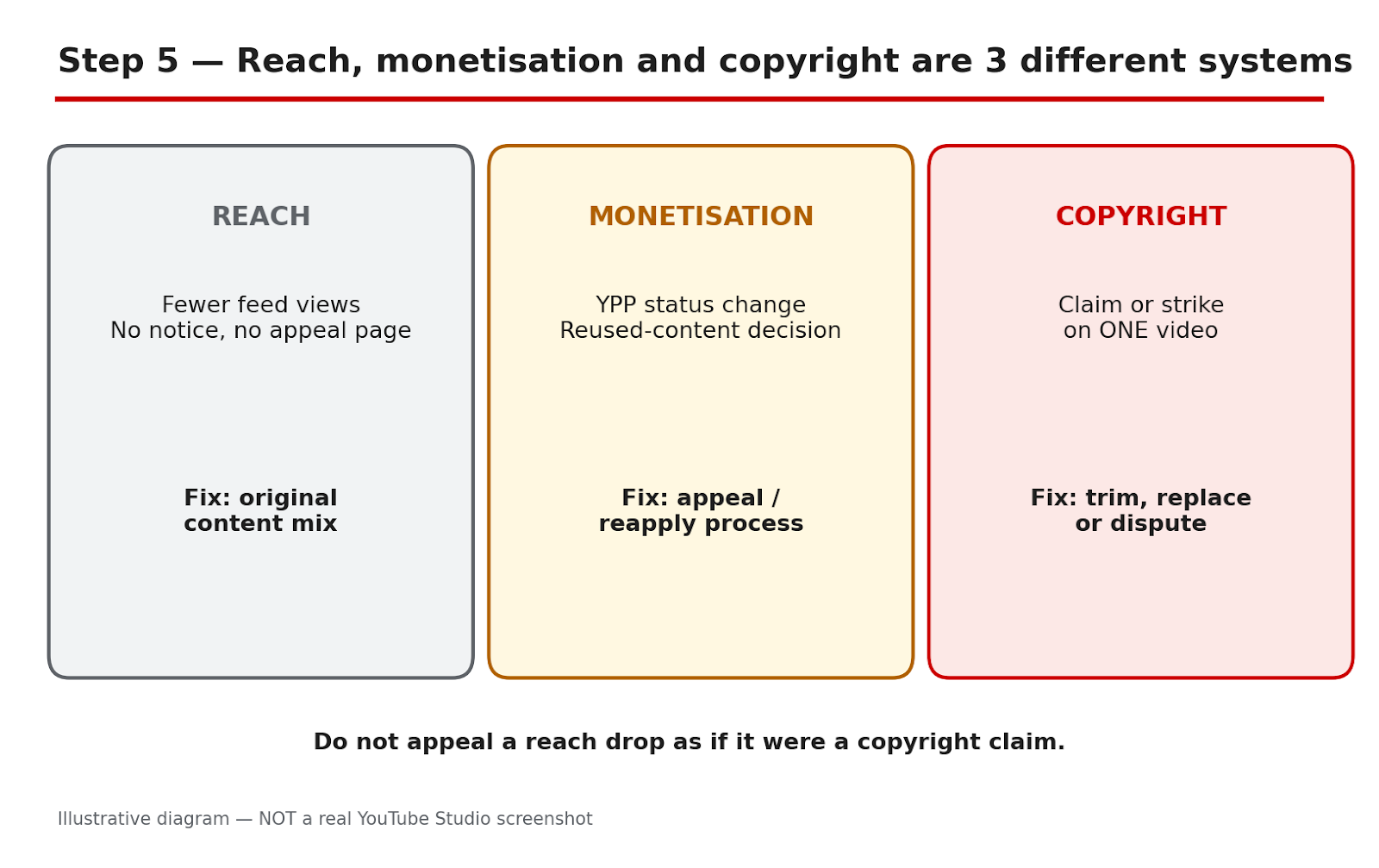
Illustrative diagram made to explain Step 5. This is a mock-up, NOT a real screenshot of YouTube Studio or any creator’s channel.
Step 6: Fix the Mix Slowly, Test Original Shorts, and Re-Evaluate
What to do: Change the mix slowly over four weeks. Stop bulk templates. Replace description voice-overs with a point of view: why the clip matters, what most people miss, or what you would do differently. Description-only voice-overs, minor edits, and one template on many clips do not count. Add commentary to any borrowed clip you keep, and share other videos through the Posts tab.
How to do it in YouTube Studio: Write the point of view in one sentence before recording. In weeks two to four, move one in three new Shorts from group C to group A each week. Publish six original Shorts on one topic, on your normal schedule. In Analytics, then Content, filter to Shorts, use Advanced mode, and record the median after 7 and 28 days.
Re-evaluate: If original Shorts recover and re-uploads stay low, keep the new mix. If all groups stay low, return to Step 4. Do NOT delete your back catalogue on a guess: deleting cannot be undone, and YouTube gave no re-evaluation timeline.
Example: A fitness channel stops its template, films original demonstrations, and shifts one in three Shorts each week. After 28 days, its test median is close to its old group A median.
Common mistake: Do not replace a descriptive voice-over with a longer one. If the clip were removed, would your Short still teach, warn, or entertain on its own?
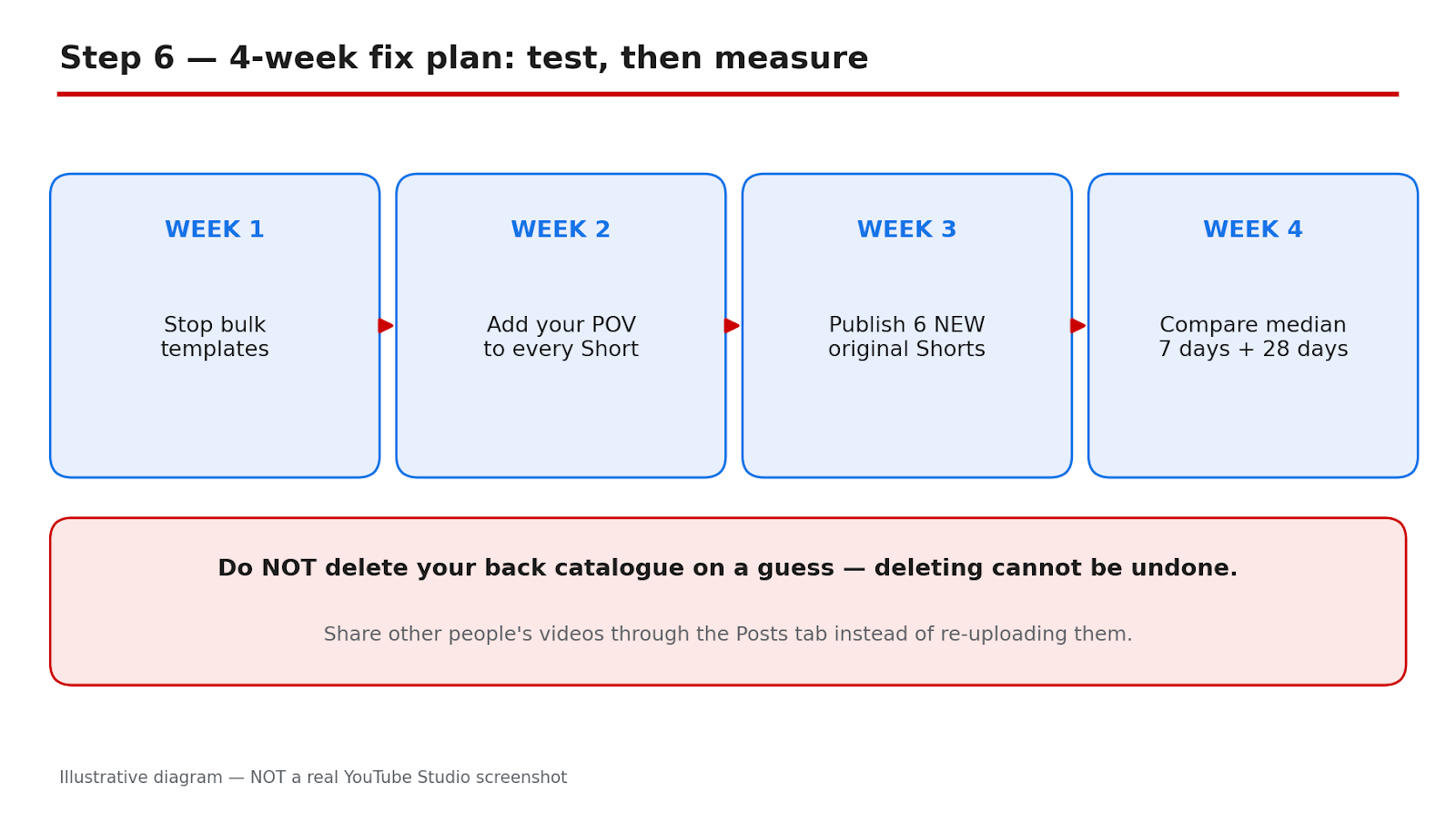
Illustrative diagram made to explain Step 6. This is a mock-up, NOT a real screenshot of YouTube Studio or any creator’s channel.
Checklist Before You Change Anything
- Last 30 Shorts classified into A, B, C, and D, with title, date, group, and Shorts feed views.
- Two equal 28-day windows compared, using median Shorts feed views and engaged views.
- Group medians compared side by side, with the number of Shorts in each group.
- Restrictions, age restriction, posting, titles, thumbnails, and seasonality checked, video by video.
- Reach, monetisation, and copyright named separately, with any notice recorded.
- Six original test Shorts planned, with 7-day and 28-day checks booked. No deletion planned.
Frequently Asked Questions
1. Did YouTube ban re-uploads on 1 October 2026? No. It was a recommendation change, not a ban or a new monetisation rule. Channels that primarily aggregate or re-upload without significant changes were described as likely to see less Shorts feed reach.
2. Does a voice-over make a borrowed clip original? Not on its own. A voice-over that only describes what is on screen does not count. Commentary, analysis, storytelling, unique editing, or a clear point of view do.
3. How much original work is enough? YouTube did not state a threshold, and this guide does not invent one. Ask: if the clip were removed, would your Short still teach, warn, or entertain on its own?
4. Can I check in YouTube Studio whether this update affected my channel? No. YouTube gave no Studio indicator for reduced reach. Compare medians by group over equal windows and rule out other causes; that can point toward the update, but cannot prove a hidden label.
5. Should I delete my old re-uploaded Shorts? Do not delete your back catalogue on a guess. Deleting cannot be undone, and YouTube has not said old re-uploads count against a channel after it changes. No re-evaluation timeline was given, and no recovery is guaranteed.
Sources — Check It Yourself
- YouTube channel monetization policies — YouTube Help. This page was opened and checked live. It states that content should be original and authentic, and that borrowed content must be changed significantly to make it your own.
No official TeamYouTube Help Community post or official Creator Insider video dated 1 October 2026 could be verified live, so none is linked here. No official embed was verified, so no video is embedded.