YouTube Spam-Termination Cleanup: The New 30-Day Grace Period to Save Your Channel (Announced 29 Oct 2026)
 CreatorPlaybook Team
- 07 Nov, 2026
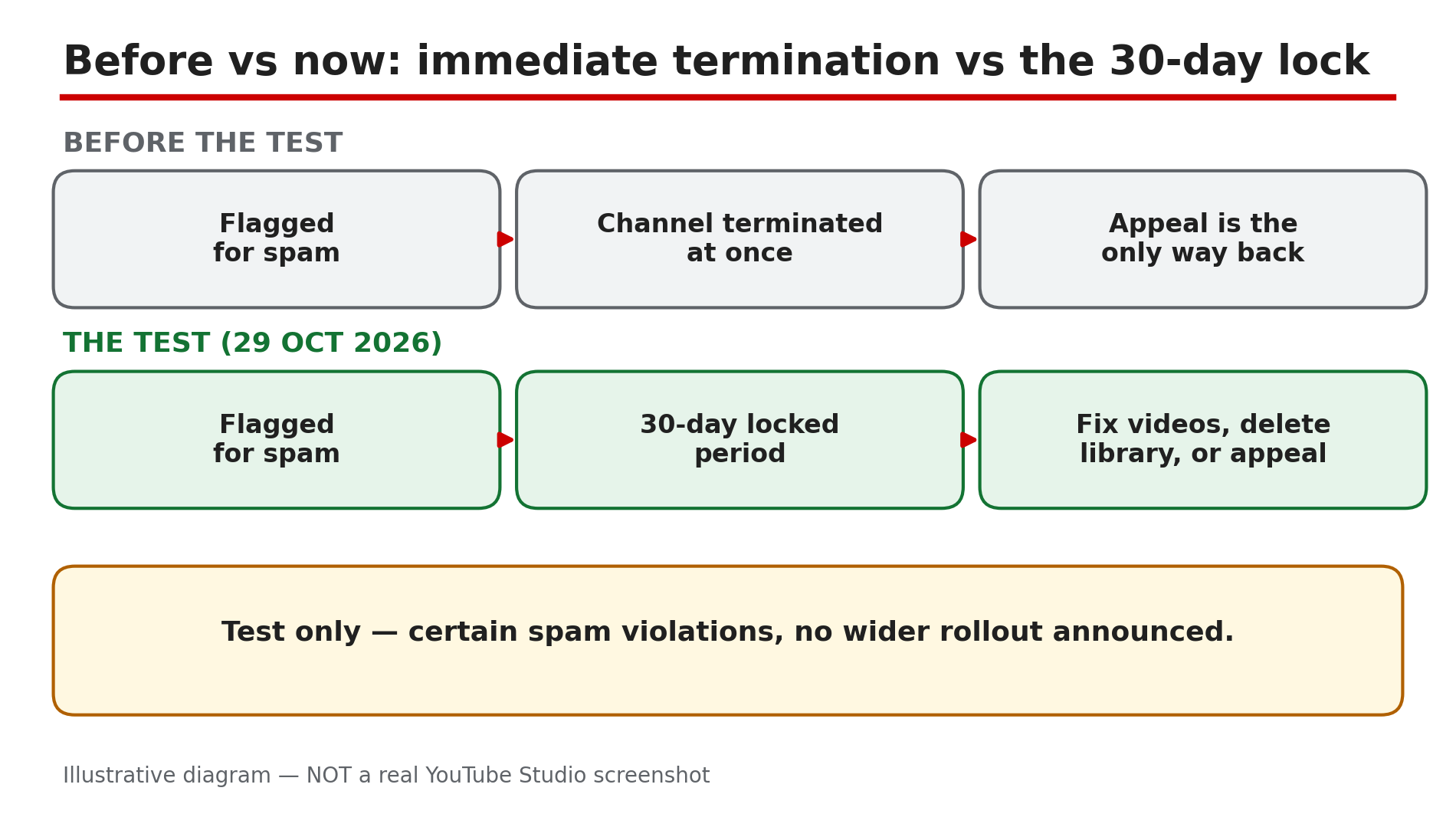
Until now, a channel that crossed YouTube’s spam-termination line had almost nothing left to do: the channel was removed, and the only way back was an appeal — win it, or start again from zero. On 29 October 2026, TeamYouTube announced a test that changes that. As reported by Dexerto and Social Media Today, eligible channels facing immediate termination over certain spam-policy violations will instead enter a 30-day locked period, with three ways out: fix the flagged videos, delete the whole video library, or appeal.
This is a test, not a new rule for everyone: as checked on 7 November 2026, no wider rollout has been announced, and the test covers certain spam violations only. This guide explains the three routes, and how to choose before the deadline runs out.
What You Will Learn
- What the 30-day cleanup test is, and who it covers
- How to find the notice and the exact deadline
- What stays locked during the 30 days
- The three routes out: fix videos, delete the library, or appeal
- What happens if a cleanup review is rejected
- What doing nothing costs
Step 1 — Understand what changed: termination is paused, not cancelled
What to do: Learn the new sequence before you act, so you do not mistake a 30-day window for a pardon.
How: Before this test, a channel facing immediate termination over spam was removed at once, and the appeal was the only route back. Under the test, as reported by Dexerto, an eligible channel enters a 30-day locked period. YouTube says the owner “will be notified via email and in YouTube Studio on desktop,” as quoted by Social Media Today. Announced on 29 October 2026 by TeamYouTube; no wider rollout has been announced.
Example: A channel with 40,000 subscribers is flagged for spam and would previously have vanished overnight. Under the test, the owner gets 30 locked days to clean up.
Common mistake: Telling others “YouTube now gives everyone 30 days before termination.” It does not — the test covers certain spam-policy violations only, and YouTube has not said which ones qualify.
Illustrative diagram: the test replaces immediate termination with a 30-day locked period for eligible channels.
Step 2 — Find the notice and mark the exact deadline
What to do: Find the official notice, confirm your channel is in the test, and write down the exact day the window closes.
How: As reported, YouTube notifies eligible owners by email and in YouTube Studio on desktop. Check the inbox of the Google Account that owns the channel, including spam, then open YouTube Studio — the notice is there, not only on a phone. Confirm the deadline in your own Studio and email, not a forwarded screenshot. The 30 days run from YouTube’s notice, not from the day you read it.
Example: A creator finds the email three days after it arrived, then opens Studio and sees the remaining days. She writes the closing date on a wall calendar and sets a reminder a week before it.
Common mistake: Assuming the 30 days start when you open the email. They do not — the window starts when YouTube locks the channel, so days may already be gone.
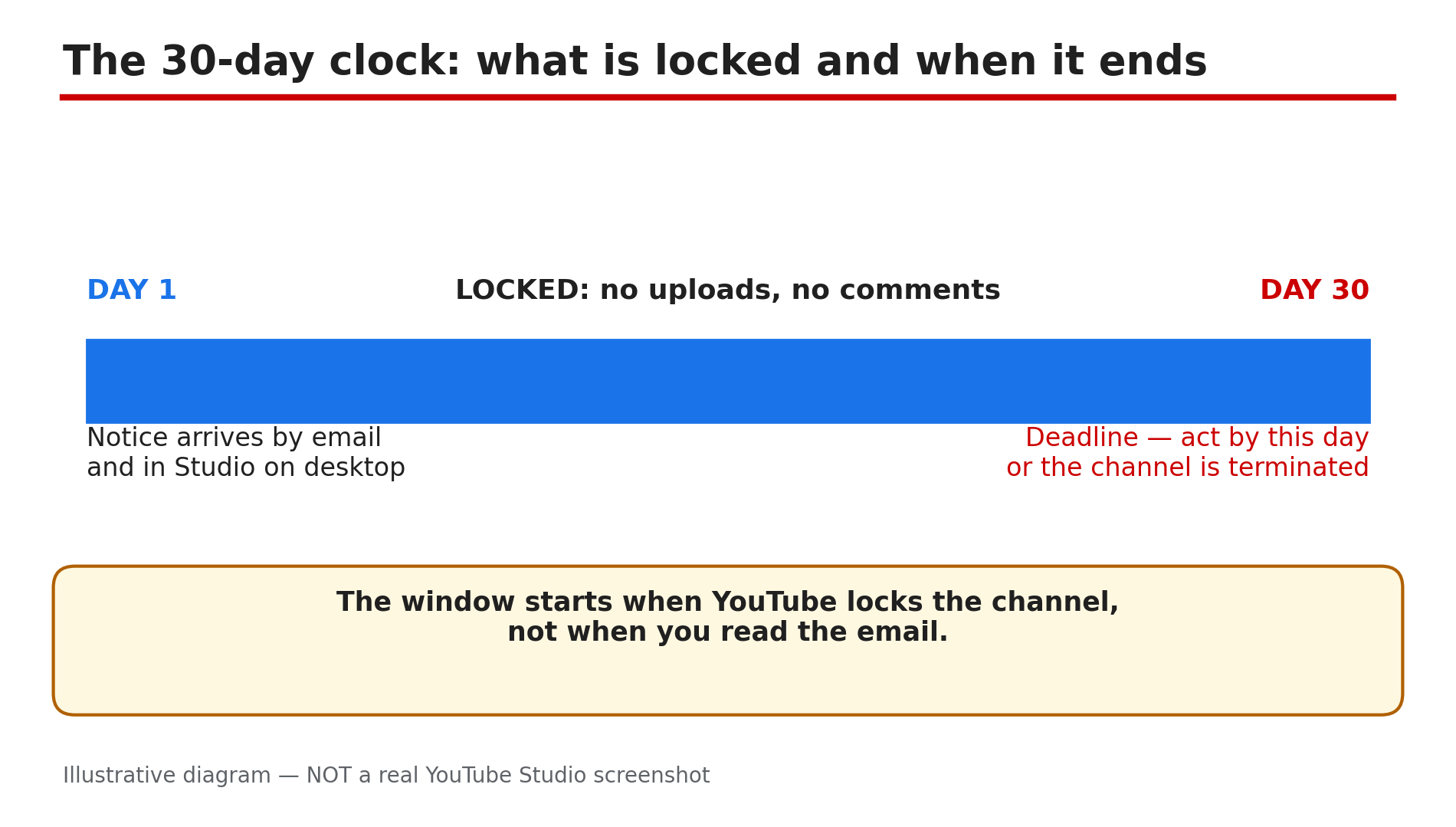
Illustrative diagram: the 30-day locked period, what is blocked during it, and the day 30 deadline.
Step 3 — Know what is locked: no uploads, no comments
What to do: Accept the limits of the locked period, and plan your cleanup inside them instead of fighting them.
How: While the channel is locked, certain actions are not available. As reported, owners cannot upload new videos or post comments during the 30-day period. That is a hard limit — the restriction applies to the channel, so switching to a manager’s login will not lift it. Nothing in the announcement, as reported, says existing videos stop being watchable.
Example: A gaming creator in the locked period wants to post a community update, but comments and uploads are blocked. She does the cleanup first and plans the update for after the unlock.
Common mistake: Creating a second channel to keep uploading while the first is locked. That does not save the first channel — a new channel to get around a termination is itself against the rules.
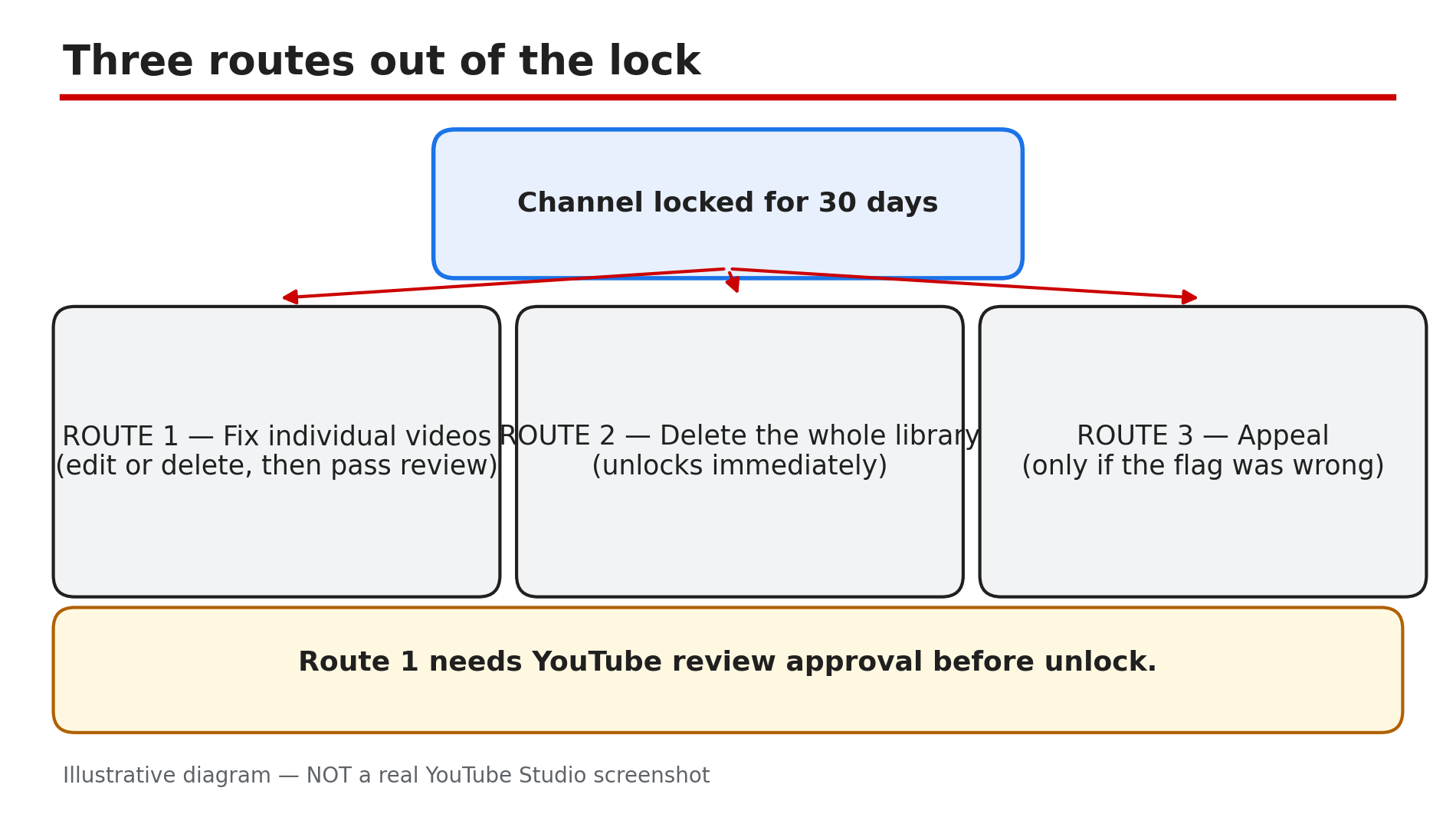
Illustrative diagram: the three reported routes out of the 30-day locked period.
Step 4 — Route 1: fix the flagged videos, then pass YouTube’s review
What to do: Review the flagged videos one by one, and edit or delete the ones that break the spam policy.
How: As reported, use YouTube Studio tools, including the video editor, to edit or delete violating videos. Check the flagged videos, then the rest of the channel, against the nine spam categories on the official Spam policy page — our deep-dive covers all nine. This route does not unlock the channel by itself: as reported, the cleanup must pass YouTube’s review before the channel is unlocked.
Example: A creator finds six flagged videos: four near-identical AI-scripted uploads, and two with misleading thumbnails. She deletes the four, fixes the two thumbnails, and submits the cleanup for review.
Common mistake: Editing one video and assuming the channel unlocks at once. Cleanup only works after YouTube’s review approves it — confirm in Studio if your submission is still under review.
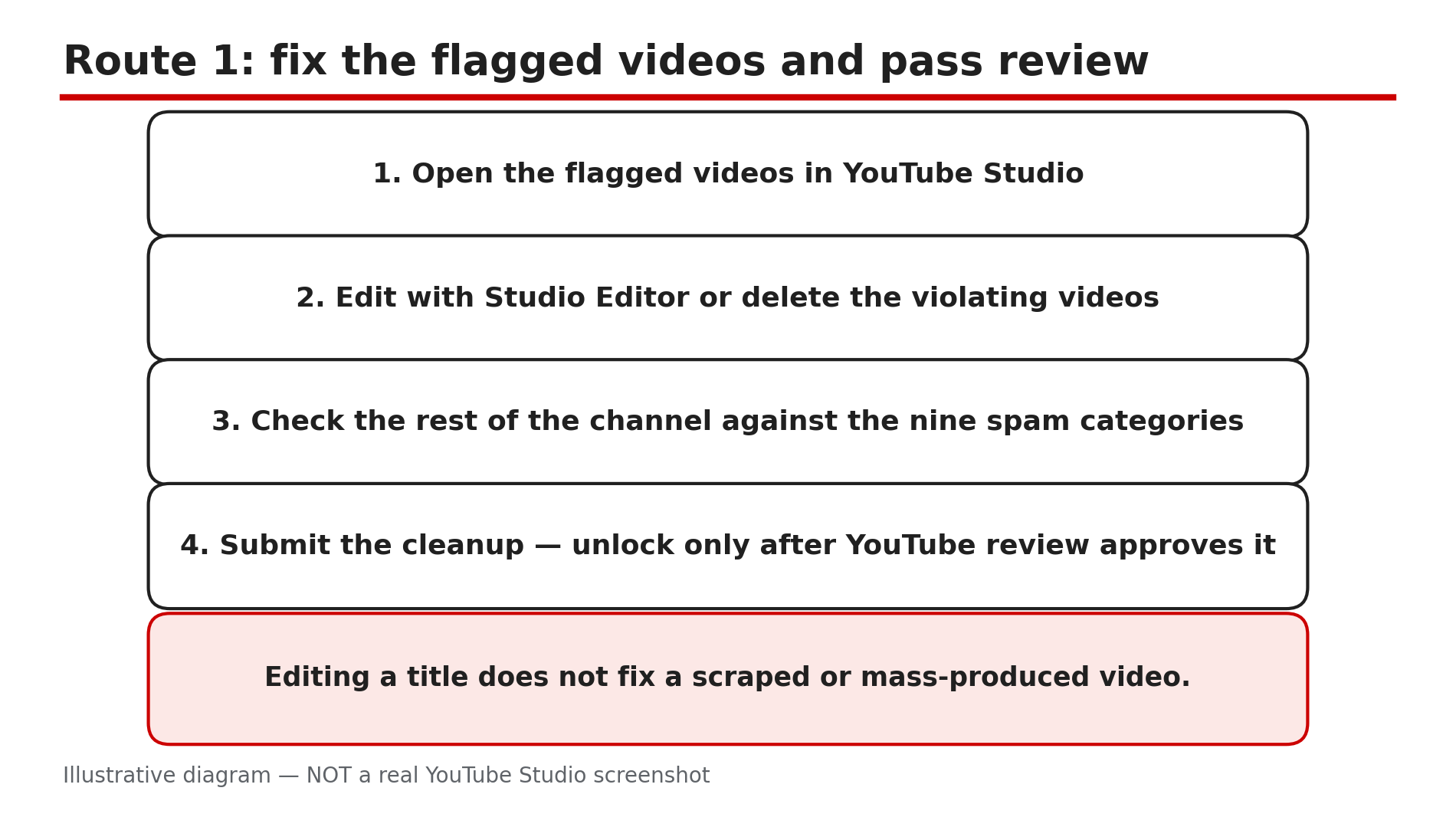
Illustrative mock-up: how the individual-video cleanup route works, ending in a YouTube review.
Step 5 — Route 2: delete the whole video library and unlock immediately
What to do: Weigh a fresh start against the videos you would keep, and choose this route only with your eyes open.
How: As reported, deleting every video unlocks the channel immediately — no review wait. The channel keeps its subscribers, handle, and YouTube Partner Programme (YPP) status — an audience, but zero videos. The cost is heavy: every video goes too. This route fits a library that is mostly the problem, not one with only two or three flagged videos.
Example: A channel with 300 uploads finds 280 are the same re-uploaded clips, sped up. The owner deletes the whole library, keeps 12,000 subscribers and the handle, and starts again with original videos.
Common mistake: Deleting the whole library in a panic on day one, before checking whether fixing a few videos could have saved the rest. The delete is instant and irreversible — try Route 1 first.
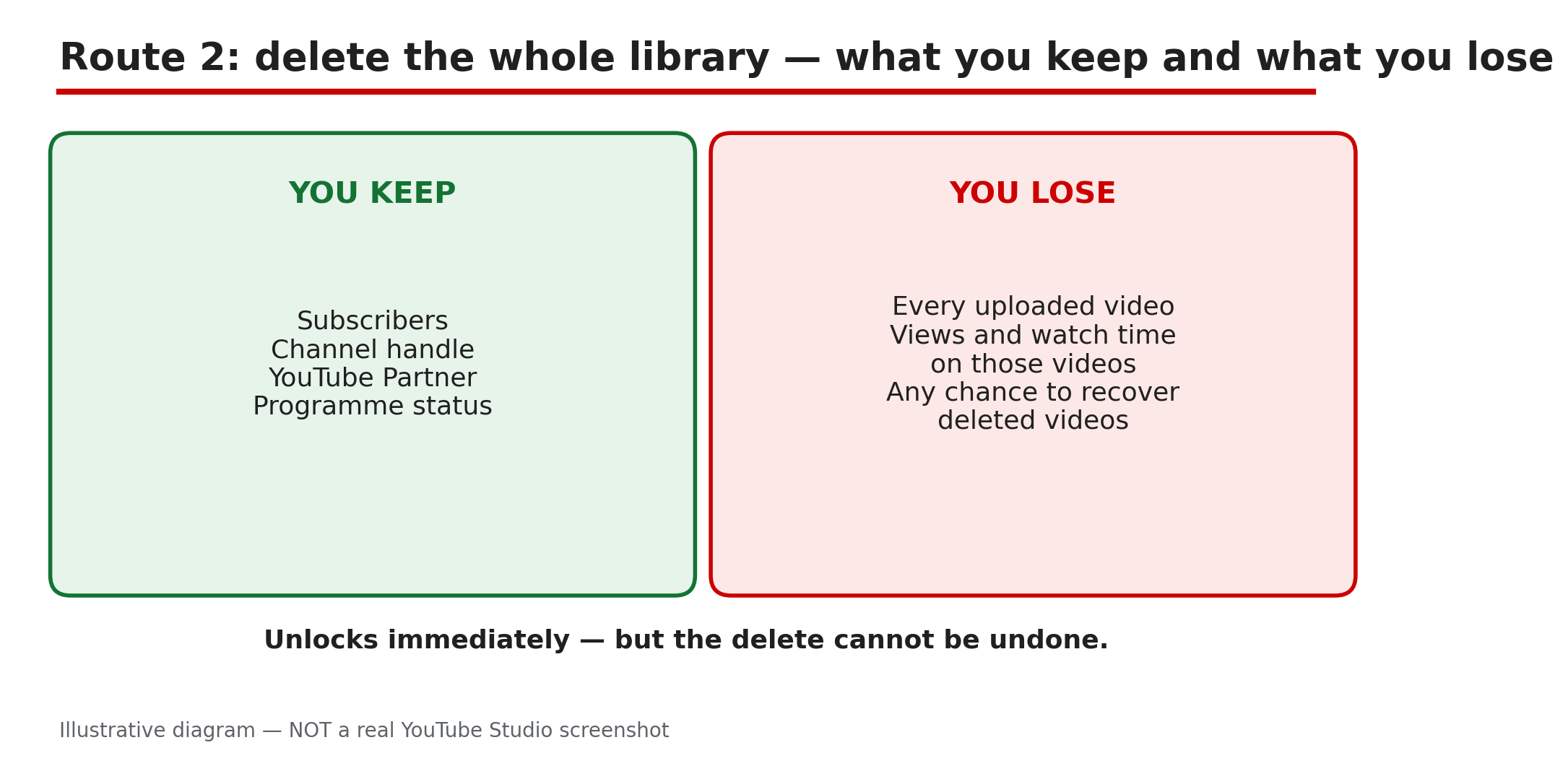
Illustrative diagram: deleting the whole library unlocks the channel at once but removes every video for good.
Step 6 — Route 3: appeal if flagged wrongly — and what to do if review rejects you
What to do: Appeal only if the channel genuinely complies, and keep the fallback in mind if your cleanup is rejected.
How: As reported, if the channel was flagged incorrectly, you can appeal. Our deep-dive covers the short, factual appeal: state the policy, explain what happened, and point to proof the content is original. A rejected cleanup is not the end: as reported, you can still delete all your videos inside the 30-day window. A failed Route 1 leaves Route 2 open while days remain — act early.
Example: A creator whose videos are original commentary appeals: the flagged uploads are her own analysis. Her appeal is rejected, but with 12 days left she deletes the flagged videos, and the channel is unlocked.
Common mistake: Appealing when the content clearly violates the policy, or filing on day 29 — a weak appeal wastes the window, and a late one leaves no time to switch routes.
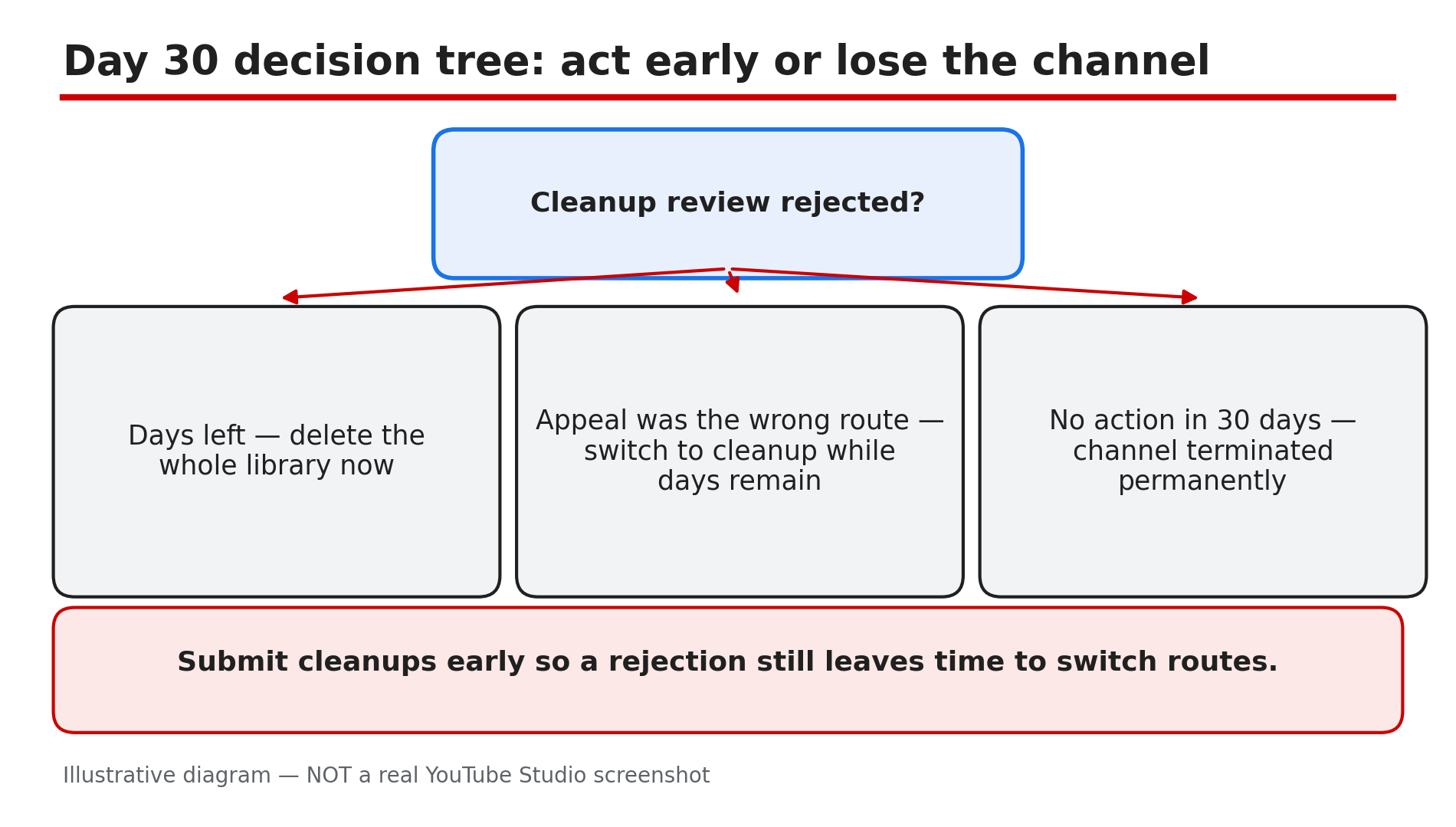
Illustrative diagram: what to do if a cleanup review is rejected, and what happens if nothing is done in 30 days.
Checklist — Your Channel Is in the 30-Day Spam Cleanup Window
- ☐ I found the notice in email and in Studio on desktop
- ☐ I wrote down the exact closing date
- ☐ I know uploads and comments are blocked while locked
- ☐ I checked the flagged videos against the nine spam categories
- ☐ I chose one route: fix videos, delete the whole library, or appeal
- ☐ If I fixed videos, I submitted the cleanup for review
- ☐ If review was rejected, I still have days left for the full-library delete
- ☐ I did not create a second channel to work around the lock
FAQs
1. Does every terminated channel now get 30 days to fix the problem?
No. As reported, this is a test announced on 29 October 2026, limited to eligible channels facing immediate termination over certain spam-policy violations. No wider rollout has been announced.
2. Can I upload new videos or post comments during the 30 days?
No. As reported, uploading new videos and posting comments are not available while the channel is locked.
3. If I delete my whole video library, do I lose my subscribers and monetisation?
As reported, no. Deleting every video unlocks the channel immediately, and it keeps its subscribers, handle, and YouTube Partner Programme status. The videos are gone for good.
4. What happens if YouTube rejects my manual cleanup?
As reported, you can still delete all your videos while inside the original 30-day window. Submit cleanups early enough to leave days for the fallback.
5. What happens if I do nothing for 30 days?
As reported by YouTube, failing to address the issues within 30 days, or taking no action, leads to channel termination — permanent once the window closes.
Sources
- YouTube Help — “Spam policy” (official page, opened live 7 Nov 2026): https://support.google.com/youtube/answer/2801973
- CreatorPlaybook — “YouTube Spam Termination Explained: Why Channels Get Removed and How to Appeal” (internal link, verified live 7 Nov 2026): </blog/youtube-spam-termination-explained-why>
- CreatorPlaybook — “YouTube Temporary Feature Pause for Hacked Accounts: What It Means and How Long It Lasts” (internal link, verified live 7 Nov 2026): </blog/youtube-temporary-feature-pause-for>