Made on YouTube 2026: Video A/B Testing, Dynamic Thumbnails, and Draft Feedback Announced
 CreatorPlaybook Team
- 27 Oct, 2026

Announced — prepare now, Studio me dhoondhne mat jao abhi. That is the key to Made on YouTube 2026. YouTube announced three tools that will change how creators test and improve videos: Video A/B testing, Dynamic Thumbnails, and Get Feedback, also called Draft Feedback. They are announcements, not releases. None of them should be treated as live in Studio today. Do not waste an afternoon clicking through Studio looking for buttons that have not arrived yet. Use this time to prepare the material those tools will need, so you are ready on day one.
The dates matter, and so does the honesty about them. Shorts video A/B testing was reported for 2027. Get Feedback and dynamic thumbnails have no firm date in the framing for this guide. That does not make the announcements unimportant. It means the right work now is preparation: different hooks, different thumbnails, and a clear checklist for feedback on a draft, before you publish.
Related guides: How to Make a YouTube Thumbnail That Gets Clicks and How to Use New YouTube Studio Features. For how recommendations treat videos, see How the YouTube Algorithm Works in 2026.
What You Will Learn
- What was announced at Made on YouTube 2026, and what was not released
- How Video A/B testing will work, with up to three cuts
- How Dynamic Thumbnails differ from one A/B winner
- How Get Feedback and Draft Feedback will work on unpublished drafts
- How to prepare two to three different hooks for every video now
- How to prepare three distinct thumbnails, and keep a draft-feedback checklist
Step 1: Treat the Announcements as Announcements, Not as Live Tools
What to do: Separate what was announced from what you can use today. Video A/B testing, Dynamic Thumbnails, and Get Feedback were announced at Made on YouTube 2026. Shorts video A/B testing was reported for 2027. The other two tools have no firm date in this guide. If a tutorial claims to show you the exact Studio buttons today, be careful, because the tools may not be in your Studio yet.
How to do it in simple steps:
- Write down the three tool names, and mark each one as “announced, not live.”
- Note the only date in this guide: Shorts video A/B testing reported for 2027.
- Do not change your publishing plan to wait for a tool with no firm date.
- Check Studio and official help pages again only when an official rollout is confirmed.
Practical example: A creator hears about Video A/B testing and delays a video for two weeks, hoping the tool will appear. The video is never published, and the delay teaches nothing. A better creator publishes the video, saves two other hook versions, and keeps a note: “Test these hooks when A/B testing arrives.” The second creator learns from real viewers and is ready for the tool.
Common mistake to avoid: Claiming a tool is live in Studio today, or inventing a release date for Get Feedback or dynamic thumbnails. Both mistakes lead viewers to search for something that is not there. Another mistake is doing nothing until the tools arrive; the preparation in this guide is the work that makes the tools useful.
Illustrative image: Note what was announced, and do not treat an announcement as a live Studio tool. This is an illustrative image, not a screenshot of a channel or another creator’s work.
Step 2: Prepare Two to Three Different Hooks for Every Video
What to do: Prepare two to three different hooks for every video, even though Video A/B testing is not live yet. A hook is the opening that tells a viewer why to stay. Different hooks can test different promises: a question, a result, or a mistake to avoid. When A/B testing arrives, you will already have real alternatives to test, instead of one opening and a guess.
How to do it in simple steps:
- Write the main promise of the video in one sentence.
- Write three openings from that promise: one question, one result, and one common mistake.
- Keep each hook short, under fifteen seconds, and record it in the same style as the video.
- Save the hooks with clear names, so you can compare them later without confusion.
Practical example: For a video about beginner lighting, Hook 1 asks, “Why does your face look dark on camera?” Hook 2 says, “Fix your lighting with one window and no new equipment.” Hook 3 says, “Stop putting the light behind you.” Each hook promises the same topic, but each one speaks to a different viewer. When testing is possible, the creator can learn which promise keeps viewers watching.
Common mistake to avoid: Making three hooks that are almost the same, with only one word changed. A test needs real differences to teach you anything. Also avoid hooks that promise something the video does not deliver; a strong hook that misleads will hurt retention, even if it gets a click.
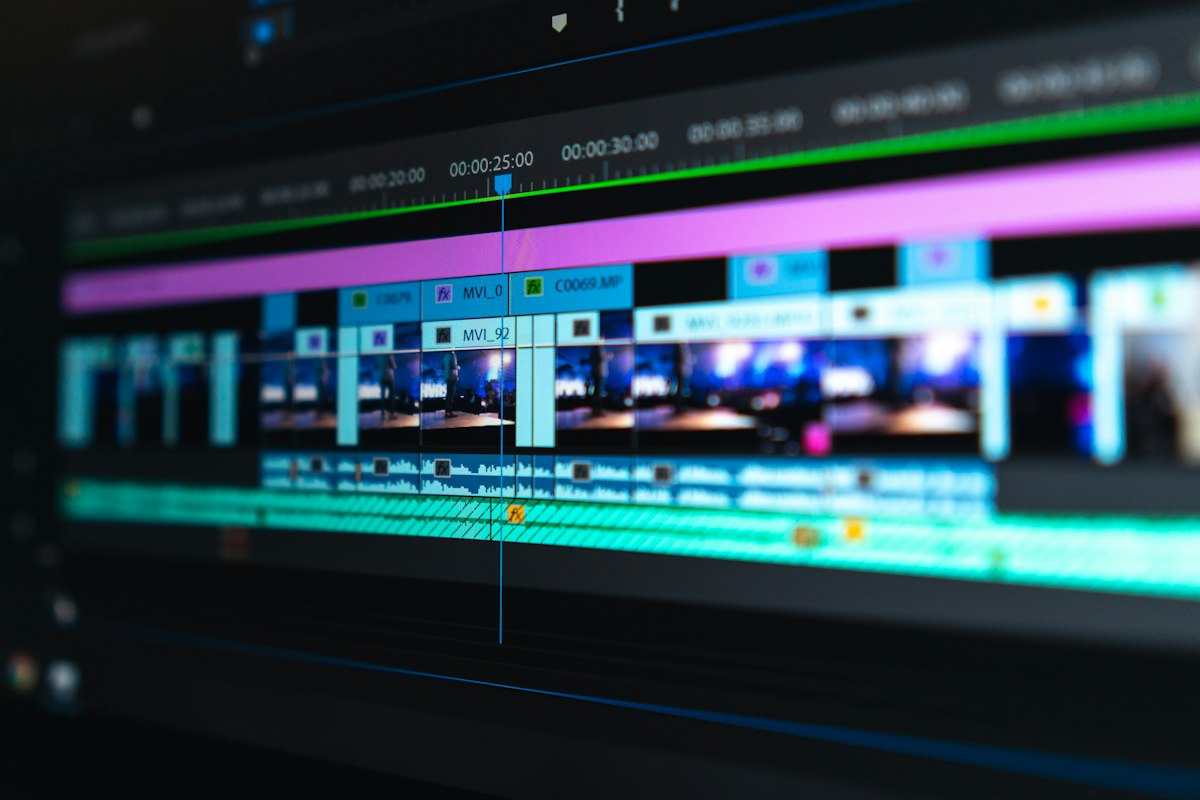
Illustrative image: Record two or three truly different hooks, not three versions of the same line. This is an illustrative image, not a screenshot of a channel or another creator’s work.
Step 3: Prepare Three Distinct Thumbnails for Every Video
What to do: Prepare three distinct thumbnails for every video, so you are ready for both A/B testing and dynamic thumbnails. Three thumbnails should not be three crops of the same image. They should test different ideas: a close face with emotion, a clear object or result, and a simple text-led design. Distinct thumbnails give a future test a real choice, instead of a false choice.
How to do it in simple steps:
- Choose three different thumbnail ideas, and write each one in a short sentence.
- Keep the same title words in mind, but change the main image and the short thumbnail words.
- Check all three at phone size, and make sure each one is clear on its own.
- Save the three files with clear names, such as face, result, and text-led, so you can find them later.
Practical example: For a thumbnail guide, Thumbnail 1 shows a surprised face beside a bright thumbnail. Thumbnail 2 shows a before-and-after result with no face. Thumbnail 3 uses a simple design with three short words. The creator learns which idea viewers notice first, instead of learning only which shade of blue works best.
Common mistake to avoid: Using the same image with a different filter, or adding more text to a crowded design. Both mistakes look like testing, but they do not test a new idea. Also avoid thumbnails that mislead; a thumbnail that promises a result the video does not show will lose trust, even if it wins a click test.
Illustrative image: Make three thumbnails that test different ideas, not three copies of one design. This is an illustrative image, not a screenshot of a channel or another creator’s work.
Step 4: Understand Video A/B Testing and Plan Your First Test
What to do: Understand Video A/B testing as it was announced: up to three cuts of a video, with a watch-time and retention breakdown. That means you will be able to compare different versions of the same video, and see which version keeps viewers watching longer. Plan your first test now, on paper, so you do not test everything at once and learn nothing.
How to do it in simple steps:
- Choose one video idea, and decide the single question you want to answer, such as which hook keeps viewers longer.
- Plan up to three cuts that differ in that one area only, such as the opening, not the whole video.
- Write down what you will measure: watch time and retention, as announced, not only clicks.
- Keep the rest of the video the same, so the result points to the opening, not to ten changes at once.
Practical example: A creator plans three cuts of a Shorts tutorial. Cut 1 starts with a question, Cut 2 starts with the result, and Cut 3 starts with a mistake. The middle and ending are the same in all three cuts. When the test runs, the watch-time and retention breakdown will show which opening holds viewers, and the creator will know what to repeat next time.
Common mistake to avoid: Testing three completely different videos and calling it one A/B test. If the topic, length, editing, and opening all change, you cannot know which change caused the result. Another mistake is judging a test only by clicks; the announced breakdown is about watch time and retention, so use those measures.

Illustrative image: Plan one clear question for a test, and keep everything else the same across cuts. This is an illustrative image, not a screenshot of a channel or another creator’s work.
Step 5: Understand Dynamic Thumbnails Versus One A/B Winner
What to do: Understand the difference between Dynamic Thumbnails and a single A/B winner. In a simple A/B test, one thumbnail wins for everyone. Dynamic thumbnails were announced as showing different thumbnails to different audiences. That means the same video could show one thumbnail to one group of viewers and a different thumbnail to another group, based on what each group is more likely to click.
How to do it in simple steps:
- Write the difference in one line: A/B picks one winner; dynamic thumbnails can match thumbnails to audiences.
- Make your three thumbnails for different audiences, not only for one imagined viewer.
- For each thumbnail, write who it is for, such as beginners, phone creators, or returning viewers.
- Do not promise viewers that dynamic thumbnails are live today; treat them as announced, with no firm date.
Practical example: A video about editing on a phone could show a phone close-up to viewers who watch mobile tutorials, and a result-focused thumbnail to viewers who watch editing results. A single A/B winner would force one choice for both groups. Dynamic thumbnails, as announced, would let each group see the thumbnail that speaks to them. That is the idea to prepare for, even though the tool is not live yet.
Common mistake to avoid: Treating dynamic thumbnails as the same as A/B testing, or making three thumbnails for the same narrow audience. If all three thumbnails speak to the same viewer in the same way, the dynamic idea has nothing to work with. Also avoid claiming dynamic thumbnails are available in Studio today; they are announced, with no firm date in this guide.

Illustrative image: Different audiences may respond to different thumbnails, which is the idea behind dynamic thumbnails. This is an illustrative image, not a screenshot of a channel or another creator’s work.
Step 6: Keep a Draft-Feedback Checklist for Get Feedback
What to do: Keep a draft-feedback checklist for Get Feedback, also called Draft Feedback, which was announced as feedback on unpublished drafts. The idea is simple: get feedback before you publish, while you can still fix the video. Until the tool arrives, use a simple checklist with a trusted viewer, and keep the same questions ready for the day the tool is available.
How to do it in simple steps:
- Save every video as a draft first, and do not publish on the same day you finish editing, if you can avoid it.
- Ask one trusted viewer three questions: what is the video about, where did you want to stop, and what was unclear?
- Write down the exact time where the viewer lost interest, and fix that section before you publish.
- Check the title, thumbnail, and first ten seconds together, because feedback on a draft should cover the whole entry point.
Practical example: A creator shares a draft with a friend. The friend says the topic is clear, but the middle repeats the same point for forty seconds. The creator cuts that section, and the final video is shorter and clearer. That is the habit Get Feedback is meant to support: feedback on a draft, before the public sees it, not after.
Common mistake to avoid: Asking only, “Did you like it?” That question gives praise, but no fixable detail. Ask for the moment, the unclear line, and the missing step. Another mistake is sharing a draft with too many people and changing everything; one or two clear notes are enough to improve a draft without losing your own voice.

Illustrative image: Ask for specific feedback on a draft, while you can still fix the video before publishing. This is an illustrative image, not a screenshot of a channel or another creator’s work.
Checklist Before the New Tools Arrive
- I know all three tools are announced, not live in Studio today
- I know Shorts video A/B testing was reported for 2027, and the other tools have no firm date here
- Every video has two to three different hooks saved with clear names
- Every video has three distinct thumbnails that test different ideas
- My first A/B test has one question, up to three cuts, and a watch-time and retention check
- I understand dynamic thumbnails as different thumbnails for different audiences
- I have a draft-feedback checklist, and I ask for specific moments, not only praise
Frequently Asked Questions
Are Video A/B testing, Dynamic Thumbnails, and Get Feedback live in Studio today?
No. They were announced at Made on YouTube 2026, and this guide treats them as announcements, not releases. Studio me dhoondhne mat jao abhi. Prepare the hooks, thumbnails, and feedback checklist now, and check official pages when a rollout is confirmed.
When will Shorts video A/B testing arrive?
It was reported for 2027 in the framing for this guide. No firm date for Get Feedback or dynamic thumbnails is given here. Do not invent a date, and do not delay publishing while you wait.
What is Video A/B testing?
As announced, it lets creators compare up to three cuts of a video, with a watch-time and retention breakdown. Plan one question per test, change one area only, and judge the result by watch time and retention, not only by clicks.
How are Dynamic Thumbnails different from A/B testing?
A/B testing picks one winner for everyone. Dynamic thumbnails, as announced, show different thumbnails to different audiences. Make thumbnails for different audiences, not only different crops of the same design.
What is Get Feedback or Draft Feedback?
It was announced as feedback on unpublished drafts. Until it arrives, use a draft-feedback checklist with a trusted viewer, ask for the exact moment where interest drops, and fix the draft before you publish.
Announcements are useful only if they change what you do before the tools arrive. Prepare different hooks, distinct thumbnails, and a clear draft checklist now, and the new tools will have real material to test when they finally appear.