YouTube Watch Hours Dropping? Why Your 4,000 Hours Keep Falling
 CreatorPlaybook Team
- 29 Oct, 2026
Watch hours can fall even when you keep uploading. The number in Studio moves down, the goal feels further away, and it is easy to blame the algorithm. This guide slows that moment down. You will learn which watch-hours number matters for the YouTube Partner Program, where to check it, why it falls, and how to grow hours that actually count. No figure in this post is taken from any individual channel.
For the wider picture, read Understanding YouTube Analytics first. It explains views, watch time, and audience retention in Studio. This post focuses only on one number: valid public watch hours in the last 365 days, and why that number keeps moving.
What You Will Learn
- Which watch-hours number counts for the Partner Program.
- Where to find it in Studio, in the same 365-day window.
- Why hours fall, even without a penalty.
- A simple hours audit you can run in one sitting.
- How to grow hours that count, without buying them.
- A 30-day plan to rebuild the number steadily.
Step 1: Which Number Are You Looking At?
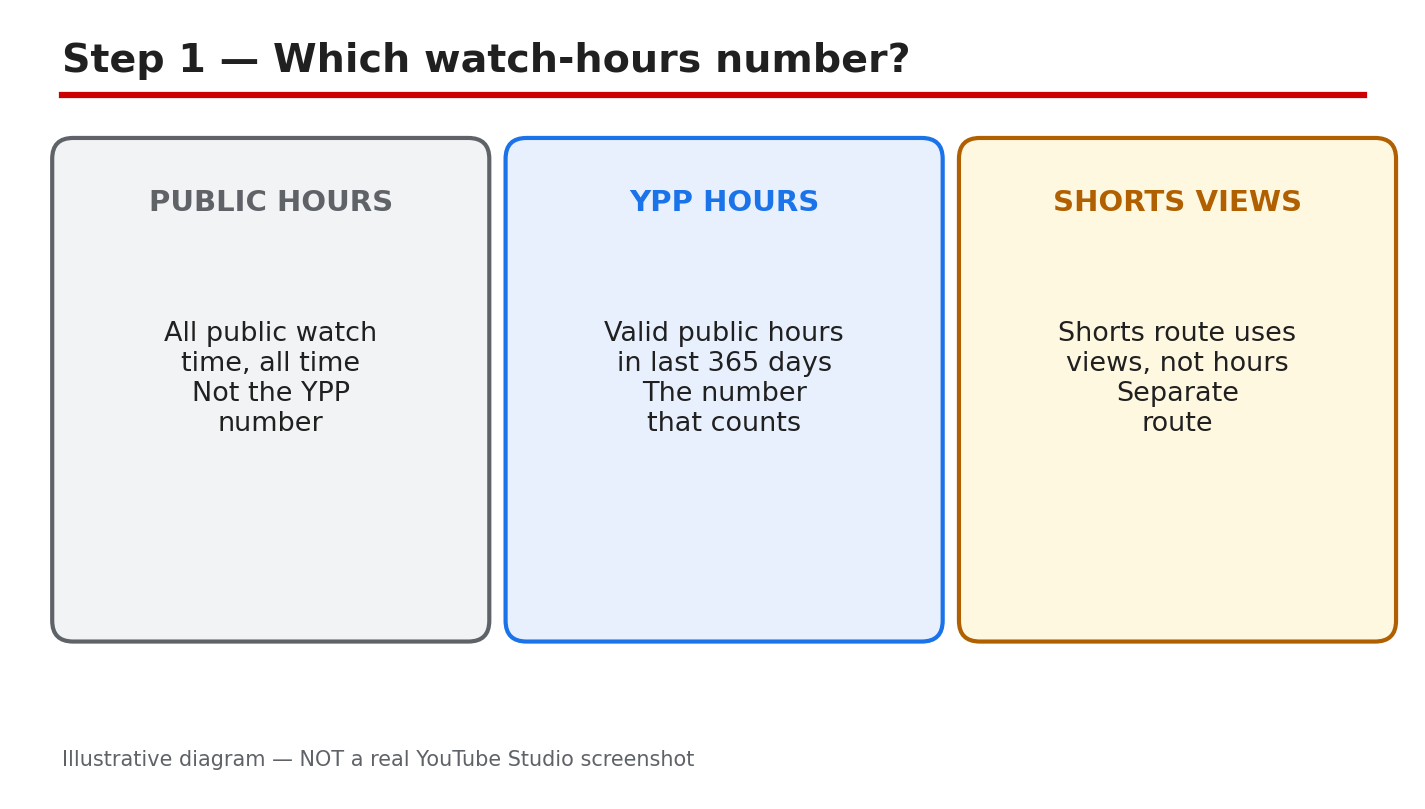
What to do: Do not compare different numbers. Public watch time counts all time, for all time, and it rarely falls. Valid public watch hours in the last 365 days are the Partner Program number, and they move every day. The Shorts route is different again: it uses views, not hours, so Shorts watch time does not add to this number. Know which number you are reading before you judge it.
Studio path: YouTube Studio > Earn. Read the eligibility numbers there before you open Analytics.
Example: A channel shows a large all-time watch time, but only part of it falls in the last 365 days. The Partner Program number is the smaller, rolling figure, not the all-time total.
Common mistake: Panicking over the all-time number, or adding Shorts watch time to it. Use only the 365-day valid public hours for the Partner Program check.
Illustrative diagram/mock-up, NOT a real YouTube Studio screenshot: which watch-hours number counts.
Step 2: See It in Studio, in the Same Window
What to do: Check the same window in two places. In the Earn tab, read the eligibility numbers for subscribers and watch hours or Shorts views. In Analytics, open Watch time and set the same last-365-days period. If the two views use different dates, they will not match, and the gap will look like a sudden fall. Compare like with like, on the same day.
Studio path: YouTube Studio > Earn, then YouTube Studio > Analytics > Watch time. Set both to the last 365 days.
Example: A creator checks Earn on Monday and Analytics on Friday, with different date ranges, and sees two different numbers. Checking both on the same day, in the same window, removes the false gap.
Common mistake: Comparing a 28-day Analytics view with the 365-day eligibility number. The short view will almost always look smaller, and it is not the Partner Program number.
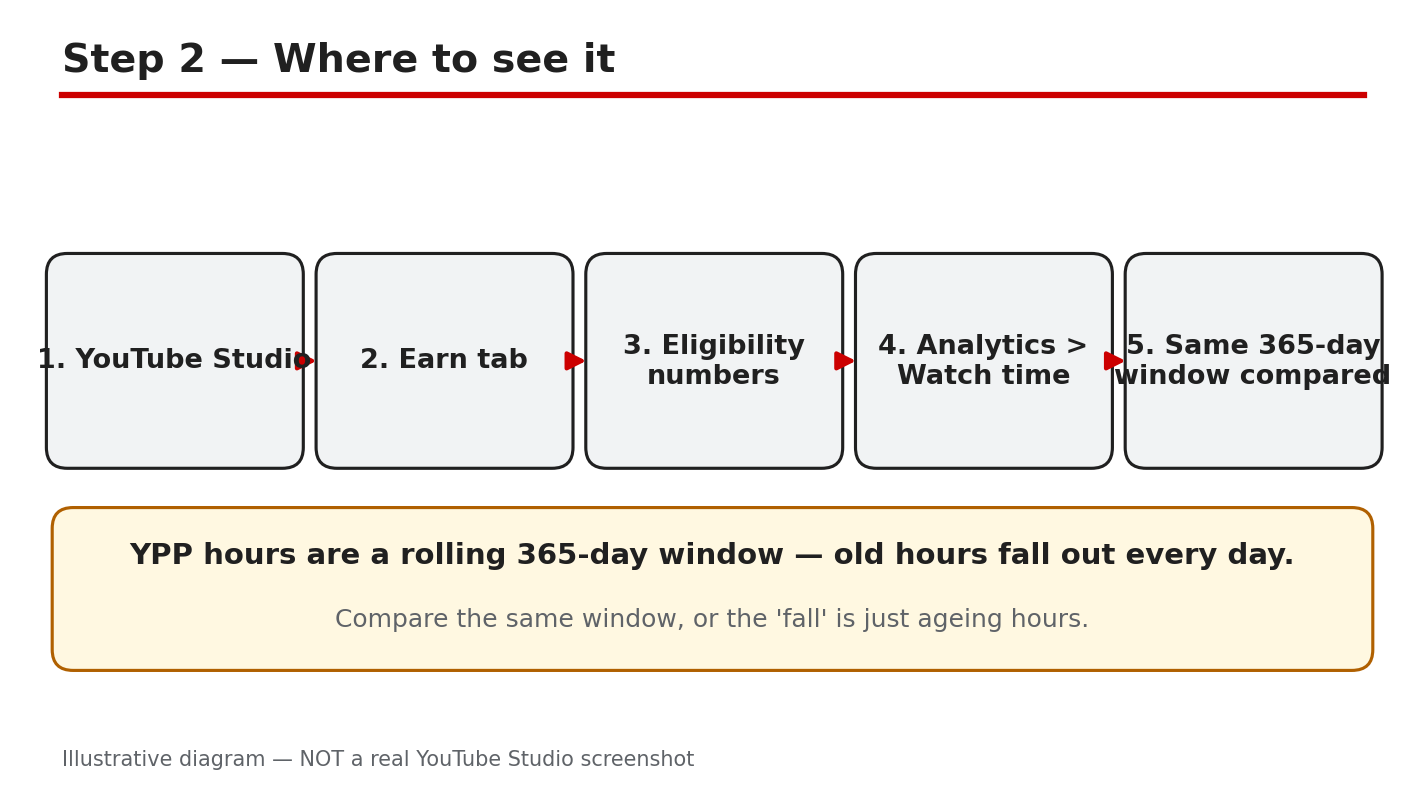
Illustrative diagram/mock-up, NOT a real YouTube Studio screenshot: where to see the number.
Step 3: Why the Number Falls
What to do: Three normal causes explain most falls. First, hours age out: the window rolls forward every day, so strong days from a year ago leave the count. Second, hours leave with the video: making a video private or deleting it removes its hours from the valid total. Third, the mix changes: more Shorts views and fewer long-form views mean fewer hours, even when views rise. None of these needs a penalty to happen.
Studio path: YouTube Studio > Analytics > Watch time. Look for the shape of the fall: steady, sudden, or tied to one video.
Example: A video that earned many hours last spring passes its 365th day, and the total drops overnight. Nothing broke: the hours simply aged out of the rolling window.
Common mistake: Assuming a fall means a strike, a restriction, or a shadowban. Check ageing, privacy, and mix first, before you look for a penalty.
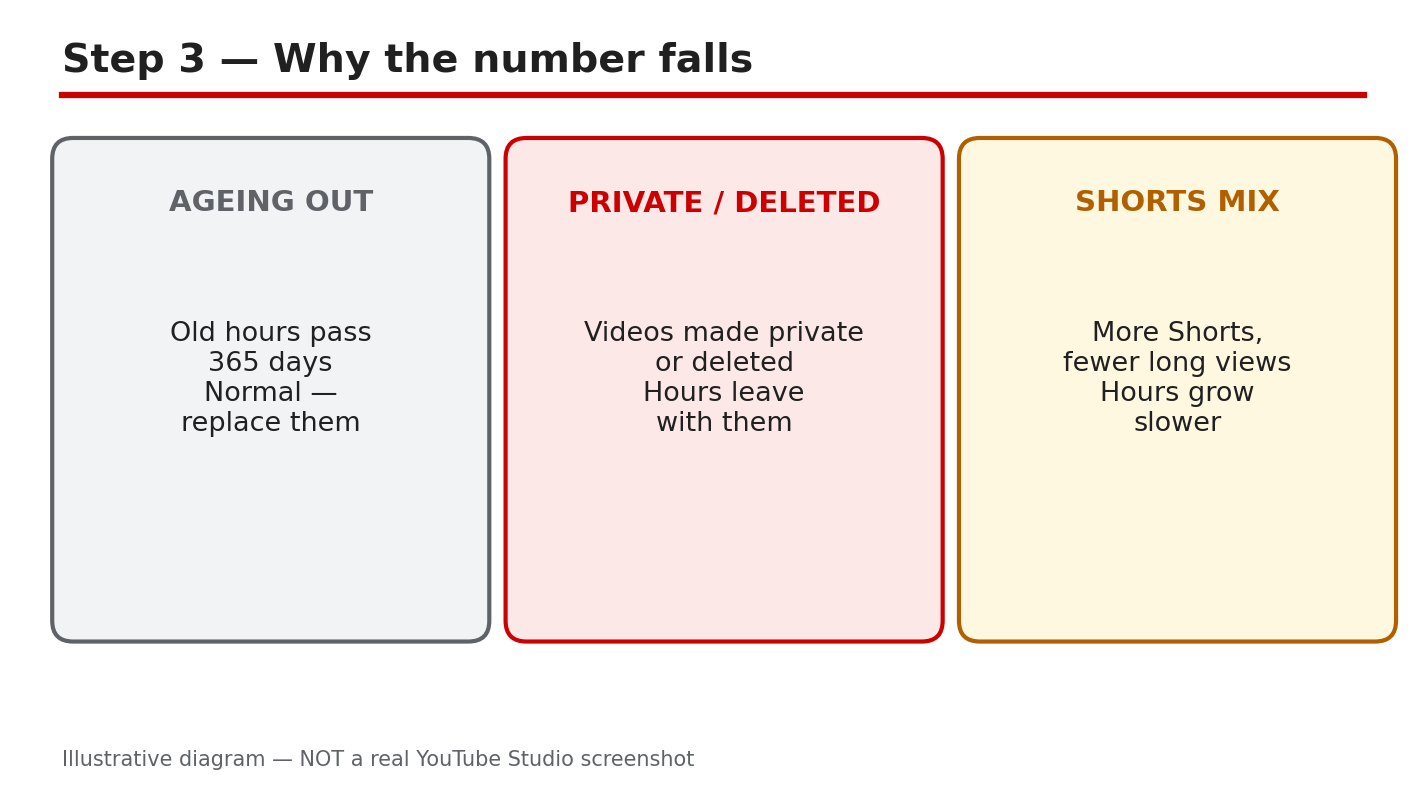
Illustrative diagram/mock-up, NOT a real YouTube Studio screenshot: why the number falls.
Step 4: Run a Simple Hours Audit
What to do: Work through four checks in one sitting. First, confirm the window: last 365 days, in both Earn and Analytics. Second, list videos made private or deleted recently, and note their hours. Third, check that your top videos are still public and still earning watch time. Fourth, check retention past 30 seconds: viewers who leave in the first seconds add almost no hours, however many clicks the video gets.
Studio path: YouTube Studio > Content to check privacy, and Analytics > Watch time to check top videos and retention.
Example: A creator finds two older videos made private last month. Their hours left the total on the day they were hidden, which explains most of the fall.
Common mistake: Auditing views instead of hours. A video can gain views and still add few hours if viewers leave within seconds.
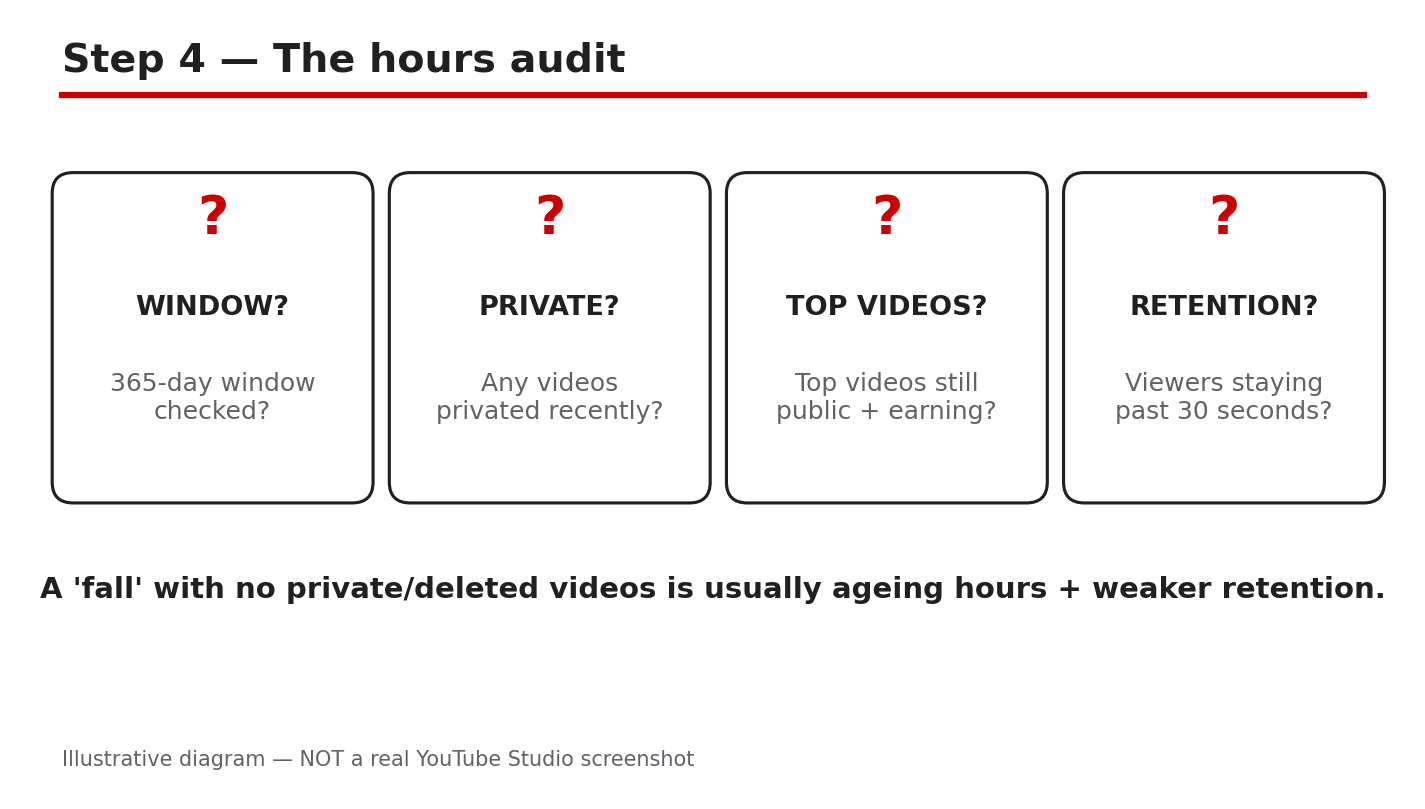
Illustrative diagram/mock-up, NOT a real YouTube Studio screenshot: hours audit checks.
Step 5: Grow Hours That Count
What to do: Make hours easy to earn. Publish 8- to 12-minute videos with a strong hook in the first 30 seconds. Build series and playlists, and add end screens that lead to the next video. Edit for retention first: cut dead air in the first minute. Never buy watch hours: bought hours do not build a real audience, and they put the channel at risk.
Studio path: YouTube Studio > Analytics > Audience retention. Find where viewers leave, and fix that moment first.
Example: A creator cuts a slow 40-second introduction to 10 seconds. Viewers stay longer, average view duration rises, and the same number of views earns more hours.
Common mistake: Making videos longer without making them stronger. Extra minutes only add hours if viewers watch them; dead minutes add nothing.
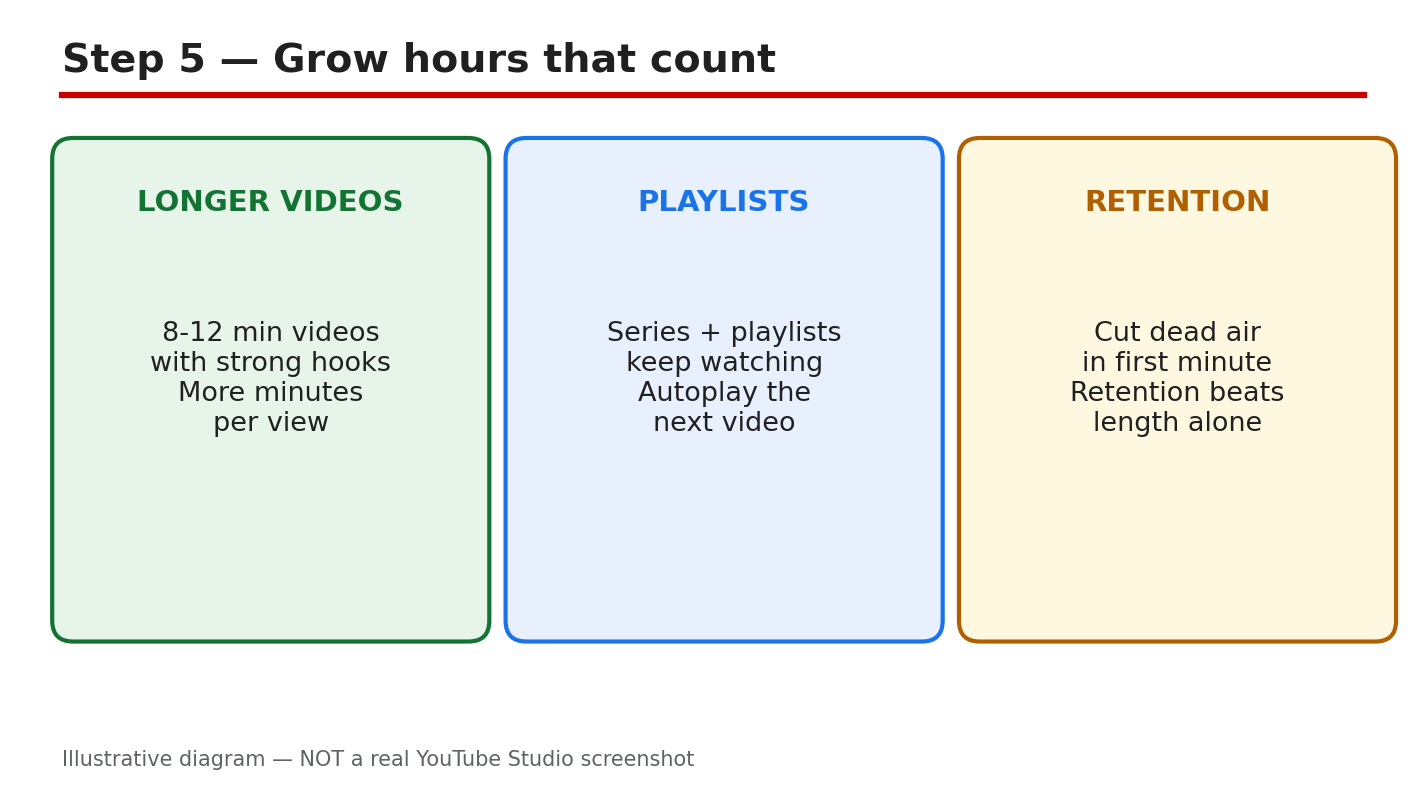
Illustrative diagram/mock-up, NOT a real YouTube Studio screenshot: growing hours that count.
Step 6: A 30-Day Hours Plan
What to do: Week one: run the audit, restore any video hidden by mistake, and note the starting 365-day number. Week two: publish two 8- to 12-minute videos with strong hooks, and link them in a playlist. Week three: check retention, cut the weakest opening, and add end screens to the top videos. Week four: compare the same 365-day window again, and keep the habits that raised retention. Expect steady rebuilding, not an overnight jump.
Studio path: YouTube Studio > Earn each Monday, and Analytics > Watch time each Monday, in the same 365-day window.
Example: A creator publishes two longer videos in week two and fixes one weak opening in week three. By week four, retention is higher, and hours stop falling as fast.
Common mistake: Checking the number daily and changing the plan each time. The rolling window moves slowly, so judge the plan after four weeks, not four days.
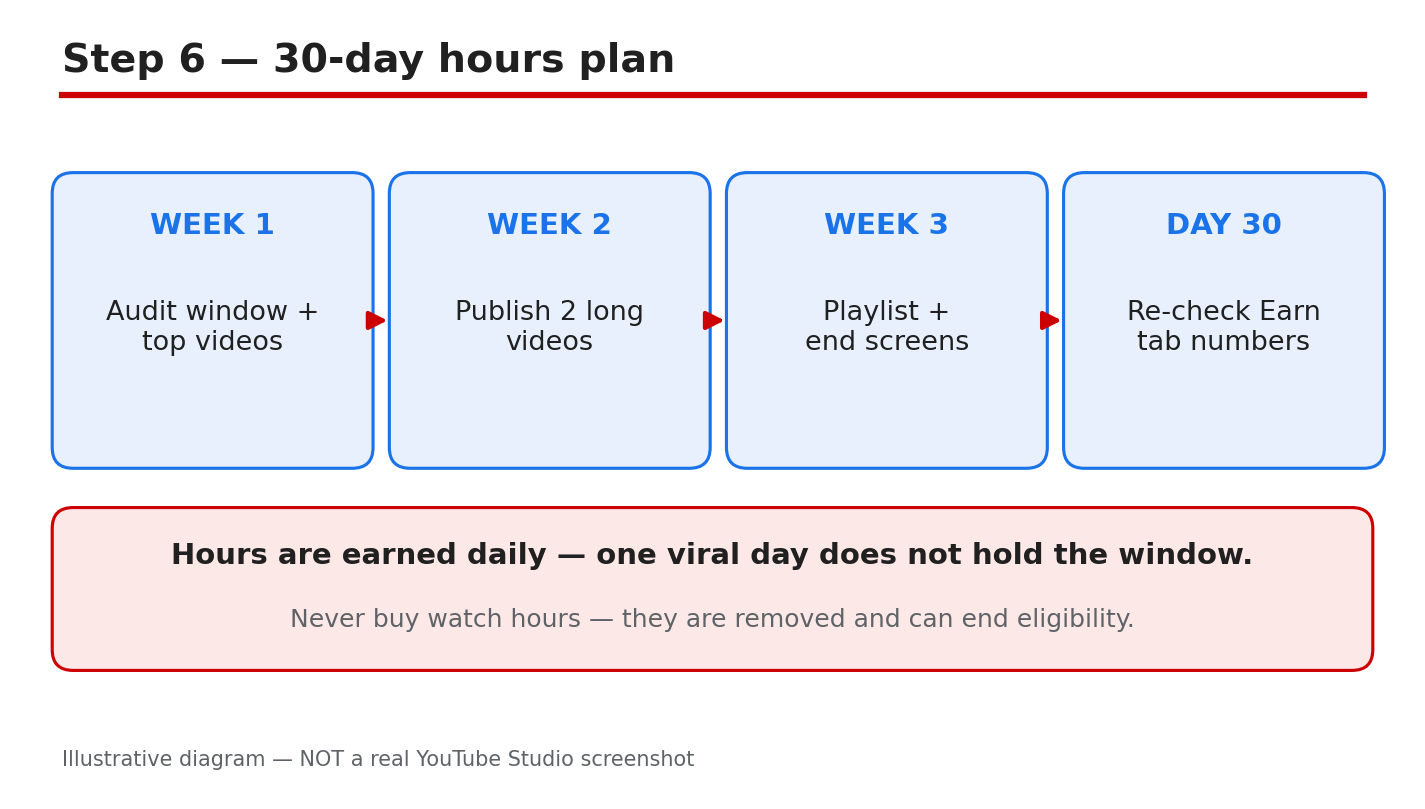
Illustrative diagram/mock-up, NOT a real YouTube Studio screenshot: 30-day hours plan.
Checklist: Audit in Order
- Window checked: last 365 days, in Earn and Analytics.
- No top video hidden or deleted by mistake.
- Top videos still public and earning watch time.
- Retention past 30 seconds checked for top videos.
- Next videos planned at 8 to 12 minutes, with hooks.
- Series, playlists, and end screens in place.
- No watch hours bought, and no shortcuts used.
Frequently Asked Questions
Why do my watch hours fall every day?
The window rolls forward daily, so hours from 365 days ago leave the count. A small daily fall is normal when no new hours replace the old ones.
Do Shorts views count toward 4,000 hours?
No. Shorts Feed watch hours do not count toward the watch-hours route. Shorts can qualify through the separate views route: 10 million qualified Shorts views in the last 90 days, with 1,000 subscribers.
Do private or deleted videos lose their hours?
Yes, for the valid total. Hours from a video that is private or deleted do not count in the last 365 days. Restoring a video to public can return its hours to the count.
Can I buy watch hours to reach 4,000?
No. Never buy watch hours. Bought hours do not build a real audience, and they put the channel at risk. Grow hours with longer videos, strong hooks, and playlists instead.
How long until my hours recover?
There is no fixed time. Hours rebuild as new viewing enters the 365-day window and old hours age out. Judge a plan over four weeks, in the same window, before changing it.
Sources: Check It Yourself
Official pages opened and verified live on 29 October 2026. Check the current wording before acting, because Studio options and Help wording can change.
- YouTube Partner Program overview and eligibility (YouTube Help)
- YouTube channel monetization policies (YouTube Help)
No official YouTube video is embedded here. No exact official video URL was verified live in this run.