Bought YouTube Views or Subscribers? How Invalid Traffic Triggers Demonetization and How to Fix It
 CreatorPlaybook Team
- 31 Oct, 2026
Your views jumped overnight. A video that usually gets 200 views suddenly has 12,000, your subscriber count climbed by 500 in a day, and for a moment it feels like the channel finally broke through. Then the numbers start falling back on their own, your estimated revenue drops, and an email arrives saying your monetization is limited or your AdSense for YouTube account is under review. If you ever bought views, subscribers, watch time, or likes, or paid a growth service that promised fast results, this is very likely what happened: YouTube’s systems flagged the activity as invalid traffic. Invalid traffic is any activity that does not come from a real user with genuine interest, and YouTube says it can include fraudulent, artificial, or even unintentional ways of boosting ad revenue. The good news is that the situation is usually fixable if you stop the cause, clean up your account, and follow the proper appeal path. This guide walks you through exactly that, step by step.
What You Will Learn
In this guide you will learn what invalid traffic is and why bought views and subscribers trigger it, how to spot the warning signs in YouTube Analytics traffic sources, how to stop the damage by cutting off the source and securing your account, what YouTube says happens to your earnings, and how to appeal if you believe the decision was wrong. You will also get a cleanup checklist you can finish today.
Step 1 - Learn What Counts as Invalid Traffic
What to do: Read YouTube’s own definition of invalid traffic before changing anything, so you fix the real cause instead of guessing.
How: YouTube Help says invalid traffic is any activity on your channel that does not come from a real user or a user with genuine interest, and it can include fraudulent, artificial, or even unintentional ways to boost ad revenue. Named examples include automated or incentivized traffic from third parties, including so-called traffic boosting services, and telling viewers to watch or click ads on certain videos to inflate revenue.
Example: A creator pays a seller for 5,000 views. The views arrive from bots and click farms in a few hours. YouTube’s systems detect the pattern, filter the views out, and may temporarily limit ads on the channel.
Common mistake: Assuming the problem is the video or the thumbnail. If the spike came from a paid service, no amount of editing will fix it until the paid traffic stops.

Illustrative diagram (mock-up, not a real YouTube Studio screenshot): paid traffic being flagged as invalid traffic.
Step 2 - Spot the Warning Signs in Analytics Traffic Sources
What to do: Open YouTube Studio, go to Analytics, and check where the suspicious views came from.
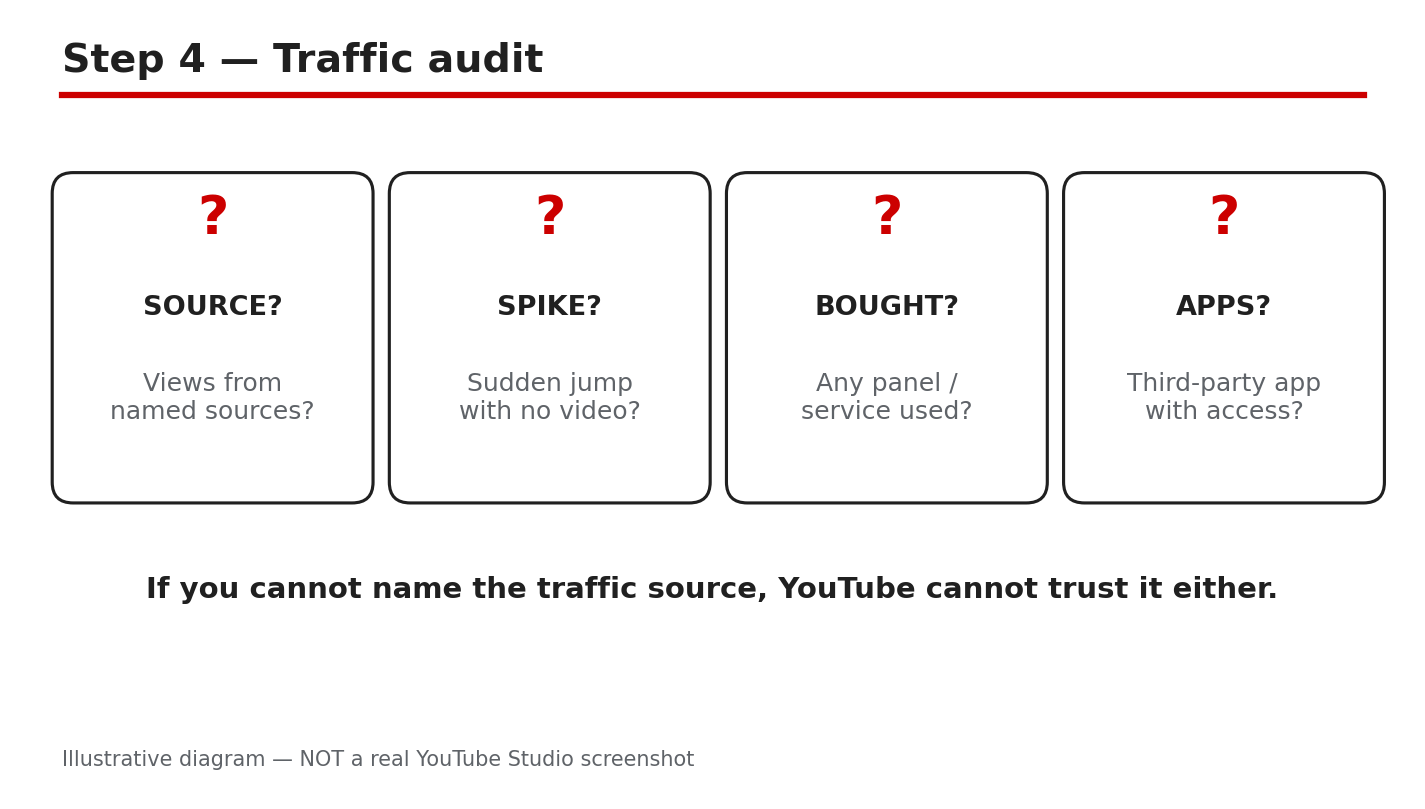
How: Open Analytics, then the Reach tab, then the traffic source types report. Compare the last 28 days with the previous period. Look for a sudden spike from External or unknown sources, a single video jumping far above your normal range, or views rising while watch time, likes, and comments stay flat. As reported by creators, a views spike with almost no average view duration is a classic sign of artificial traffic, so confirm what you see in Studio before acting. Our guide on how YouTube counts views in 2026 explains which views YouTube treats as real.
Example: A cooking channel normally gets 80 percent of traffic from Browse and Search. One week a new video gets 70 percent from an unknown external site and average view duration drops to nine seconds. That is the pattern to investigate.
Common mistake: Only watching the headline view count. The traffic source breakdown tells you what happened; the total only tells you that something happened.
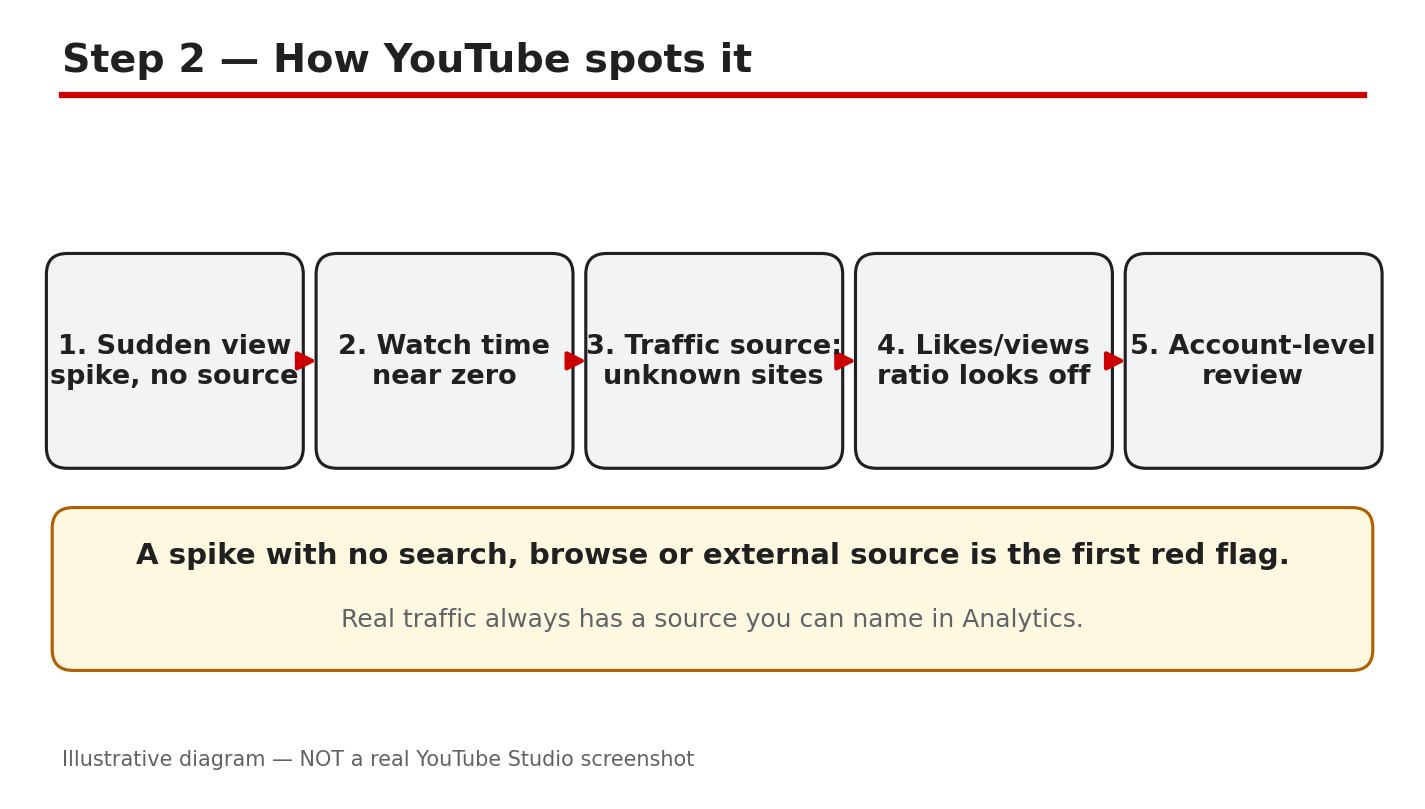
Illustrative diagram (mock-up, not a real YouTube Studio screenshot): a traffic sources report with an unusual spike.
Step 3 - Stop Buying Views and Cut Off the Source Immediately
What to do: Cancel every paid promotion that sends artificial views, subscribers, or engagement, and stop asking viewers to click ads.
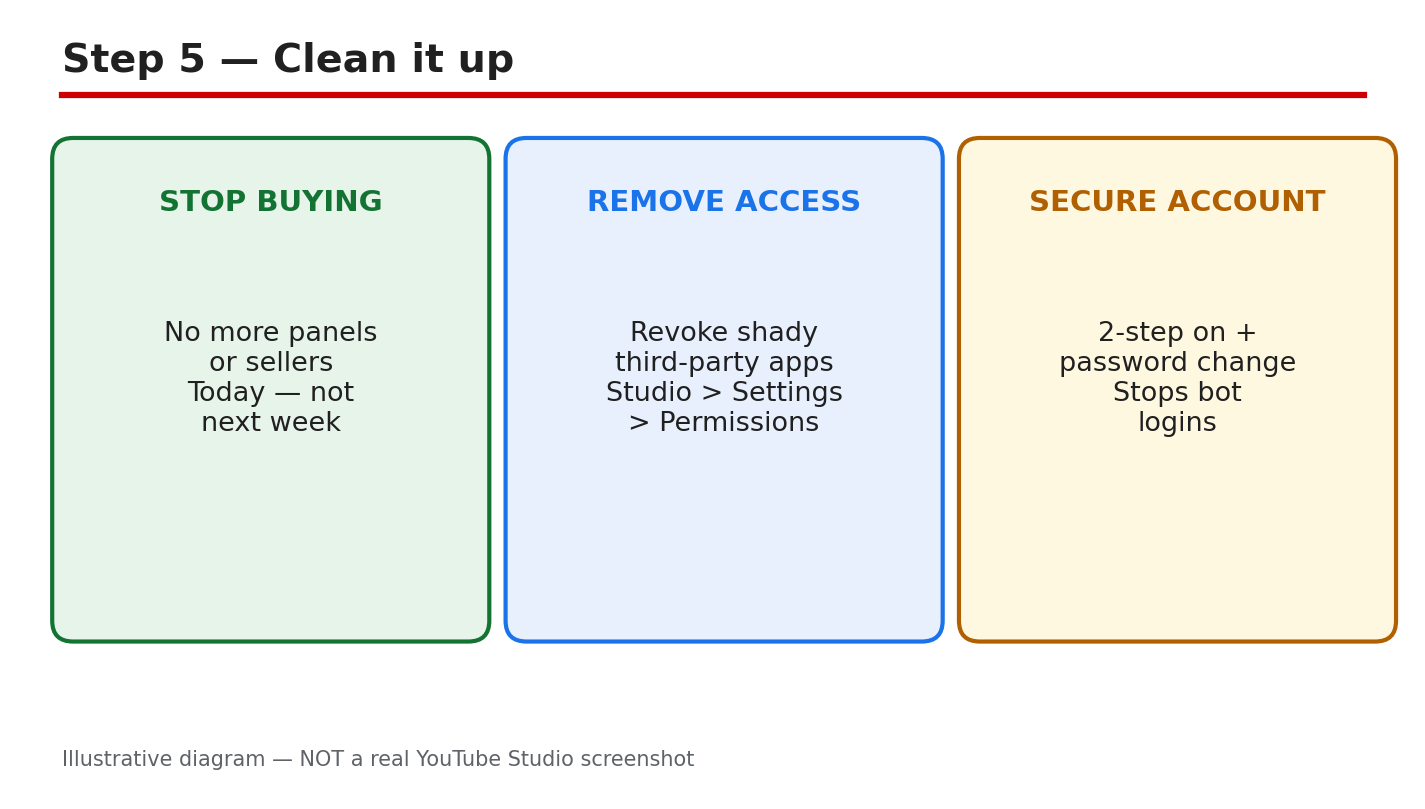
How: Log in to every panel, seller, or freelancer you used, cancel the order, and remove any auto-renew. Stop all view boosting and subscriber services, Never tell viewers to click ads or to watch a video on repeat to boost revenue. YouTube’s invalid-traffic page lists both practices as examples of invalid traffic.
Example: A creator had two active orders from a growth site. Cancelling both stopped new artificial views within a day, and the channel’s daily views returned to their normal range.
Common mistake: Pausing the service instead of cancelling it. An order that restarts by itself can undo a whole week of cleanup.
Illustrative diagram (mock-up, not a real YouTube Studio screenshot): cancelling paid view and subscriber services.
Step 4 - Revoke Shady Third-Party Apps and Secure the Account
What to do: Remove any third-party app or service that has access to your Google account or YouTube channel, then lock the account down.
How: Open your Google Account security settings, review third-party access, and revoke anything you do not recognize or no longer trust, especially tools that promised views or subscribers. Change your password, turn on two-step verification, and check that no unknown recovery email or phone number was added. Then open YouTube Studio and check the channel’s permissions for extra managers you did not add.
Example: A creator found an old free subscriber tool still connected to the channel a year after using it once. Revoking it stopped background activity the creator did not know was happening.
Common mistake: Changing the password but leaving the app connected. A connected app can keep acting on the channel even after a password change.
Illustrative diagram (mock-up, not a real YouTube Studio screenshot): securing the account and revoking app access.
Step 5 - Understand What Happens to Earnings and Keep Every Notice
What to do: Expect adjustments, not instant recovery, and keep every message YouTube sends about the issue.
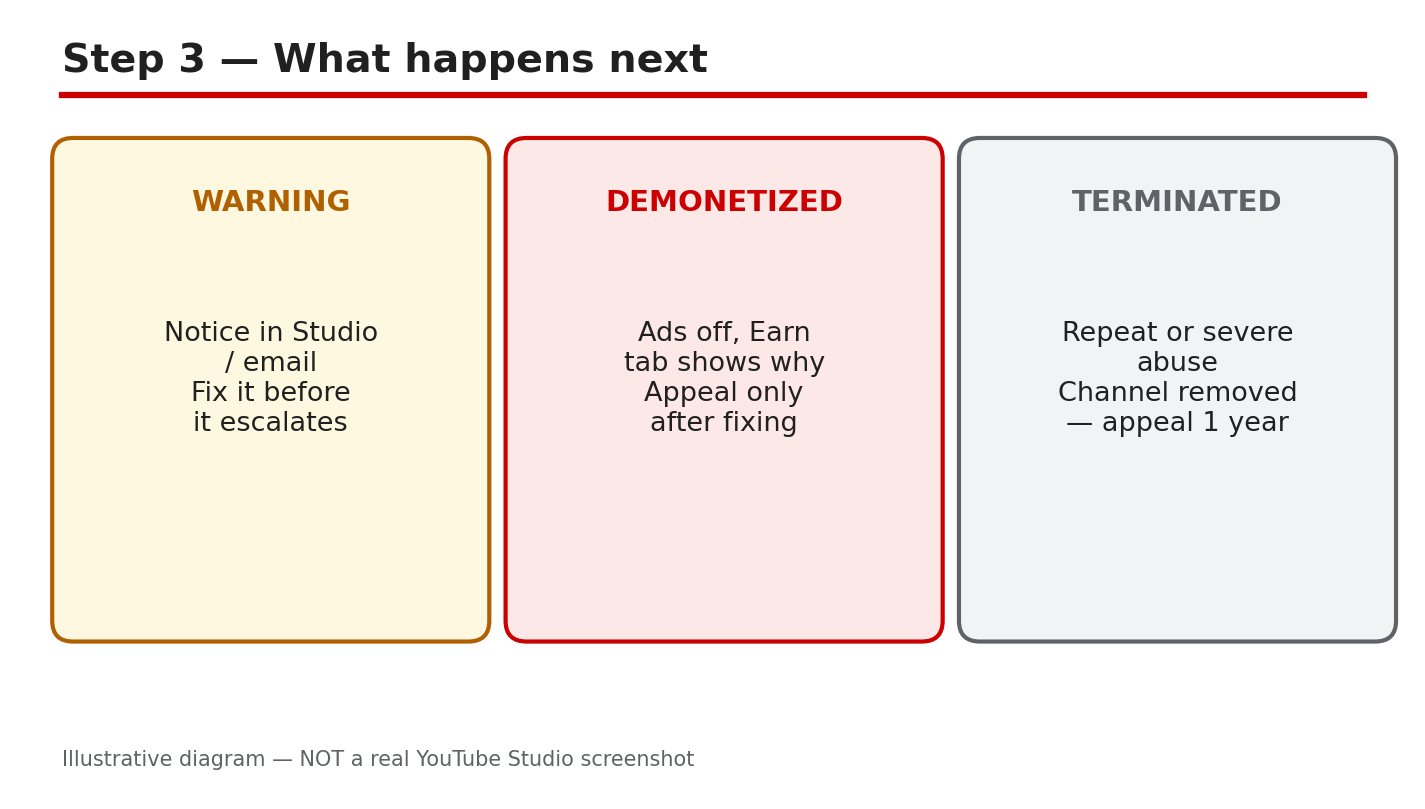
How: YouTube Help says that when invalid traffic is detected, advertisers are not charged, and earnings tied to invalid activity can be adjusted out. Ad serving may be limited for a while until the systems see the risk has reduced, and significant violations can lead to suspension of the linked AdSense for YouTube account or demonetization under the channel monetization policies. Payments may also be delayed while traffic is investigated. Save every email and Earn-tab notice, including dates, because the appeal window is tied to them.
Example: A channel’s estimated revenue dropped for two weeks after the invalid views were removed, even though public views looked normal again.
Common mistake: Spending the estimated revenue before it is finalized. Estimated earnings are not a promise, and invalid-traffic adjustments can reduce them.
Illustrative diagram (mock-up, not a real YouTube Studio screenshot): earnings adjustments after invalid traffic.
Step 6 - Appeal If the Decision Was Wrong, Then Rebuild With Real Traffic
What to do: If your account was disabled for invalid traffic and you believe that was an error, submit an invalid activity appeal through the official route, and keep the channel clean while you wait.
How: YouTube Help says that if your account was disabled for invalid traffic but you feel the decision was made in error, you can submit an invalid activity appeal. Follow the link in the notice or email, explain briefly what you stopped and what you changed, and include the cancellation dates if you have them. Rebuild with real sources such as search and suggested videos, and confirm in Studio that traffic sources look normal again. If your subscriber count also fell, read our guide on why subscribers drop or get stuck before assuming the worst.
Example: A creator appealed after cancelling a growth service and revoking app access, and included the cancellation dates. The appeal was reviewed, and the channel was later able to apply for monetization again once eligible in YouTube Studio.
Common mistake: Appealing before cleaning up. If the service is still running, the same signal that caused the problem is still present when the appeal is reviewed.
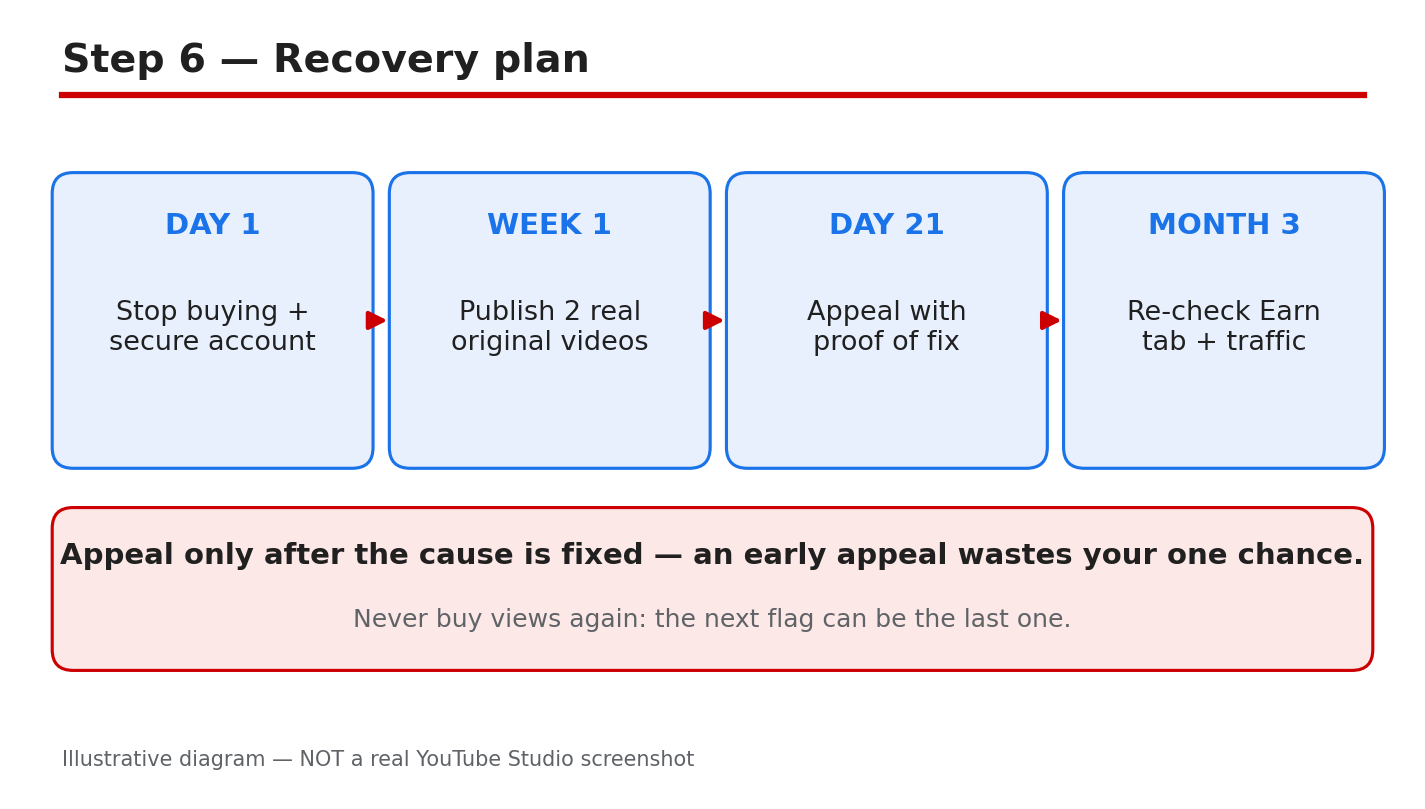
Illustrative diagram (mock-up, not a real YouTube Studio screenshot): appealing and rebuilding with real traffic.
Your Invalid Traffic Cleanup Checklist
- All paid view, subscriber, and engagement orders cancelled, not just paused.
- Nobody has been asked to click ads or loop videos for revenue.
- Third-party access reviewed, and unknown or shady apps revoked.
- Password changed and two-step verification turned on.
- Suspicious traffic sources checked in the Analytics Reach tab.
- Every YouTube email and Earn-tab notice saved with its date.
- Appeal submitted only through the official link, once, with the cleanup dates included.
Frequently Asked Questions
Will YouTube remove the bought views? As reported, YouTube’s systems filter out invalid views, so the views may drop in Analytics and earnings tied to them can be adjusted out. The channel itself can also face limits on ads.
Can I get monetization back after invalid traffic? YouTube Help says significant violations may lead to demonetization, and if a violation is overturned you can apply for monetization once eligible in Studio. Confirm your exact status in the Earn tab.
Does embedding a video or using the Promotions tab cause invalid traffic? YouTube’s FAQ says embedding and legitimate promotion do not by themselves cause invalid traffic. Check the official FAQ for the full list of cases.
Will my videos still be recommended? YouTube’s FAQ addresses recommendations after invalid traffic, so check the article for the current wording. Real watch time and audience signals still matter, so keep publishing normally and read the Reach tab.
How long do invalid-traffic reviews take? YouTube Help says payments may be delayed up to 90 days while traffic is investigated. Keep the channel clean and watch the Earn tab for updates.
Sources
- YouTube Help, Invalid traffic on your videos: support.google.com/youtube/answer/10285842 (verified live 31 October 2026).
- CreatorPlaybook, How YouTube Counts Views in 2026: creatorplaybook.blogspot.com/2026/10/how-youtube-counts-views-in-2026-public.html
- CreatorPlaybook, YouTube Subscribers Dropping or Stuck?: creatorplaybook.blogspot.com/2026/10/youtube-subscribers-dropping-or-stuck.html